chrism13325571
Participant
November 20, 2017
Answered

Stubborn tooltip in Camera Raw will not go away [was: Chris]

  • November 20, 2017
  • 1 reply
  • 873 views

Hi

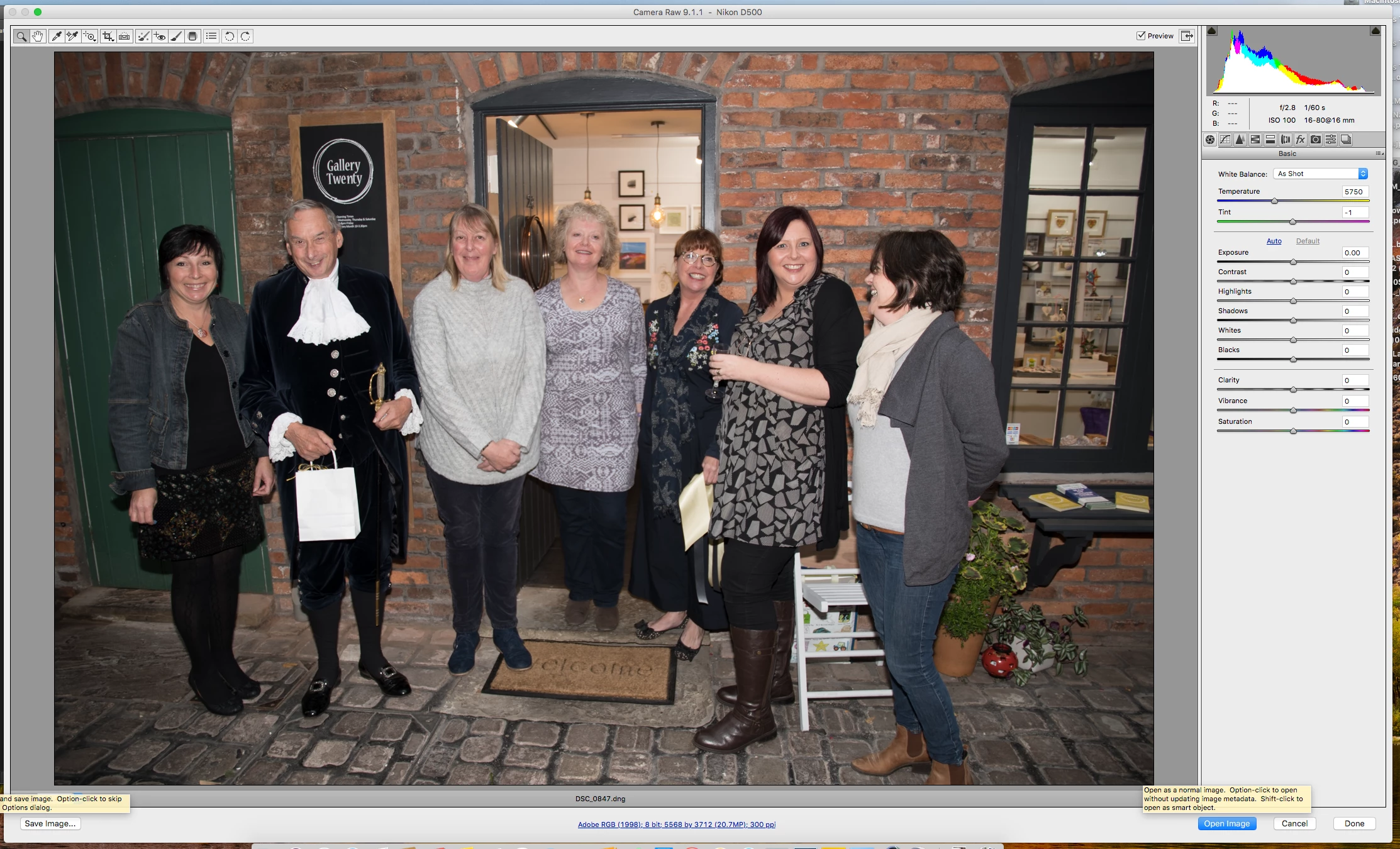
I am getting a strange occurrence when working in Camera Raw. When I hover the mouse over "Open Image" to go to Photoshop then an instruction message appears and won't go away unless I close Photoshop. See bottom righthand corner in screen shot below. Any ideas anyone?

Thanks

Chris
    This topic has been closed for replies.
    Correct answer Jeff Arola

    Are you using macOS High Sierra?

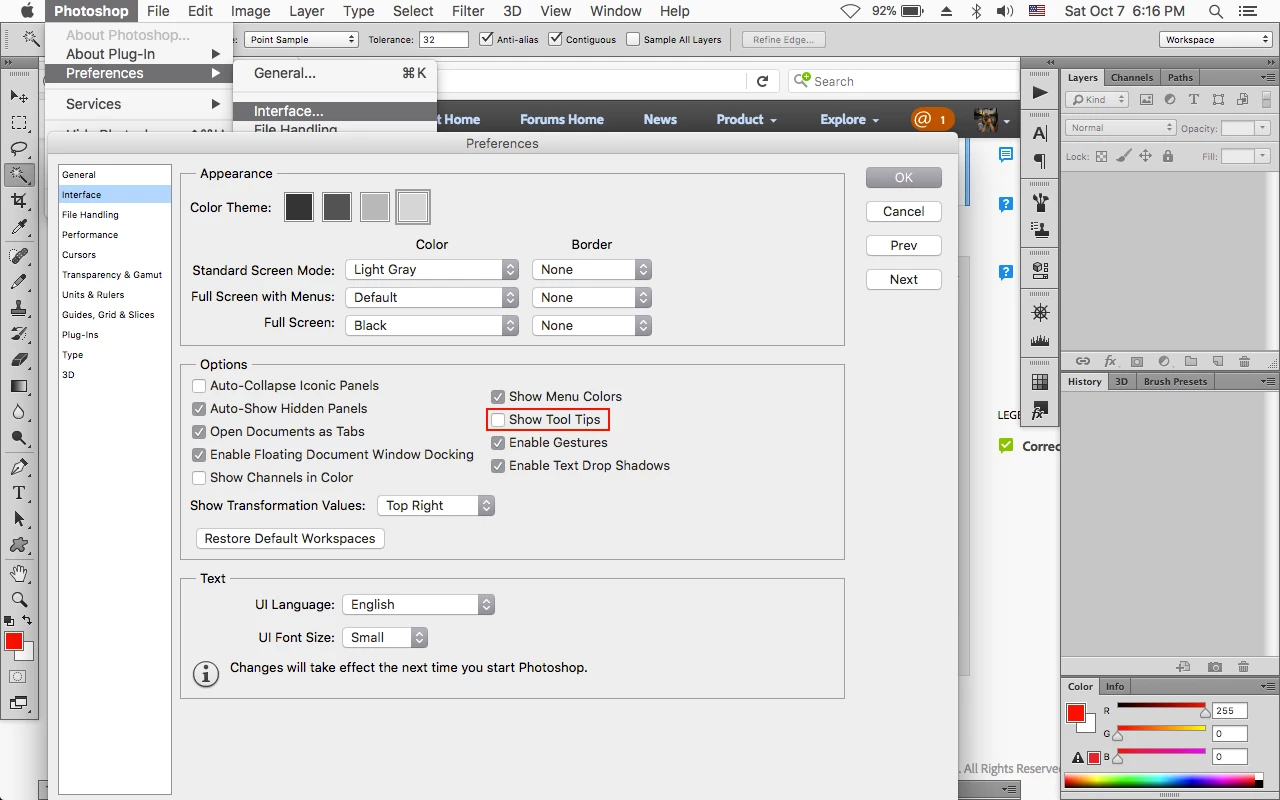
    You can go to Photoshop>Preferences>Interface, uncheck Show Tool Tips and then restart photoshop.

    That should stop the tool tips in camera raw as well when used from within photoshop cs6.

    1 reply

    Jeff Arola
    Community Expert
    Jeff ArolaCommunity ExpertCorrect answer
    Community Expert
    November 20, 2017

    Are you using macOS High Sierra?

    You can go to Photoshop>Preferences>Interface, uncheck Show Tool Tips and then restart photoshop.

    That should stop the tool tips in camera raw as well when used from within photoshop cs6.

    chrism13325571
    Participant
    November 20, 2017

    Hi Jeff

    Yes, recently installed High Sierra.

    Unchecking the tool tips has sorted it, many thanks, though would have thought the tips would subside when I moved the mouse away?

    Regards
    Chris