
Participant
September 5, 2021
Question

Student Help Request - Neural Filter not working with repaired photo

  • September 5, 2021
  • 1 reply
  • 196 views

My assignment for this week in my graphic design class is to repair 2 photos and colorize them. I spent about 3 hours on each photo repairing it using the various tools. 

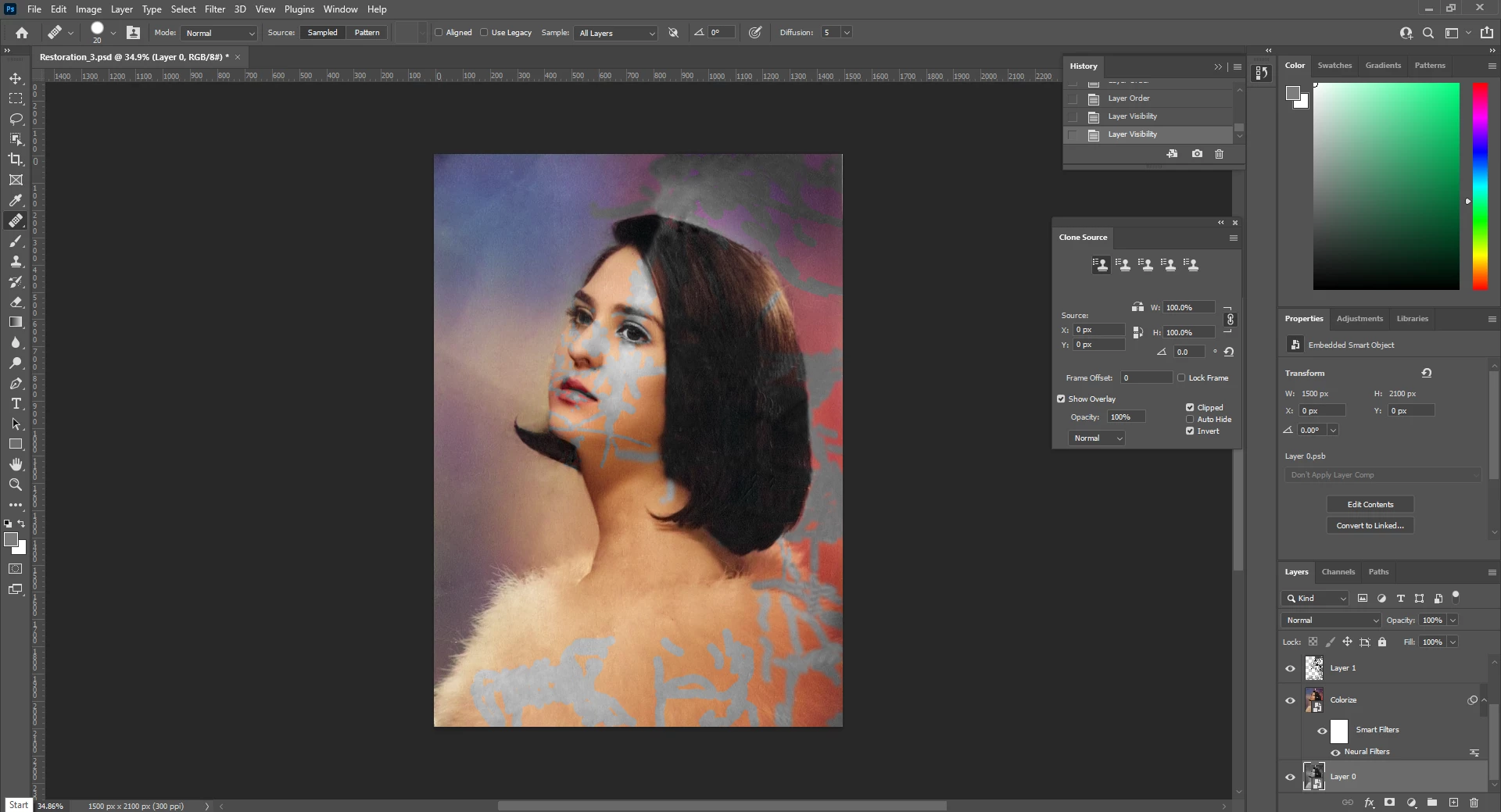
I finished today and created a duplicate layer and applied toe colorize neural filter which worked beautifully BUT it won't colorize any part of my photo that has been repaired. I tried moving the colorized layer to the top but that just shows the photo colorized with all the damage showing.

I'm only 2.5 weeks into this class so it's VERY likely i'm making a rookie mistake so any help would be greatly appreciated. 


This topic has been closed for replies.

1 reply

c.pfaffenbichler
Community Expert
Community Expert
September 5, 2021

Check out the Layers Panel. 

»Layer 1«, which presumably contains the touch-up, is atop the filtered Smart Object instance. 


You could convert the image and the correction layer together to a new Smart Object and apply the Filter to that. 

Participant
September 5, 2021

Layer 1 is where the corrections are. I also have a curves layer to adjust the graininess out of the photo on top of that. 

I know how to convert layers to a smart object but I'm not sure how to do what you describe. I apologize for the lack of experience.

Here is a screenshot of my layers panel 


c.pfaffenbichler
Community Expert
Community Expert
September 5, 2021

You would need to convert »Layer 1« and »Layer 0« together to one Smart Object and apply the Filter to that.