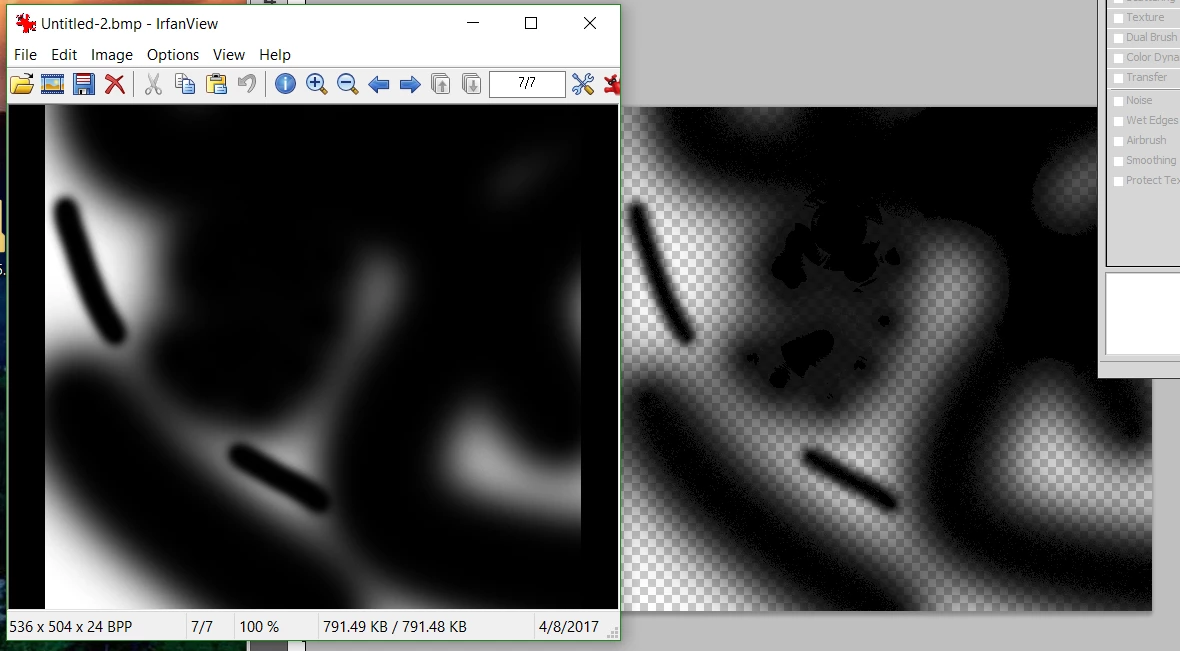
Stuttering brush strokes with artifacts
I'm using Photoshop on our computers. My wife is an artist while I'm a computer geek.
On both computers were getting this strange stuttering artifacts when using the brush tool. Normally its a smooth gradient/line universally, but sometime this morning we started to get this noise in using the brush.
If I use the gradient tool to produce smooth gradients along the color, so its not a problem with the display. I've color calibrated, reset preferences, reloaded brushes, reinstalled (albeit didn't delete the folders), disabled OpenGL graphics usage in preferences, updated everything monitor/video related.
Rebooted a couple of times.
Systems:
N System: Win 10 Pro
Intel i3-3250 (3.50GHz)
8GB RAM
NVIDIA GeForce GTX 650
ViewSonic VX2433wm (monitor)
K: Win 10 home
Intel i3-3250 (3.50GHz)
16GB RAM
AMD Radion R7 200 series
HP Pavilion 25bw ips (Monitor)
Brush: plain circle, we've always used 25% spacing without problem. If we remove spacing, instead of getting smooth shading, we get hard lines.
Pictures. Yes, I'm aware putting white below hides some of that, but that is the left, the right is without white for illustration.
 AdChoices