
Suspiciously complicated to install and activate Photoshop CS5
I run Win 10.
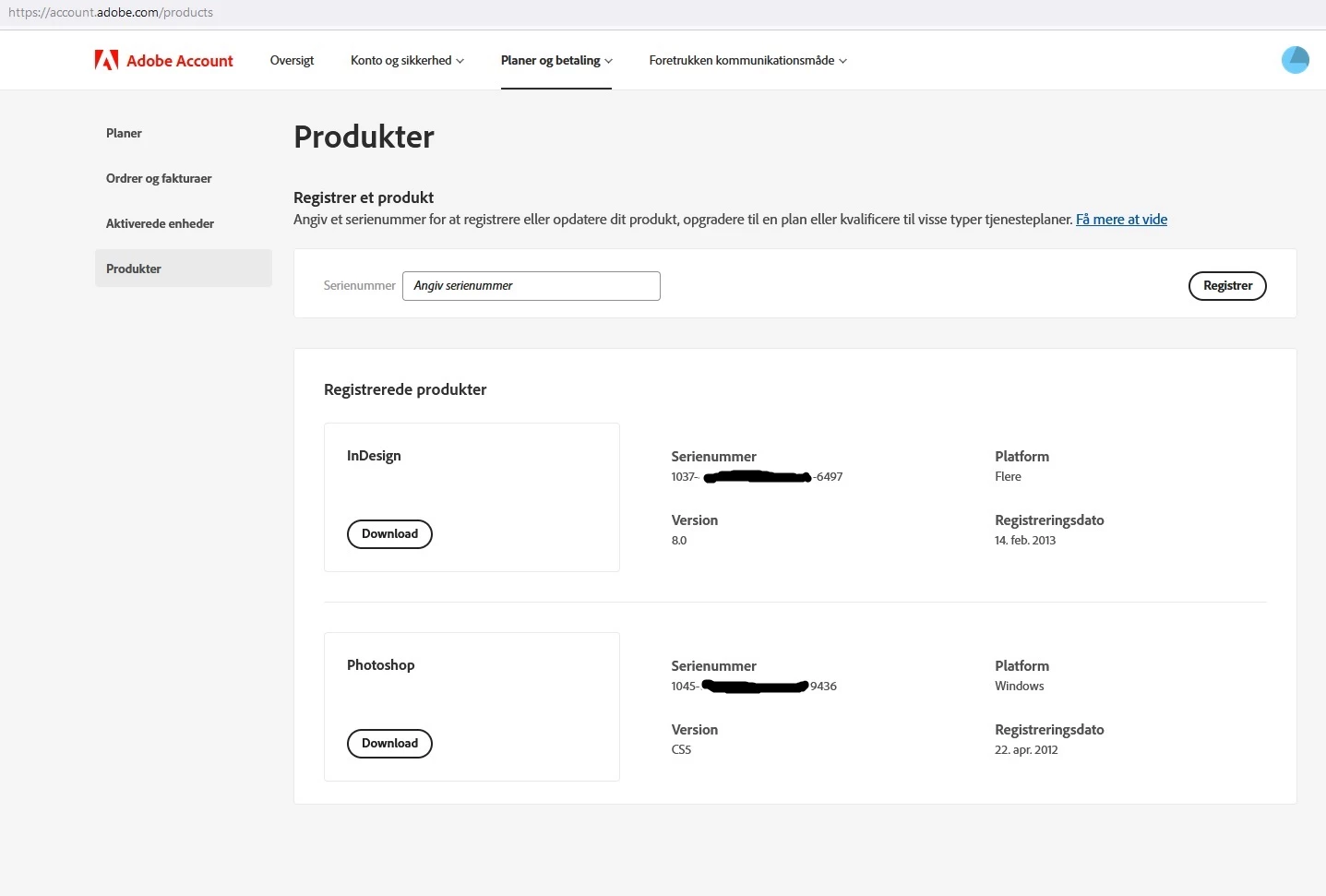
Way back I bought Photoshop CS3, CS4 and CS5. Photoshop CS5 is shown on the Product page under my Adobe account:
I downloaded the English version, which should match the originally purchaced CS5.
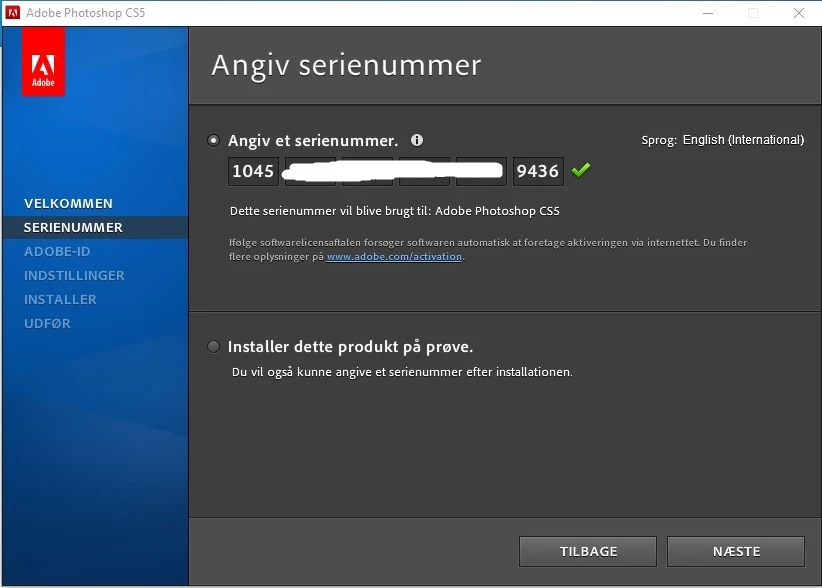
In the set-up window I inserted the serialnumber, which was recognized with the following info -
'This serial number will be used for : Adobe Photoshop CS5'
(promising so far):
Next, the troubles began:
Apparently the set-up routine expected a previous software to be installed on the computer, but it isn't (all original versions are long gone with an old pc).
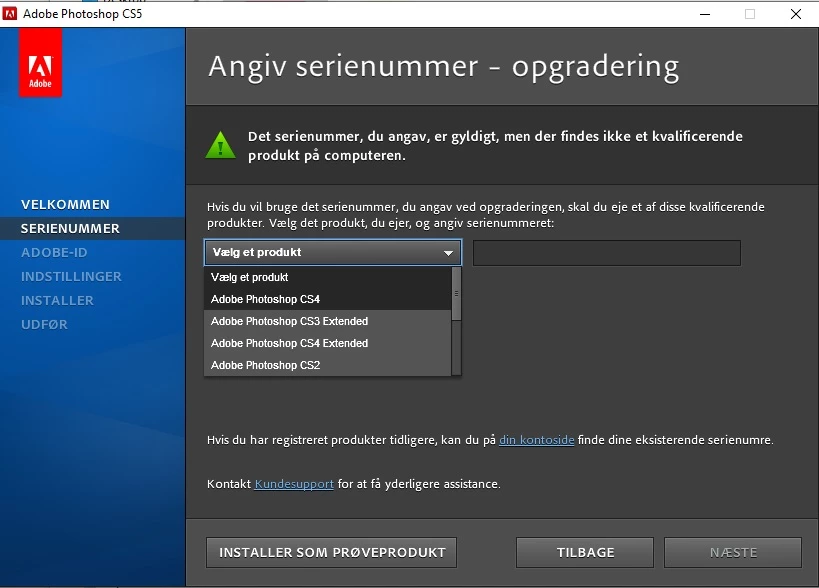
The next message said:
'This serial number, you gave, is valid, but no qualifying product exists on the computer.'
Apparently this installation routine is still looking for CS4, which also is long gone and forgotten:
Conclusion: I can't install the downloaded Photoshop CS5, due to old installation formalities.
Or - is there a way to convince Adobe support (if it exists?) that I am the rightious owner of a valid license for Photoshop CS5 - as Adobe has stated in my account - and to by pass the check for an earlier version?
Or is there another way to work around this barrier?
 AdChoices