Participant
September 22, 2020
Answered

Switch between eraser, paint brush and clone settings for a custom brush?

  • September 22, 2020
  • 2 replies
  • 547 views

I was able to get a few helpful brush settings set up...but then discovered I'd made them for an eraser tool and not a paintbrush. Is there a way to change an eraser tool to a paintbrush tool after they have been set up?
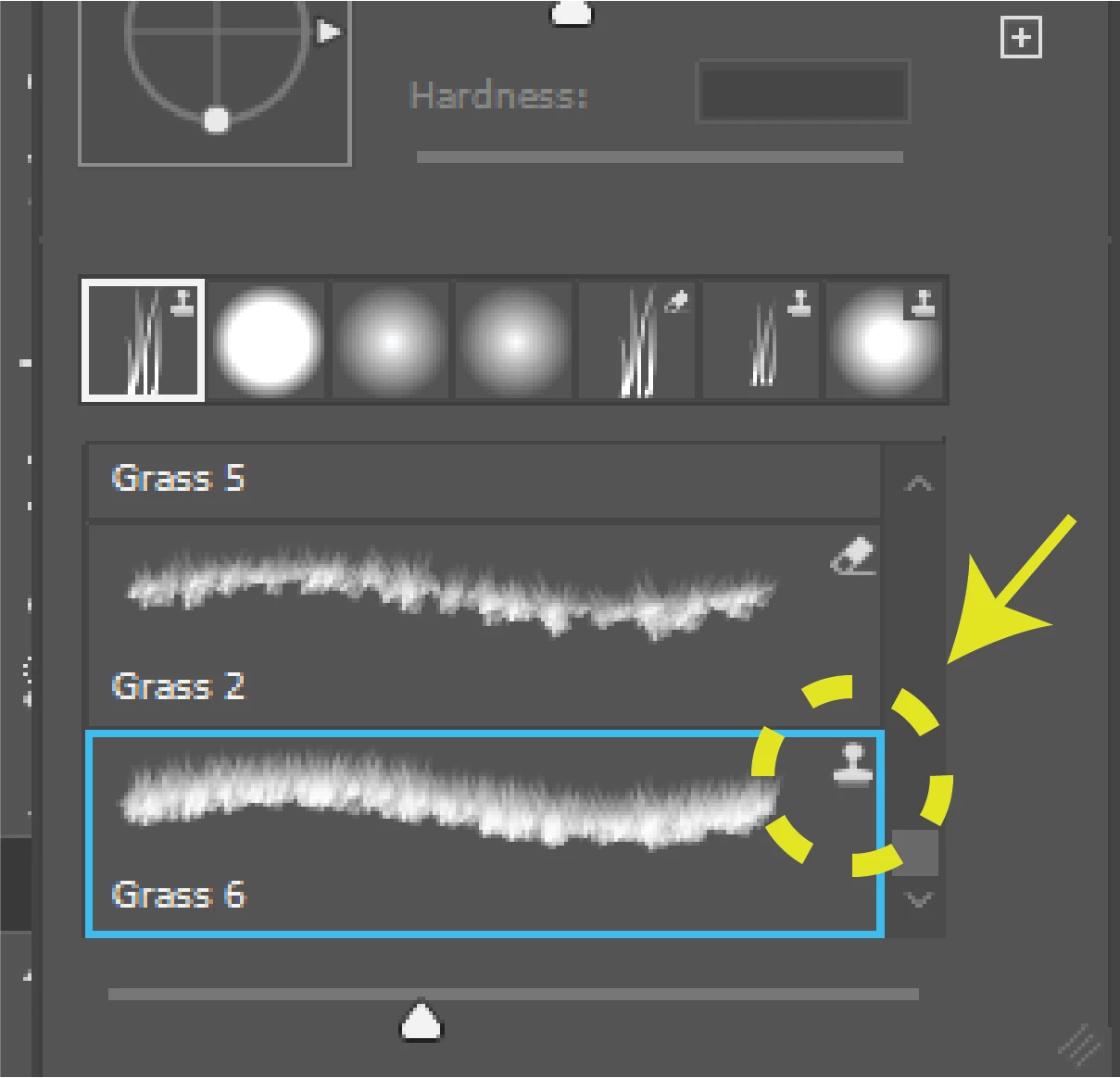
 

Any help is greatly appreciated.


Mike

This topic has been closed for replies.
Correct answer PECourtejoie

An alternative, is to ALT+CTRL(PC)/OPT+CMD(Mac)+Click on the preset to load the brush tip while keeping your current tool. Then you will be able to save it with the tool you want (or no tool).

2 replies

PECourtejoie
Community Expert
PECourtejoieCommunity ExpertCorrect answer
Community Expert
October 1, 2022

An alternative, is to ALT+CTRL(PC)/OPT+CMD(Mac)+Click on the preset to load the brush tip while keeping your current tool. Then you will be able to save it with the tool you want (or no tool).

Eugenio.NYC
Participating Frequently
October 7, 2020

Hi, YES, 

Select the preset that you like, then go to the brush setting panel and create a new preset but deselect the "include tool setting"

LMK if that works