
Participating Frequently
July 10, 2018
Question

Tablet doesn't quite work

  • July 10, 2018
  • 3 replies
  • 597 views

On Windows 10 updates after KB4093105 my Wacom One doesn't function properly even after disabling Windows Ink for Photoshop and adding the file that sets UseSystemStylus to 0:
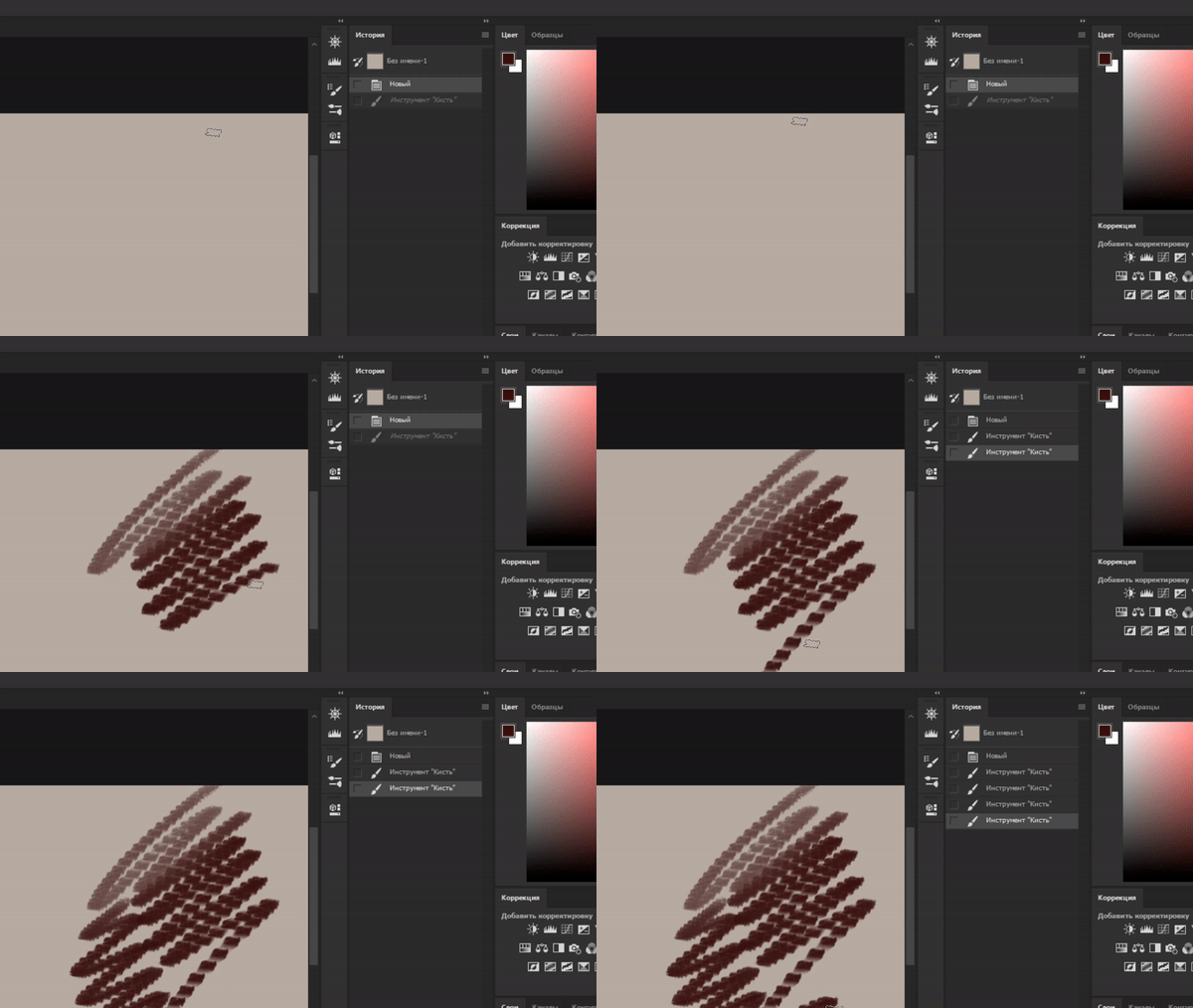
The brush wasn't set to have such gaps, and before said Windows update it looked like one solid stroke

This topic has been closed for replies.

3 replies

LevSichevAuthor
Participating Frequently
July 12, 2018

UPD: it worked for a while, but then broke again. That "double action" thing from the gif still persists, but the brush mostly doesn't leave any stroke now, even after i reboot ps

July 12, 2018

Hi

Have you tried resetting the Brush Tool

If that doesn't help try resetting Photoshop preferences

LevSichevAuthor
Participating Frequently
July 12, 2018

I tried, but it didn't quite solve the problem. The brush stroke is now solid, but still leaves gaps sometimes. Also, the brush lags more than before. The "double action" is still there

LevSichevAuthor
Participating Frequently
July 12, 2018

UPD: apparently the error fixed itself after I just checked for ps updates through creative cloud

Sahil.Chawla
Adobe Employee
Adobe Employee
July 10, 2018

Hi LevSichev,

As the brush strokes are not working properly, could you please try updating to the most recent version of the Wacom drivers?

If the drivers are already up to date, then please try rolling back to a previous version of the drivers and let us know if it helps.

Regards,
Sahil

LevSichevAuthor
Participating Frequently
July 10, 2018

Drivers were already up to date, installing the previous ones didn't solve the problem