
Participating Frequently
January 9, 2024
Answered

Takes forever to get tech support today, go thru auto message then wait or a bot, crazy making.

  • January 9, 2024
  • 1 reply
  • 238 views

Can never find the brushes I need,  greyed out screen....looking for sparkle....again and again.

Some months can pass and I need again I cannot recall the times before WHERE the HECK to find it.....this seems to be a new thing with Adobe - I never have had any problems like this before....are they going to hire bots before long to take up one's time before you might be

lucky and find a human ?  It's a sad state of affairs.
This topic has been closed for replies.
Correct answer gener7

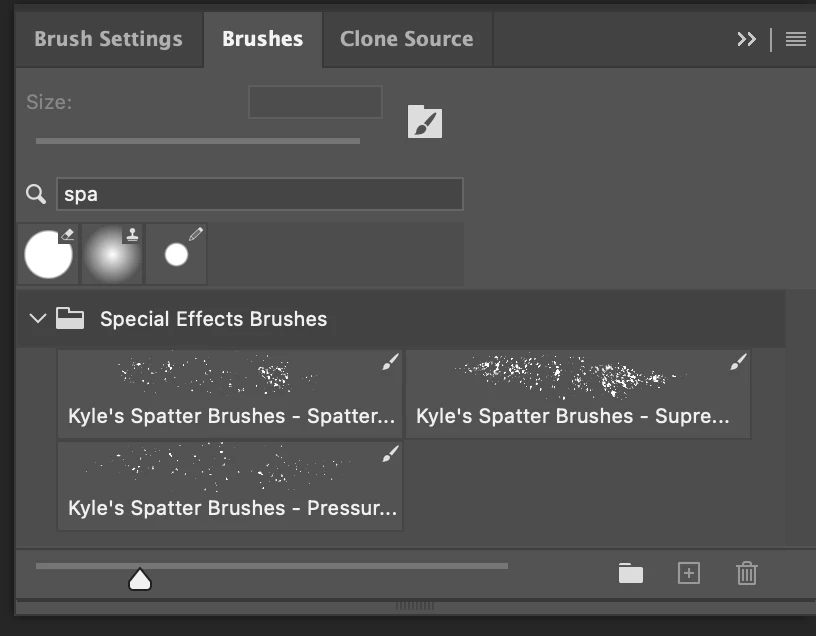
You can try the Search box in the Brush panel: Kyle's Spatter Brushes seems to be a match.

If that's not it, try this guide:

https://www.adobe.com/products/photoshop/photoshop-brushes/sparkle.html


1 reply

gener7
Community Expert
gener7Community ExpertCorrect answer
Community Expert
January 10, 2024

You can try the Search box in the Brush panel: Kyle's Spatter Brushes seems to be a match.

If that's not it, try this guide:

https://www.adobe.com/products/photoshop/photoshop-brushes/sparkle.html


cyndwardAuthor
Participating Frequently
January 10, 2024
Yes ! And thank you so much for taking the time to let me know how to find those brushes,
exactly what I search for so often.


Best Wishes,
Cynthia