
Known Participant
November 18, 2020
Question

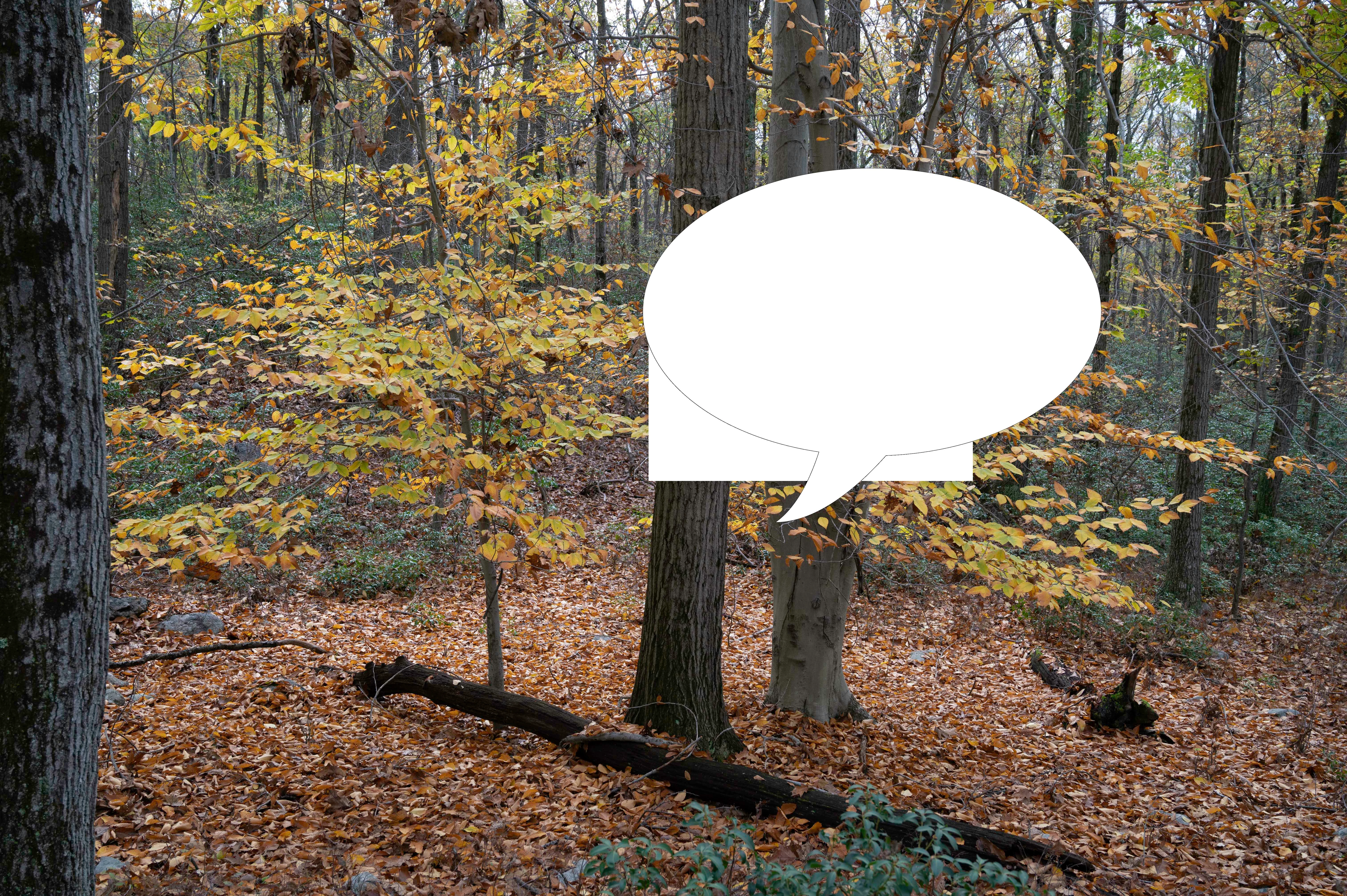
Talk Bubble saved wrong?

  • November 18, 2020
  • 1 reply
  • 351 views

I'm new to Photoshop. I added a talk bubble to a photo. On the screen it looked fine. But, the image saved to a file includes a partial rectangle around part of the bubble in the same fill color as the bubble. Why is Photoshop not saving the image properly, as it looked on the screen? Is this a bug or am I doing domwthing wrong? I am attaching a sample photo.
This topic has been closed for replies.

1 reply

c.pfaffenbichler
Community Expert
Community Expert
November 18, 2020

Does turning off »Use Graphics Processor« in the Performance Preferences (Photoshop > Preferences > Performance > Graphic Processor Settings) and restarting Photoshop have any bearing on the issue? 

Could you please post a screenshot with the pertinent Panels (Toolbar, Layers, Channels, Options Bar, …) visible? 


Edit: And a little nit-picking: In the context (and with the image to boot) your point was clear but this type of graphic is usually rather called a »speech-bubble« or »-ballon«. 

https://en.wikipedia.org/wiki/Speech_balloon

rekkyAuthor
Known Participant
November 18, 2020

Turning off the graphics processor and restarting didn't change anything. Regarding your nitpick, rather than the common terminology, I used the terminology within PS. The shape category is labeled as "Talk Bubbles."


Another saved image and a screenshot (not sure exactly what you wanted to see).


c.pfaffenbichler
Community Expert
Community Expert
November 18, 2020

Just to make sure: You do keep the layered file as a psd, psb or tif? 


Do the artefacts affect flattened copies in all file formats? 

Do they also appear if you run Image > Duplicate with »Duplicate Merged Layres Only« checked?