josantgomez
Legend
November 9, 2023
Answered

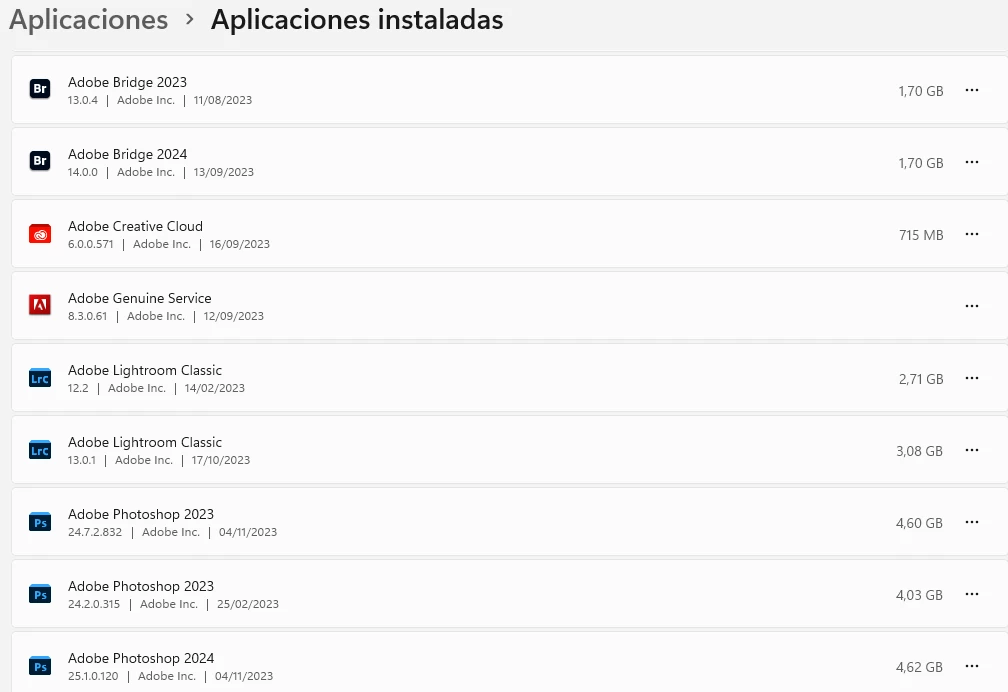
¿Tengo aplicaciones duplicadas?

  • November 9, 2023
  • 3 replies
  • 661 views

Me pregunto si puedo desinstalar las más antigüas de las que aparecen duplicadas o si debo mantenerlas.



This topic has been closed for replies.
Correct answer Trevor.Dennis

One of our regular posters, JJ Mack, used to keep a bunch of previous versions installed just to be able to test forum answers for posters still using them, but with a specific reason, there's no point in using all that drive space.  Between Program Files and the AppData folders, each version of Photoshop might be using 5Gb of drive space?


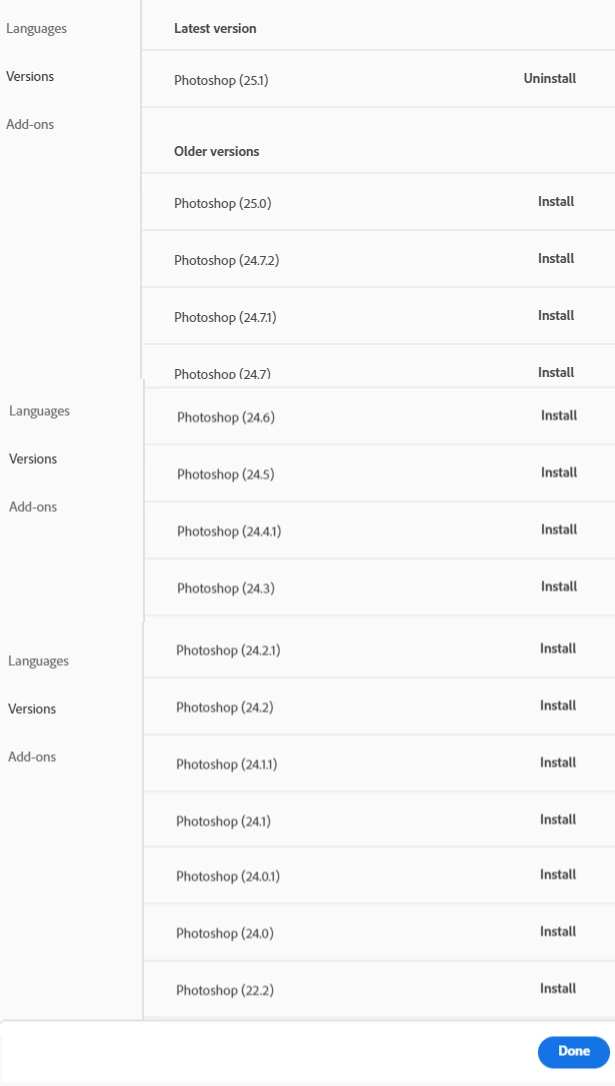
On top of that, it is super easy to install previous versions way way back, so there would definitely be a version that would work for you if you did need to roll back.
3 replies

josantgomez
Legend
November 11, 2023

  No he intentado la desinstalación desde Desktop Creative Cloud . Lo hice con Windows 11. Permanecen como instaladas, aunque no en el escritorio de Creative Cloud. En la captura figura el mensaje que lanza Windows al reitentar la desinstalación. Por otra parte solamente  permanecen operativas las versiones recientes. Hice una búsqueda en Creative Cloud para solventar la cuestión, pero no pudo ser o no supe.

¿Qué camino seguir: buscar solucción con Windows o encontrar alternativa en Adobe si la tiene?


jane-e
Community Expert
Community Expert
November 11, 2023


@josantgomez wrote:

I haven't tried uninstalling from Desktop Creative Cloud. I did it with Windows 11.


There may be a reason you decided not to follow the advice of Trevor and Kevin to uninstall using the Creative Cloud app. Here is the proper way to uninstall Creative Cloud applications:

https://helpx.adobe.com/creative-cloud/help/uninstall-remove-app.html


Now that you have done it incorrectly, you may want to use the Creative Cloud Cleaner tool to clean up the remnants:

https://helpx.adobe.com/creative-cloud/kb/cc-cleaner-tool-installation-problems.html


Jane

josantgomez
Legend
November 11, 2023

No me dí cuenta de ese consejo. Inexplicable, pero no lo ví. Deben ser los años. Agradezco que acudas en mi ayuda. Entretanto ya había comprendido que lo que hice no fue lo adecuado. Ya había leído hace un momento las advertencias y criterios a seguir que indica Adobe.  El cómo debiera ser ya no puede usarse. Lo probé. O sea que tengo que usar la opción Cleaner. Comentaré el resultado. Muchas gracias, nuevamente. 

Trevor.Dennis
Community Expert
Trevor.DennisCommunity ExpertCorrect answer
Community Expert
November 9, 2023

One of our regular posters, JJ Mack, used to keep a bunch of previous versions installed just to be able to test forum answers for posters still using them, but with a specific reason, there's no point in using all that drive space.  Between Program Files and the AppData folders, each version of Photoshop might be using 5Gb of drive space?


On top of that, it is super easy to install previous versions way way back, so there would definitely be a version that would work for you if you did need to roll back.

Kevin Stohlmeyer
Community Expert
Community Expert
November 9, 2023

If you are running on current Photoshop 25.1 without issue I would remove the previous. You can always install 2023 again from the CC desktop app if you need it. Same for Bridge.