
Participant
December 20, 2020
Question

Text always on top, even when layer is underneath

  • December 20, 2020
  • 2 replies
  • 477 views

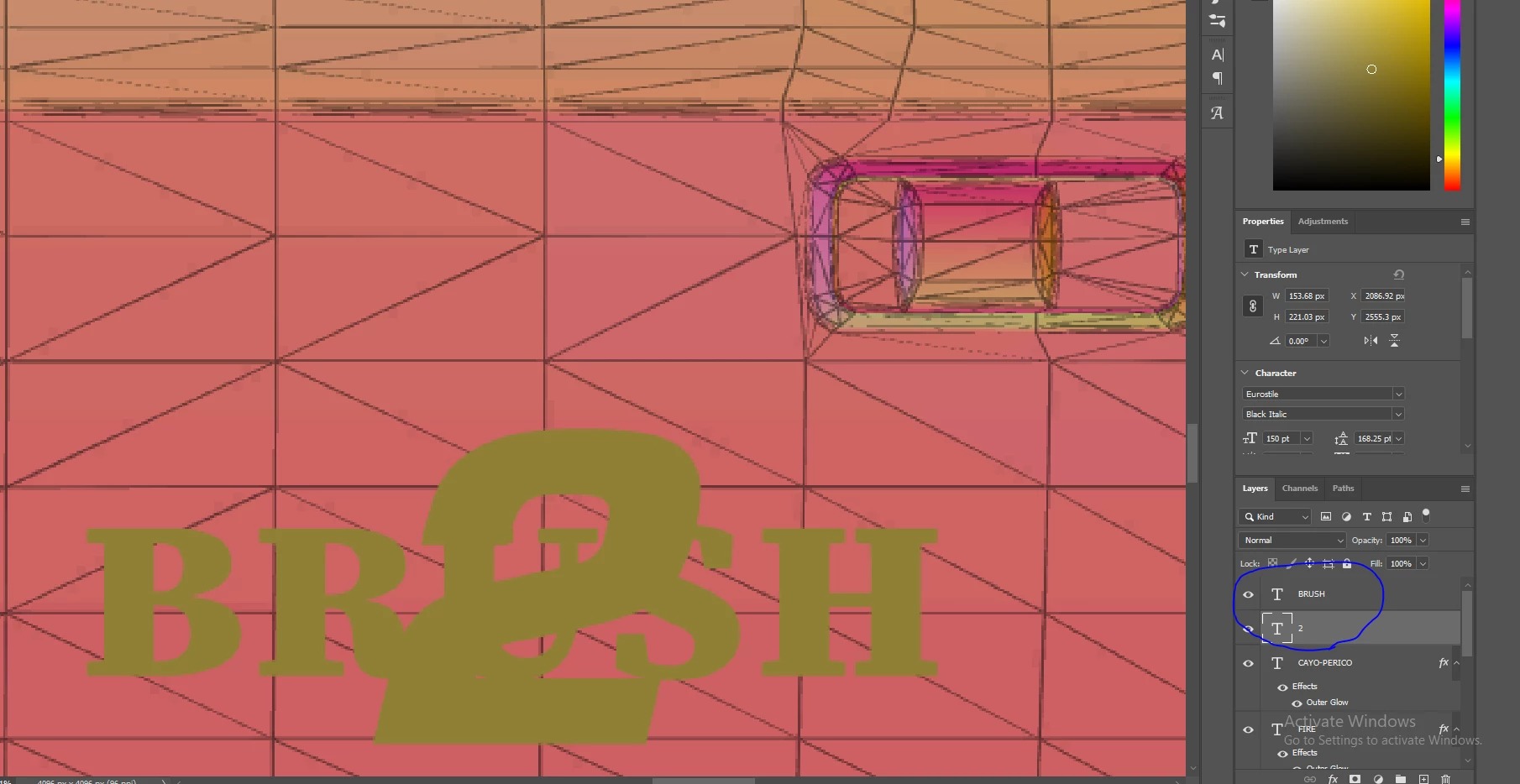
So, I'm looking for some help. I'm trying to overlay two text layers, where one is underneath. However, no matter where I put said text layer, it always stays on top. Not sure what the issue could be, and have tried with different fonts, as well as restarting photoshop. 

Here you can see that the 2 is on top, but underneath in the layers. 
 

This topic has been closed for replies.

2 replies

c.pfaffenbichler
Community Expert
Community Expert
December 21, 2020

»Here you can see that the 2 is on top«

»Brush« and »2« seem to have the same color so what are we supposed to see?

What is the Blend Mode of the other Type Layer? 

Jeff Arola
Community Expert
Community Expert
December 20, 2020

What does it look like if you change the color of the 2 text layer?