


Known Participant
February 17, 2023
Answered

text box issues

  • February 17, 2023
  • 5 replies
  • 1523 views

My text tool in Photoshop is acting funny. When I used it before, all it would do is give me the place holder text and a cursor (that's what I watnted it to do). I liked that because I didnt have to mess with a text box and guess how big a box I needed for a caption (I'm a cartoonist). Now, for some reason, when I use the text tool it makes a huge text box that stretches off the screen. Why is this happening and how do I stop it?
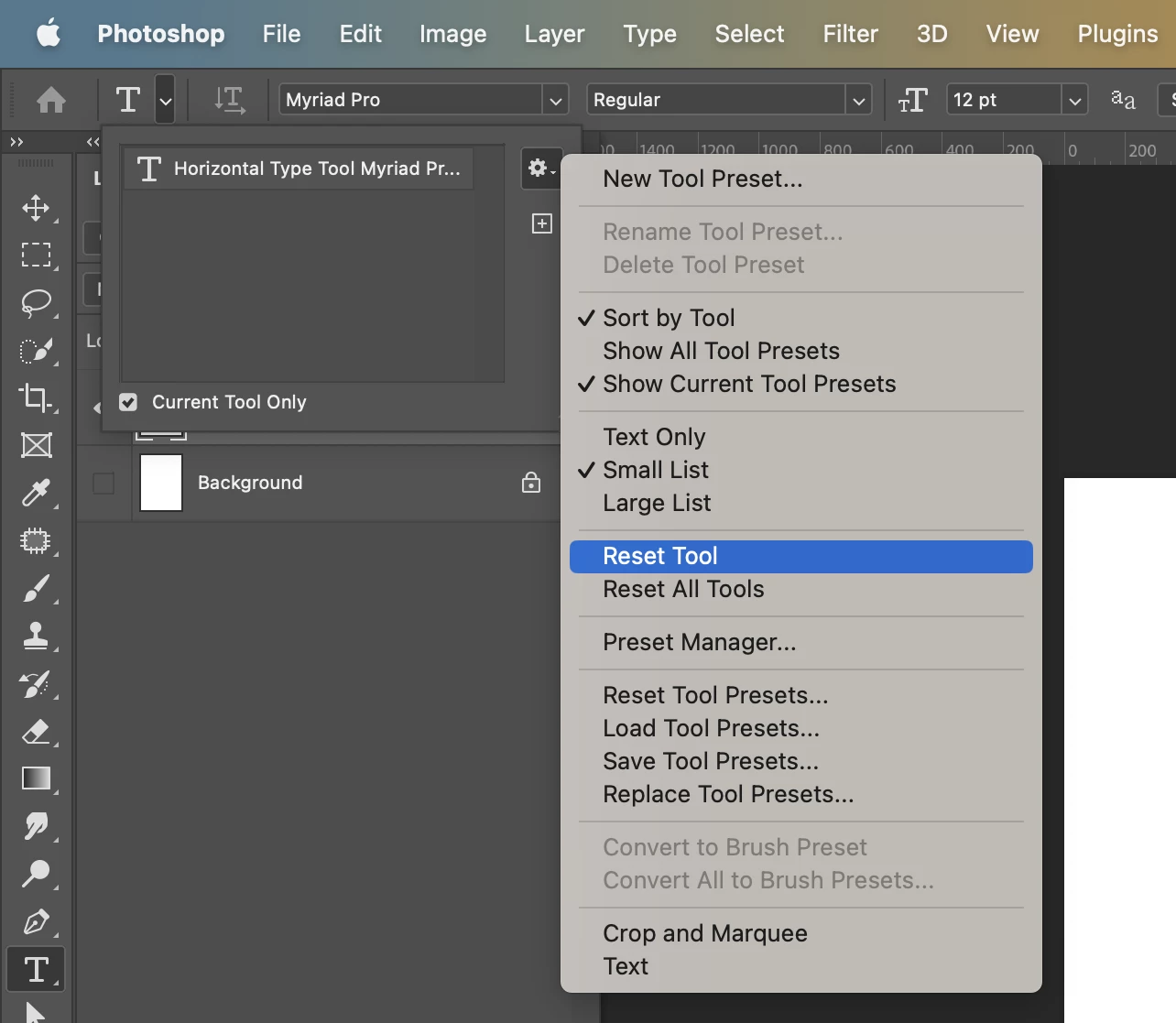
Correct answer Simmer1

Click on the Type Tool Icon, top left corner


5 replies

Simmer1
Community Expert
Simmer1Community ExpertCorrect answer
Community Expert
February 17, 2023

Click on the Type Tool Icon, top left corner


Known Participant
February 17, 2023

thank you for your assistance! you have really helped me out

Simmer1
Community Expert
Community Expert
February 17, 2023

Hey!


All good @Benjamin98A4 I'm always happy to help!!

Known Participant
February 17, 2023

no, but I think I found the solution. I draw with a tablet connected to my computer. when I used my mouse to create a text layer the problem happens. However when I "click" with my tablet pen, the problem goes away. It's probably the mouse. How do you reset the type tool? 

Simmer1
Community Expert
Community Expert
February 17, 2023

Ok, I'm sorry to hear that. Have you tried resetting the Type Tool?

Known Participant
February 17, 2023

I have tried this and the test box still shows up just with no place holder text. I would like the box to go away. I just want the blinking cursor to show up without the resizable boarder box.   

Simmer1
Community Expert
Community Expert
February 17, 2023

Hi,


Go to Photoshop Settings/Preferences > Type and uncheck the Fill new Layers with placeholder text box.


thanks,


Sim