urif81649969
Participant
July 2, 2018
Answered

Text by path - Wrong curve(?)
  • July 2, 2018
  • 3 replies
  • 1266 views

Hello

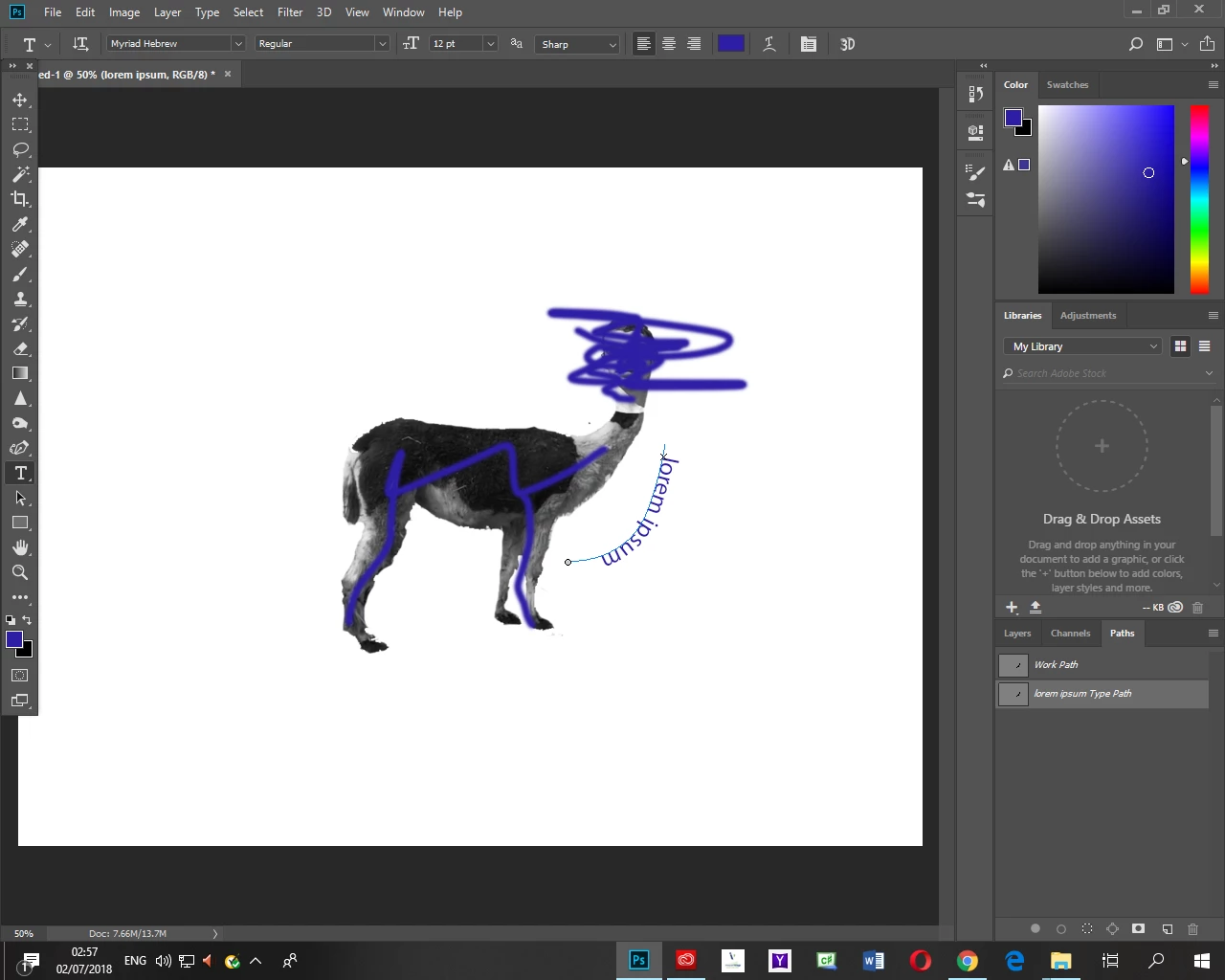
I want the text to curve around the donkey from his throat down, as the path at the image shows. As you can see the text is going upside down. I am trying to fix this for an hour with no success!

thanks.

This topic has been closed for replies.
Correct answer Chuck Uebele

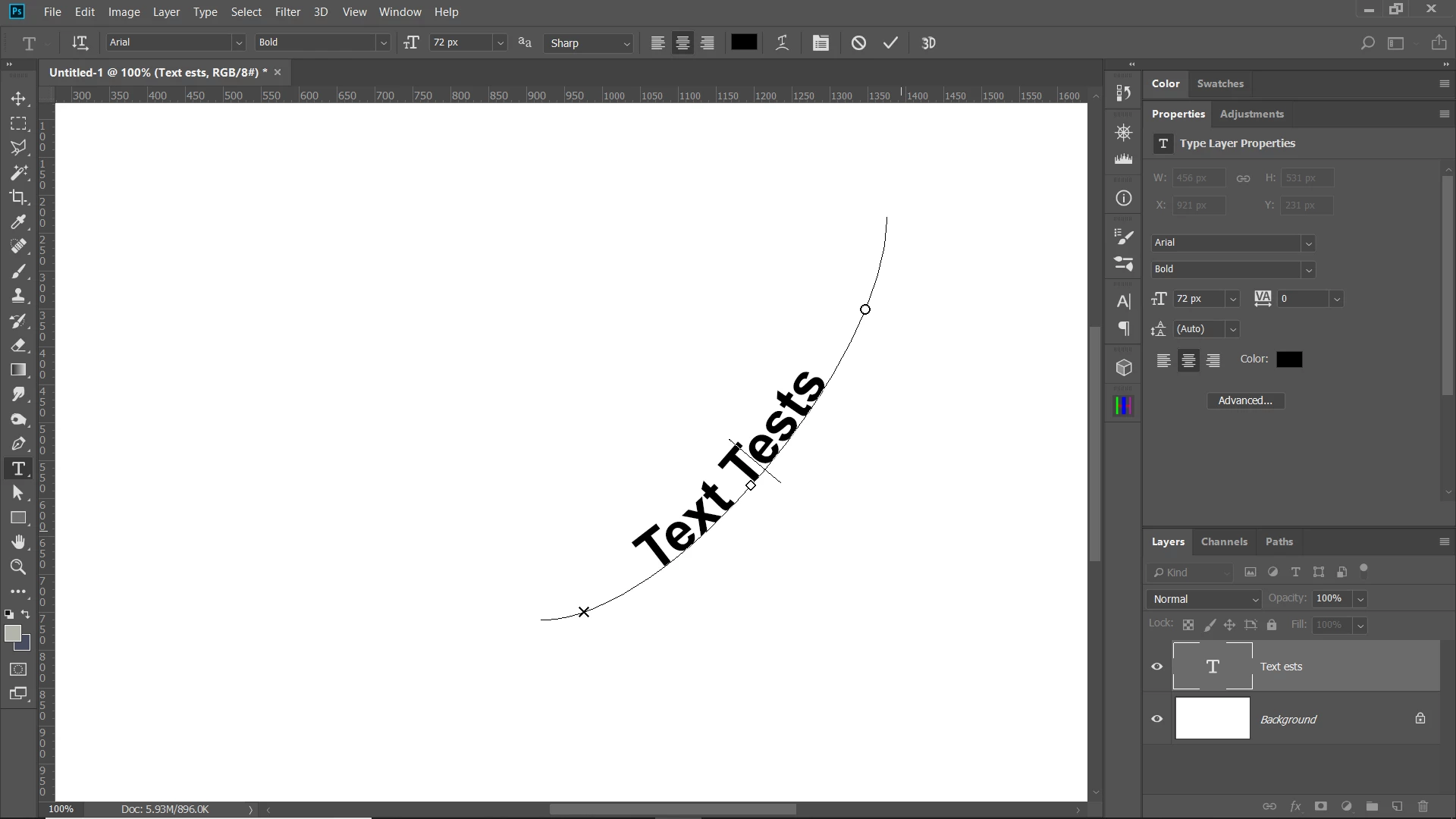
With my versions of PS, you press ctrl and drag the box that is on the path either up or down to change the side the path.
3 replies

Community Expert
July 2, 2018

The other answers have identified how to flip the text.

Another thing to add - if you want to change the start point of the text on the curve, Command (Mac) / Control (Windows) click the small x on the curve and then drag it along the curve. You can drag that x away from the path and that could flip the text as well.

Participant
January 29, 2021

Hi there!

I know it is an old post, and I understood every step, but I have the problem that I do not see this X and O on my line... so I cannot change the way the text goes...

How can I make them appear???

Thanks a lot!

Emilie

Participant
January 29, 2021

Ok, I have juste managed... eventually... to make the cross and the cercle appear, but still, I cannot reverse the text when I drag them, it is still in a readable direction when up, and upside down when down...

Thanks in advance!


Chuck Uebele
Community Expert
Chuck UebeleCommunity ExpertCorrect answer
Community Expert
July 2, 2018

With my versions of PS, you press ctrl and drag the box that is on the path either up or down to change the side the path.

Community Expert
July 2, 2018

I replicated your problem and what you can do is using the type tool, click onto your text, like you're going to edit your text.  When you have the little flashing line icon in the text, hold down on Command if you're using a Mac, Control, I think if you're using Windows.  That will show a box around everything.  in there, you should see an X in there and a diamond shape,  the diamond shape will move the text and if you move up, it'll flip your text right side up.  Sorry if I am not using the right terminology.  It threw me off for a sec because I'm so used to moving text on a path in InDesign that I never used it in Photoshop,  but I was able get it to work in there.

urif81649969
Participant
July 2, 2018

It worked ! Thank you !

Community Expert
July 2, 2018

any time