alannac10764913
Participant
October 29, 2019
Answered

Text displaying strangely in Photoshop

  • October 29, 2019
  • 2 replies
  • 657 views

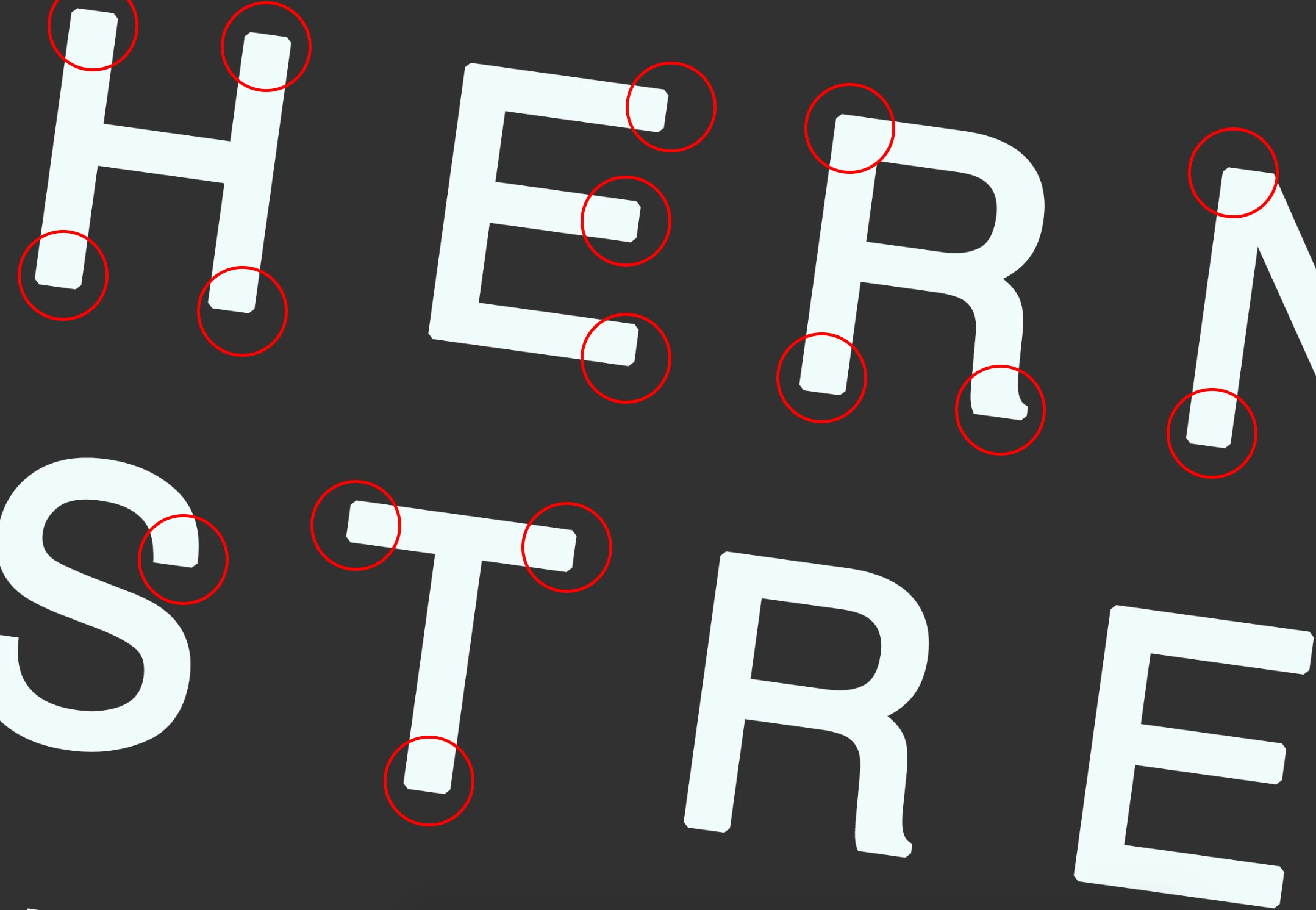
When I type any text--regardless of the font--in Photoshop, it displays very strangely. The corners are not sharp, they have this weird bevelled appearance. Below is an example--the font is Helvetica Regular which definitely isn't supposed to look like this!

This effect is visible after I export, it's not just some rendering issue within the photoshop program. I have all available updates installed etc. Any advice much appreciated.
 

This topic has been closed for replies.
Correct answer jane-e

Hi

You might want to Reset your Type tool in the options bar — right click the Type icon (in the options bar) and Reset.


Alternatively, show a screen shot of your options bar and we might spot something.


~ Jane

2 replies

davescm
Community Expert
Community Expert
October 29, 2019

Do you have any layer effects e.g. a stroke on the text layer or group containing the text?

Dave

jane-e
Community Expert
jane-eCommunity ExpertCorrect answer
Community Expert
October 29, 2019

Hi

You might want to Reset your Type tool in the options bar — right click the Type icon (in the options bar) and Reset.


Alternatively, show a screen shot of your options bar and we might spot something.


~ Jane

alannac10764913
Participant
October 29, 2019

Hooray--resetting the type tool has worked, thanks a lot!

jane-e
Community Expert
Community Expert
October 29, 2019

You’re welcome, and I’m so glad it’s working for you now!

~ Jane