
Answered
Text edit issue
I have a document with a text layer and if I double click the layer, a Layer Styles window opens and i can't edit the text. Windows 10 and Photoshop 2023

I have a document with a text layer and if I double click the layer, a Layer Styles window opens and i can't edit the text. Windows 10 and Photoshop 2023
Close Photoshop, go to this location and rename this folder to Adobe Photoshop 2023 Settings.old
C:\Users\username\AppData\Roaming\Adobe\Adobe Photoshop 2023
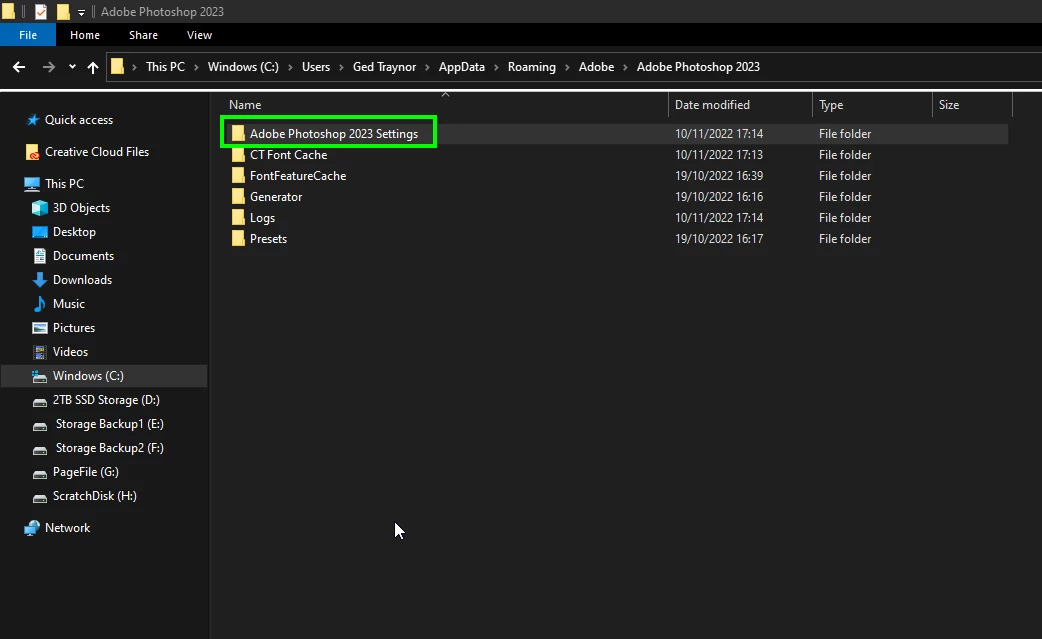
Launch Photoshop, a new settings folder will be created
Already have an account? Login
Enter your E-mail address. We'll send you an e-mail with instructions to reset your password.
 AdChoices