Participant
December 5, 2022
Answered
text layer
- December 5, 2022
- 1 reply
- 2061 views
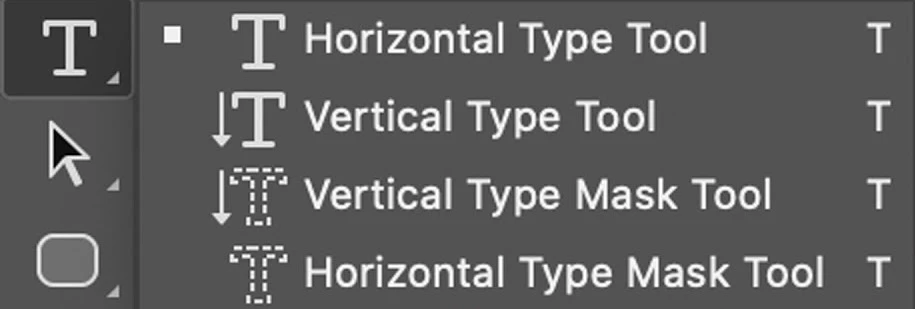
Behind the tool that you have are three hidden tools. Right-click (or long-press) the Horizontal Type Mask Tool and select the Horizontal Type Tool instead.
The Horizontal Type Mask Tool is creating a selection on the current pixel layer that can be filled with a color. It simulates the early days of PS when the Type tool created pixels on layer and before it created vector type on a new layer.
Jane
Already have an account? Login
Enter your E-mail address. We'll send you an e-mail with instructions to reset your password.
 AdChoices