thinkzap
Participant
April 25, 2018
Question

Text Layer converted to Image Layer

  • April 25, 2018
  • 4 replies
  • 6417 views

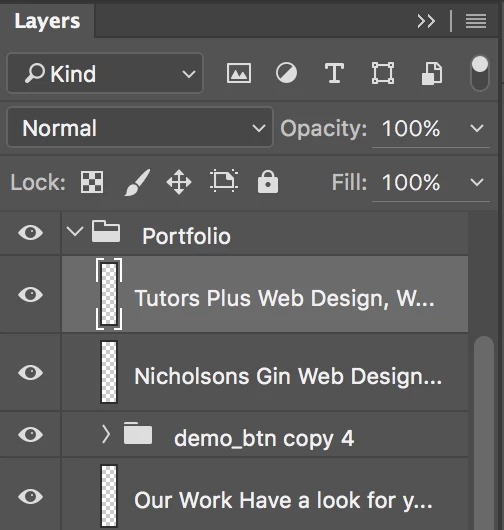
All text layers on my psd have changed to image layers and I cannot edit the text.

Is there a way to revert them back to text layers?
This topic has been closed for replies.

4 replies

Norman Sanders
Legend
April 25, 2018

Something that has worked for me: Before rasterizing type, always make a duplicate of the layer and then turn off the eye on it.
The handy unrasterized version takes second and is great insurance.

c.pfaffenbichler
Community Expert
Community Expert
April 25, 2018

Depending on the necessary editing Smart Objects might also provide some advantages – though no vector output!

c.pfaffenbichler
Community Expert
Community Expert
April 25, 2018

If the file was not closed since the Type Layers were rasterised the History might also provide a solution.

thinkzap
thinkzapAuthor
Participant
April 25, 2018

Unfortunately the file was closed.

Looks like I'll need to re type.

Thanks

c.pfaffenbichler
Community Expert
Community Expert
April 25, 2018
All text layers on my psd have changed to image layers

That does usually not happen without some user input.

Has anybody else had access to the file and may have edited and saved the?

angie_taylor
Legend
April 25, 2018

Do you have a backup of the original file? If not it looks like you’ll have to recreate them
