Participant
April 1, 2018
Answered

Text Layer "Flags" popping up

  • April 1, 2018
  • 1 reply
  • 217 views

Hello,

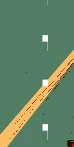
I'm sorry if this has been answered already.  After an attempted search with no luck, I'm starting a new thread.  These flags have shown up on my text layer for some reason.  I've tried deleting/recreating; restarting; selecting/deleting; and masking - now at a loss.
This topic has been closed for replies.
Correct answer steven88376327

Hello thank you.  Problem solved.  Not sure why, but it cleared up.  Thanks anyway.

1 reply

JJMack
Community Expert
Community Expert
April 1, 2018

We are also at a lost we can not see what you see for you only posted part of what you can see. We have no Idea of what you see in Photoshop.  What your document structure is where these flags are  or if you even have a text layer.

Supply pertinent information for quicker answers

  • The more information you supply about your situation, the better equipped other community members will be to answer. Consider including the following in your question:
  • Adobe product and version number
  • Operating system and version number
  • The full text of any error message(s)
  • What you were doing when the problem occurred
  • Screenshots of the problem
  • Computer hardware, such as CPU; GPU; amount of RAM; etc.
JJMack
steven88376327AuthorCorrect answer
Participant
April 1, 2018

Hello thank you.  Problem solved.  Not sure why, but it cleared up.  Thanks anyway.