
Text-layer transparency not being rendered correctly.
Platform details
My test: Photoshop 25.7.0, MacOS 12.7.4.
Original bug report* (2020): Windows 10
In the discussion: Redraw bug: dragging groups with text layers with 'Blend RGB colors using gamma 1 enabled*, the user reported a text layer changing appearance when it was put in a folder, and the folder was selected and moved. (But only when using the mouse and move tool.)
Text transparency incorrectly rendered.
My testing indicates that the change in the text-layer appearance he observed when the folder containing the text-layer was moved, was being triggered by the text-layers transparency being correctly rendered. And prior to this, the text layer transparency was not being correctly displayed.
Replicating the bug
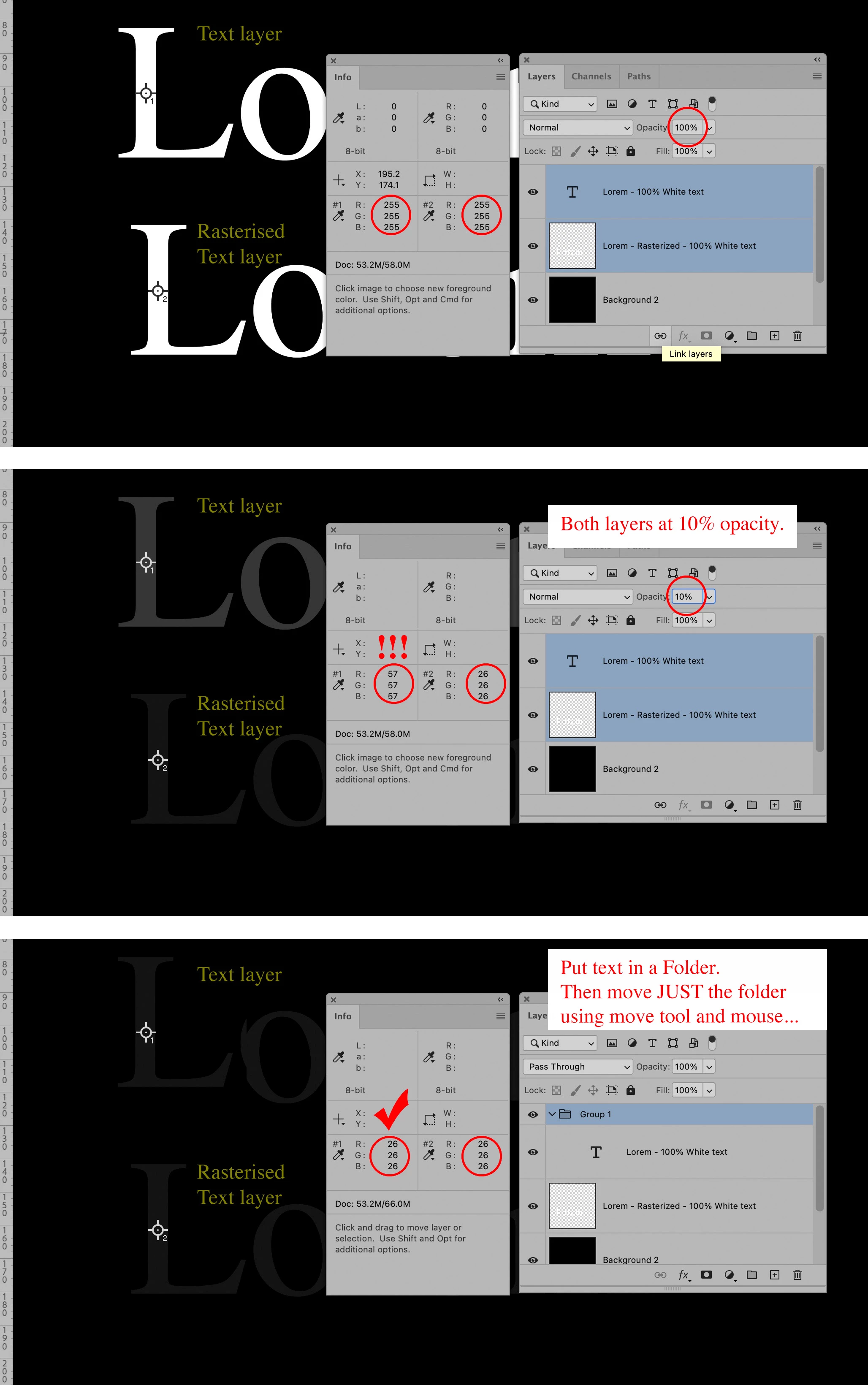
This can be clearly seen when comparing two layers of identical white text above a black background.
One text-layer is rasterised and the other layer is left as a normal text-layer.
(see attached image)
Image 1:
Do...
Create Two identical white text layers above a black background.
Rasterise one layer, and leave the other as a text-layer.
Result…
Appearance matches.
RGB values match.
Image 2:
Do…
Set both layers opacity to 10 %
Result…
Appearance does not match.
RGB values do not match.
Image 3:
Do…
Put the text layer in a folder.
Highlight only the folder/group.
Move it, but only with the Mouse and move tool.
Result…
Appearance of the text-layer changes.
Appearance of the two layers now match.
RGB values now match.
 AdChoices