
daphneb80592977
Participant
November 16, 2017
Answered

Text shows up pixelated

  • November 16, 2017
  • 1 reply
  • 504 views

Hi there!


I'm a newbie with photoshop and I'm experiencing some issues with text. When adding text it looks rather pixelated. I've followed all tips I could find in other discussions, but nothing that solved my issue. It's not "terrible", but I definitely need better quality.
(text layer has not been rasterized)

Image size: 1200x170px, with a resolution of 300 PPI:
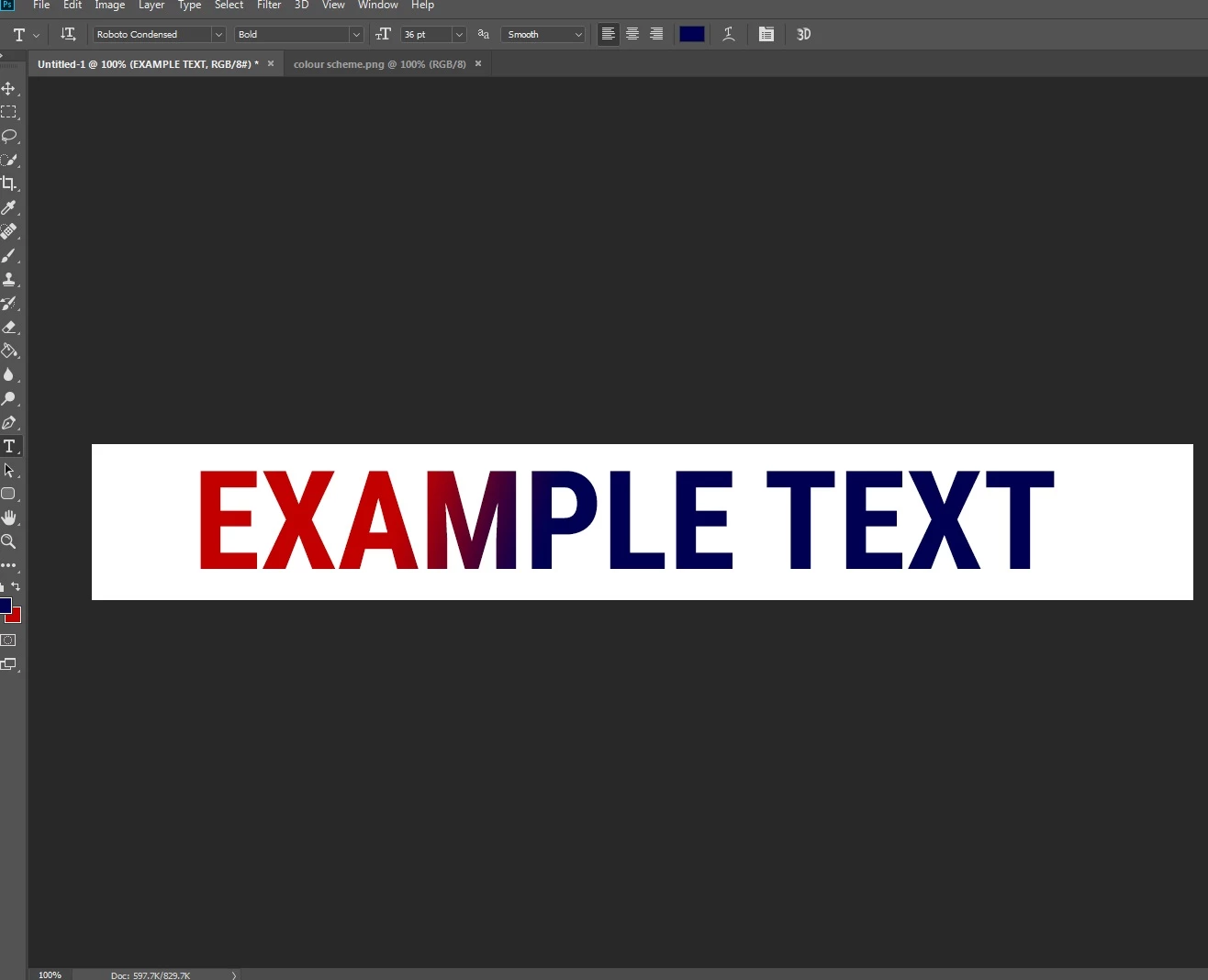
I have tried to:

- Change the anti-alias
- Change the font
- Change my screen resolution
- Deinstall / reinstall Photoshop

- Change the PPI

Does anyone have any idea what might be causing this issue?

Daphne.

This topic has been closed for replies.
Correct answer JJMack

Your Display's resolution is much less than 300DPI.  1200px by 170 pixels at 300DPI the smaller pixels will print your text  smaller and sharper then what your display can display your text.   If your display has a 100DPI resolution  your text will display 12" x 1.7"  you text is 2" x 0.85"  smaller and sharper printed.

1 reply

JJMack
Community Expert
JJMackCommunity ExpertCorrect answer
Community Expert
November 16, 2017

Your Display's resolution is much less than 300DPI.  1200px by 170 pixels at 300DPI the smaller pixels will print your text  smaller and sharper then what your display can display your text.   If your display has a 100DPI resolution  your text will display 12" x 1.7"  you text is 2" x 0.85"  smaller and sharper printed.

JJMack
daphneb80592977
Participant
November 16, 2017

Thanks for the info! If I understand this correctly, it has to do with what my screen is able to display, and if I were to print the image it would come out much sharper? (Sorry still very new with this). 

The image I'm trying to create is not for printing, but for a website. Any tips on how I can sharpen it?

JJMack
Community Expert
Community Expert
November 17, 2017

If for the web the Image should be edit in the srgb color space.   These days there are some many web Display devices. One size image will not do. For  some web displays displays many pixels and have a high DPI resolution while other web displays display fewer Pixels and have a low resolution.  Years ago a 1200px wide image would have been a large image. Today it would be large on some displays and small on others.  Years ago that image would not fit on a cell Phone.  Today on an iphoneX it would be small image.

JJMack