Known Participant
January 27, 2019
Resuelto

Text size not printing as expected in PS 20.0.2

  • January 27, 2019
  • 2 respuestas
  • 2158 visualizaciones

I've just upgraded on my pc to CC 20.02.2 version of Photoshop.

I have created a layout and used font size 12pt in my design
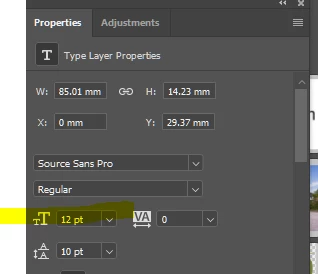
When I print it out it looks more like about 8pt.

I imported the whole PSD document into InDesign and put some InDesign 12pt text next to the PS text and yes it's very different - see screenshot.

This is perfectly normal workflow for me and I've not had this difficulty with text sizes before.

Any advice please?

Este tema ha sido cerrado para respuestas.
Mejor respuesta de jane-e

Hi Sascal15

Can you show your Character panel with your text selected?

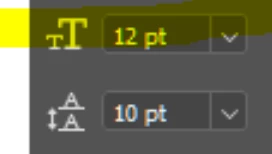
Your Properties panel shows 12 pt type with a negative leading of 10 pts, or 12/10, but that is not tight leading. It's almost like a superscript has been applied.

Jane

2 respuestas

jane-e
Community Expert
jane-eCommunity ExpertRespuesta
Community Expert
January 28, 2019

Hi Sascal15

Can you show your Character panel with your text selected?

Your Properties panel shows 12 pt type with a negative leading of 10 pts, or 12/10, but that is not tight leading. It's almost like a superscript has been applied.

Jane

Known Participant
January 29, 2019

Bingo!

Yes there was a superscript on there which I had failed to notice.

Thanks Jane-e

Sarah

jane-e
Community Expert
Community Expert
January 29, 2019

You’re welcome, Sascal15, I’m glad it was an easy fix.

Jane

Theresa J
Community Expert
Community Expert
January 27, 2019

Text size in Photoshop is relative to the size of the document. Go to Image Size in Photoshop and make sure the print output, and resolution are what you need.

Known Participant
January 27, 2019

Don't understand - how can a point size be relative to document size? The whole document is printing out at the expected size, it's the print that is much smaller than it should be.

Theresa J
Community Expert
Community Expert
January 27, 2019

What is the image size of your Photoshop document? Can you post a screen capture?