Participant
November 15, 2022
Question

Texto de la interfaz ilegible

  • November 15, 2022
  • 9 replies
  • 312 views

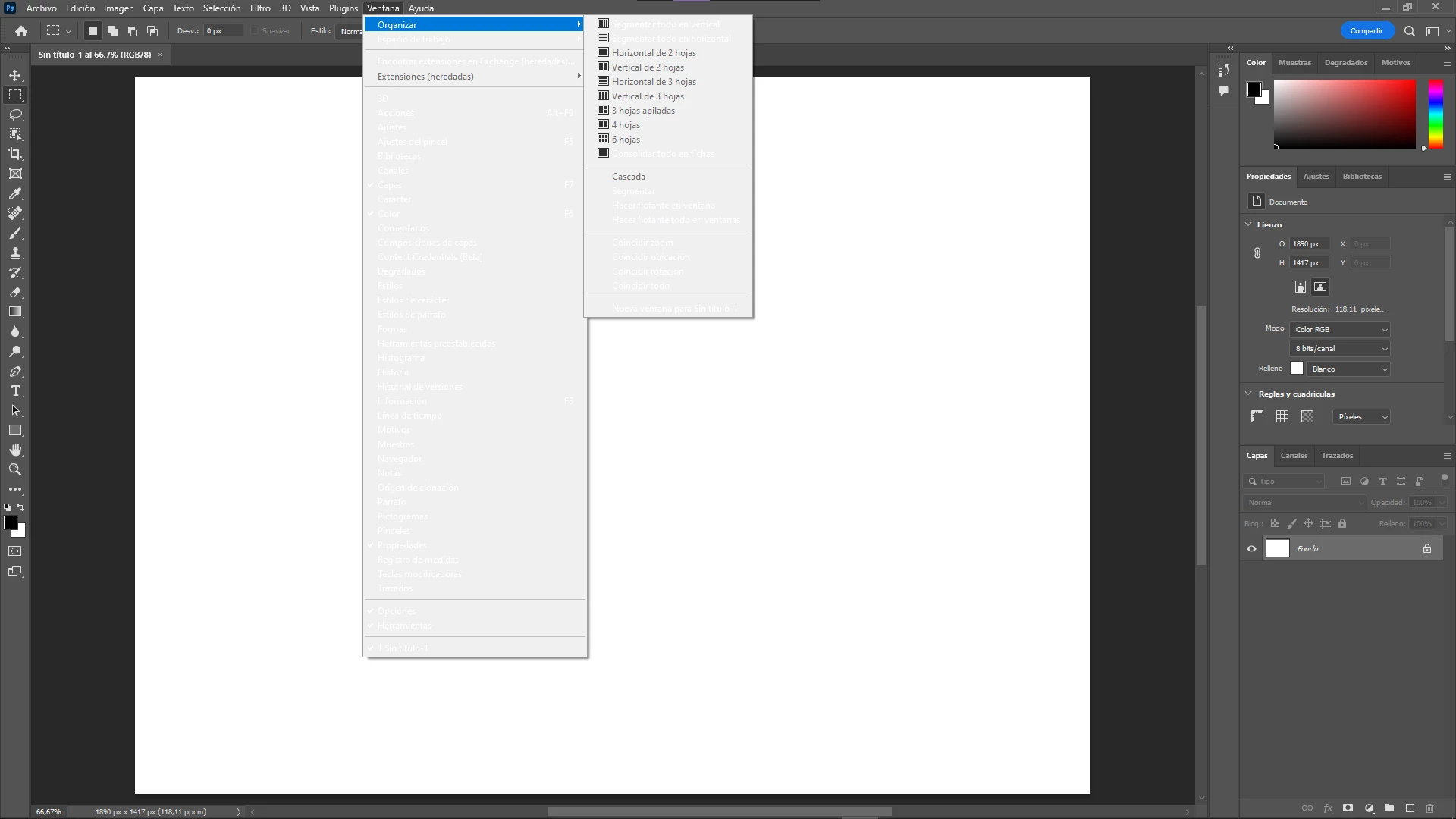
En la interfaz del programa, en cualquier panel que pueda seleccionar, me aparece el texto blanco sobre fondo blanco, haciéndolo ilegible, utilizo la versión de 2022. Adjunto captura para que se entienda mejor el problema, si alguien sabe cómo solucionarlo agradezco la ayuda, gracias.


This topic has been closed for replies.

9 replies

PECourtejoie
Community Expert
Community Expert
November 15, 2022

If I may suggest, I'd try a few other things before reinstalling the hard way.

If you can open (CTRL+K) and see the preferences, try to check "Deactivate Native Canvas" in the menu Edit/Preferences/Technology preview (Pc) or Photoshop/Preferences/Technology preview (Mac), then restart Photoshop.
Or try this: hit CTRL+F and search for "System info" this should pop up a screen, where you can copy the contents to the clipboard, and paste it here. 

Derek Cross
Community Expert
Community Expert
November 15, 2022

Let us know how you get on.

Participant
November 15, 2022

Thank you for your time, i´ll do it 🙂

Derek Cross
Community Expert
Community Expert
November 15, 2022

I suggest you remove Photoshop using the Adobe Cleaner Tool and reinstall the application again. I suggest you install the current and the previous version of Photoshop so you can return to the previous version if you have issues with version 24.

https://helpx.adobe.com/uk/creative-cloud/kb/cc-cleaner-tool-installation-problems.html


Participant
November 15, 2022

Photoshop v23.4.2.603 and Windows 10 22H2

Participant
November 15, 2022

16GB RAM and 900GB capacity in the hard disk

Derek Cross
Community Expert
Community Expert
November 15, 2022

Which (exact) version of Photoshop and OS?
How much RAM and spare hard disk capacity do you have?

Participant
November 15, 2022

First of all, thank you so much. However, after resetting preferences and click yes in the dialogue "Delete Photoshop Preference Files?" the problem doesn´t solve 😞

Derek Cross
Community Expert
Community Expert
November 15, 2022

Firstly, try resetting the Photoshop Preferences back to the factory defaults to see if that resolves the issue:
1) Close Photoshop
2) Double-click on the Photoshop icon to launch it
3) QUICKLY hold down Ctrl+Alt+Shift. (for Windows) or CTL+OPT+CMD+Shift (for Mac OS X)
4) When a dialogue appears, asking you “Delete Photoshop Preference Files?” Click Yes.
If you don't see the question repeat the procedure again.