
Participant
July 10, 2021
Answered

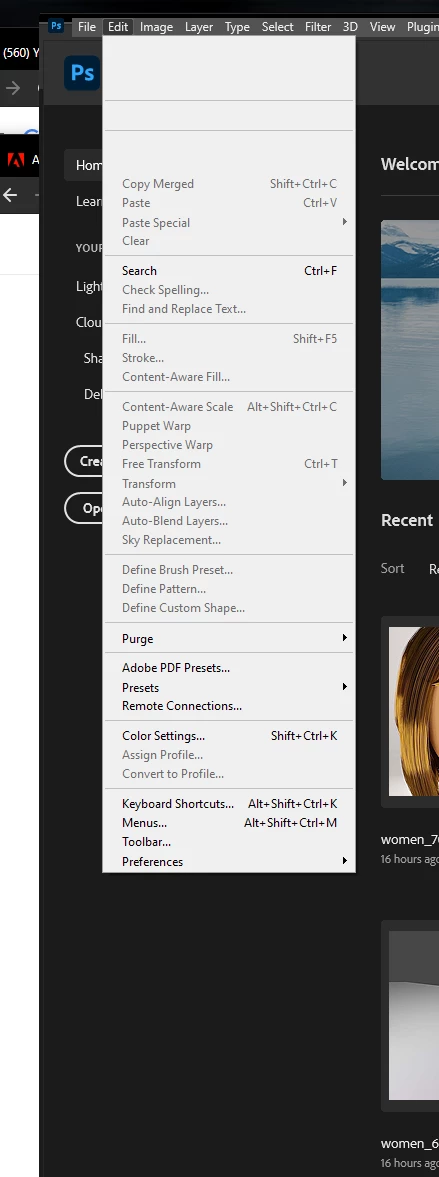
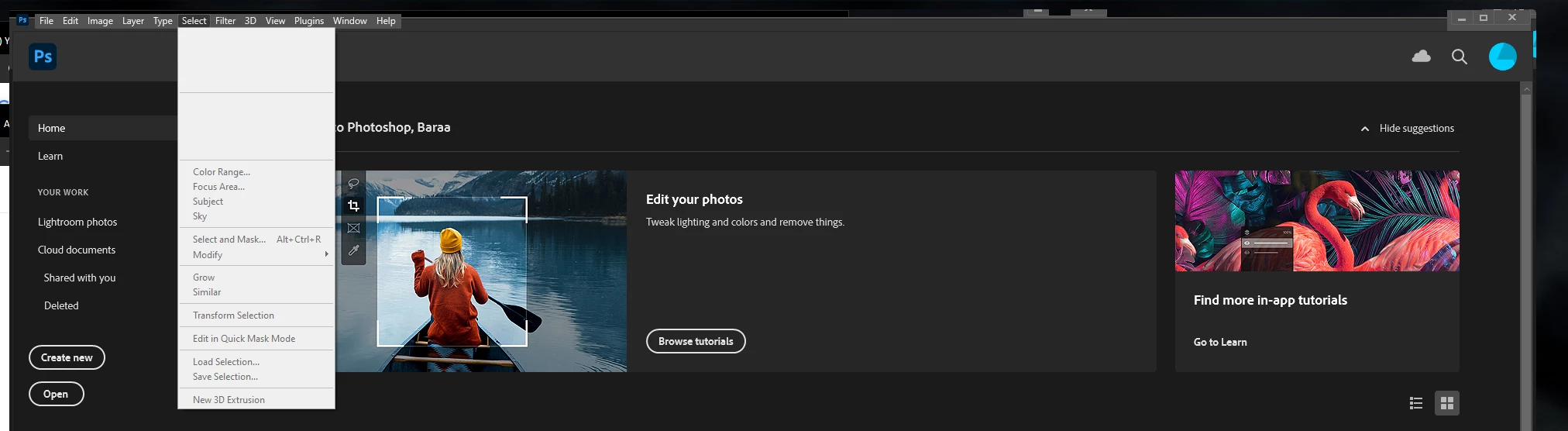
The content of sidebar menus when I selected are disappear

  • July 10, 2021
  • 1 reply
  • 230 views

Hi guys

I have a problem with all apps in the creative cloud such as photoshop, illustrator, AE, ID. When I try to choose for example File>open all the content in the sidebar menus are disappears.
This topic has been closed for replies.
Correct answer Baraa5C0D

Thank you JJMack for Responded I found the problem with my VAG updated 😞

1 reply

JJMack
Community Expert
Community Expert
July 10, 2021

Are you using a Mac?  On Windows I have never seen Photoshop windows look like what you show.  Macs  OS has a Mac Window feature Windows does not have where the application windows frame can be turned off. The side bars are normally docked to Photoshop's Window  frame. If the frame is off the sidebar may be off for there is no frame to dock to.

JJMack
Baraa5C0DAuthor
Participant
July 10, 2021

I am using both Mac And windows but the problem occurring with windows, Also this problem when I try to scroll on the menu and happening in all Adobe I have. For example, in IA as I attached you can see the white frame 

Baraa5C0DAuthorCorrect answer
Participant
July 10, 2021

Thank you JJMack for Responded I found the problem with my VAG updated 😞