Participating Frequently
October 23, 2018
Answered

the document has an embedded color profile that does not match the current rgb working space

  • October 23, 2018
  • 7 replies
  • 4756 views

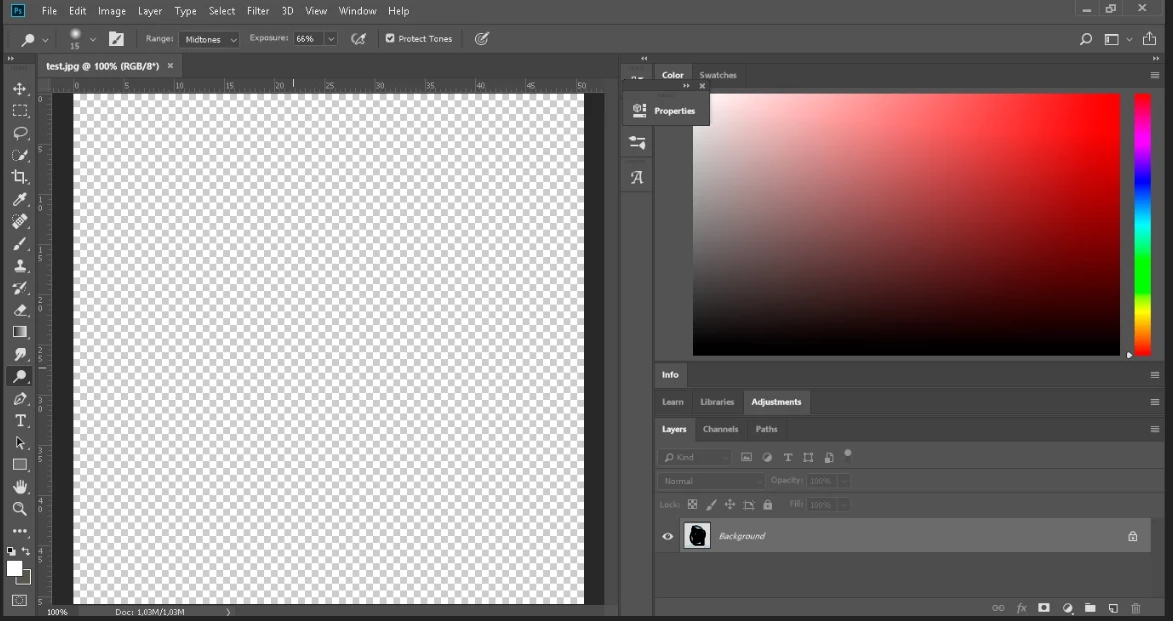
Фотография не отображается правильным образом и в начале выводится данное сообщение "the document has an embedded color profile that does not match the current rgb working space".  Вне зависимости что я выберу из предложенных сообщений в сосбщении фотография отображается как показано на скрине. Цветоые настройки тоже менял. Буду рад если кто-то поможет. Вот скрины:

This topic has been closed for replies.
Correct answer lambiloon

Dear Alexa i am asking did you tried to reset your Photoshop settings ?

7 replies

lambiloon
Community Expert
Community Expert
October 24, 2018

We are happy for you good luck....thanks

Ali Sajjad / Graphic Design Trainer / Freelancer / Adobe Certified Professional
lambiloon
Community Expert
Community Expert
October 24, 2018

send me that picture link i check at my side

Ali Sajjad / Graphic Design Trainer / Freelancer / Adobe Certified Professional
lambiloon
Community Expert
Community Expert
October 24, 2018

ok i will wait for your answer

Ali Sajjad / Graphic Design Trainer / Freelancer / Adobe Certified Professional
lambiloon
Community Expert
lambiloonCommunity ExpertCorrect answer
Community Expert
October 24, 2018

Dear Alexa i am asking did you tried to reset your Photoshop settings ?

Ali Sajjad / Graphic Design Trainer / Freelancer / Adobe Certified Professional
Participating Frequently
October 24, 2018

not yet. but I will. I will let you know if it helps to solve the issue. Sorry for a late response.

lambiloon
Community Expert
Community Expert
October 24, 2018

Hi did you tried to reset your Photoshop from your preferences ?

Ali Sajjad / Graphic Design Trainer / Freelancer / Adobe Certified Professional
D Fosse
Community Expert
Community Expert
October 23, 2018

You can turn that message off, it doesn't tell you anything useful.

The working space isn't important as long as you have Preserve Embedded Profiles checked. Then the embedded profile will always override the working space, as it should.

Much better to keep track of profiles using the notification area at the bottom left of the image window.

Participating Frequently
October 24, 2018

I turned the message off several times, as that message is useless anyway, but the issue remains. It seems Photoshop doesn't override the working space properly. The problem still unclear to me.

lambiloon
Community Expert
Community Expert
October 23, 2018

Hi you can use which color profile is need all depend according to demand .... share your document so i can check why not showing...Thanks.

Ali Sajjad / Graphic Design Trainer / Freelancer / Adobe Certified Professional
Participating Frequently
October 24, 2018

This is another photo which doesn't open properly as it should be. ( I even worked on this photo in Photoshop but it won't open now)