Participating Frequently
January 15, 2021
Question

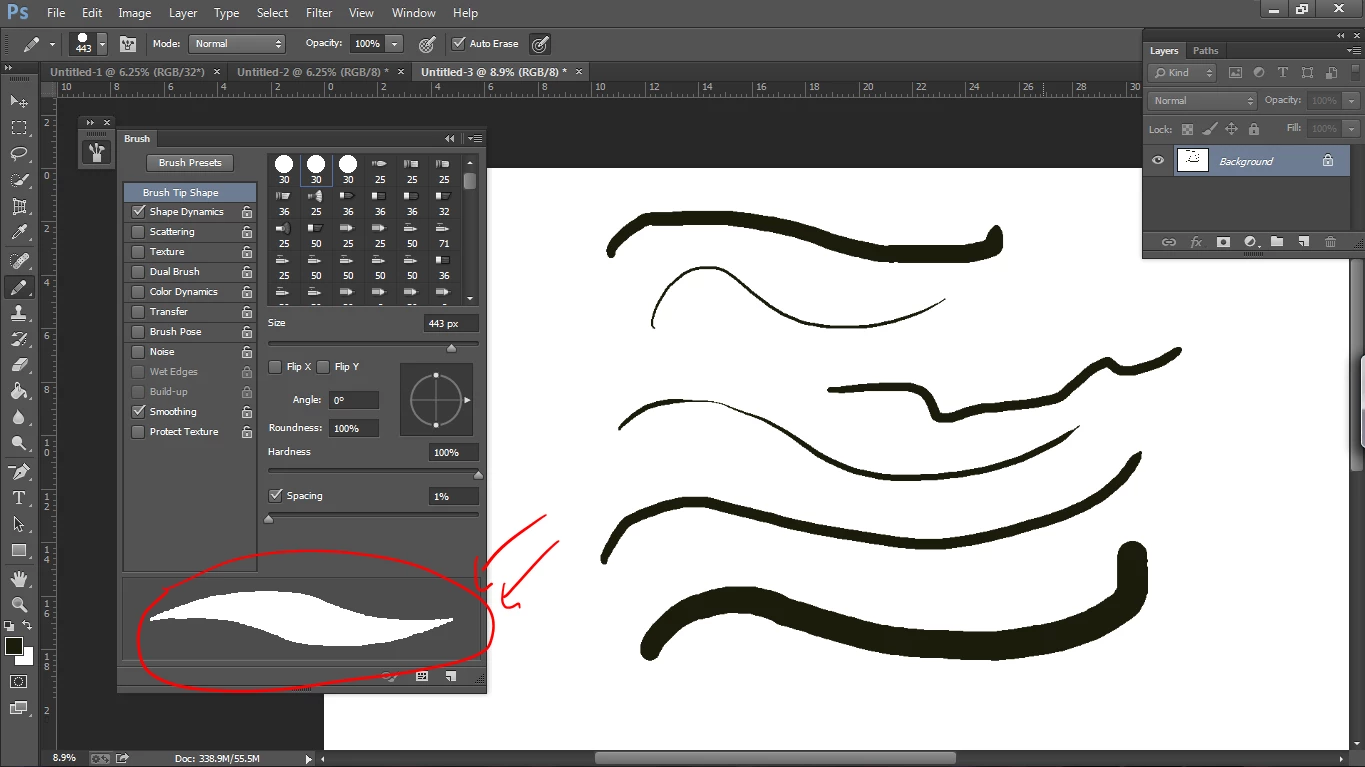
The lines of my brushes look weird

  • January 15, 2021
  • 5 replies
  • 298 views
 
 
Hello guys, I have a problem and I hope you can help me solve it. My brush lines look unusual and unclear please help


This topic has been closed for replies.

5 replies

melissapiccone
Community Expert
Community Expert
January 15, 2021

You have your hardness set to 100% in some of the screenshots and the orignal screenshot is the pencil tool, which has no anti-aliasing. Are you using default brushes? 

Melissa Piccone | Adobe Trainer | Online Courses Author | Fine Artist
rema5C59Author
Participating Frequently
January 15, 2021

But even when I change the hardness nothing changes, the problem is also with the pencil tool, yes I use default brushes 

Semaphoric
Community Expert
Community Expert
January 15, 2021

Have you tried closing and restartinhg Photoshop?

rema5C59Author
Participating Frequently
January 15, 2021

Yes I tried to do that many times 😞

Semaphoric
Community Expert
Community Expert
January 15, 2021

What does it look like when zoomed to 100%?

rema5C59Author
Participating Frequently
January 15, 2021

It looks fine now for the line I drew before zooming in, but the small line I drew after zooming ran into the same problem. Also, the line shape in the Brush settings window did not change after zooming in.

Semaphoric
Community Expert
Community Expert
January 15, 2021

What do you have going on in Shape Dynamics?

rema5C59Author
Participating Frequently
January 15, 2021

Semaphoric
Community Expert
Community Expert
January 15, 2021

Are you referring to the pixelization? That is from using the Pencil tool, rather than the Brush.

rema5C59Author
Participating Frequently
January 15, 2021

Yes, I think, those streaks and zigzags in the line, oh I'm sorry I didn't notice, but even the brush is the same way, thank you for replay.