
Inspiring
April 22, 2023
Answered

The new AI denoiser (which is great!) quit working in Camera Raw (Photoshop).

  • April 22, 2023
  • 2 replies
  • 2972 views

Hi, tried the new AI denoiser and wow what an improvement !!  However, it only worked once and then I get the following notice: 
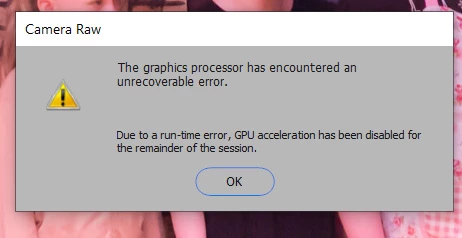
 

I have a old system that needs updating (won't quite handle Win 11), but the the graphic processor compatibility seems OK...
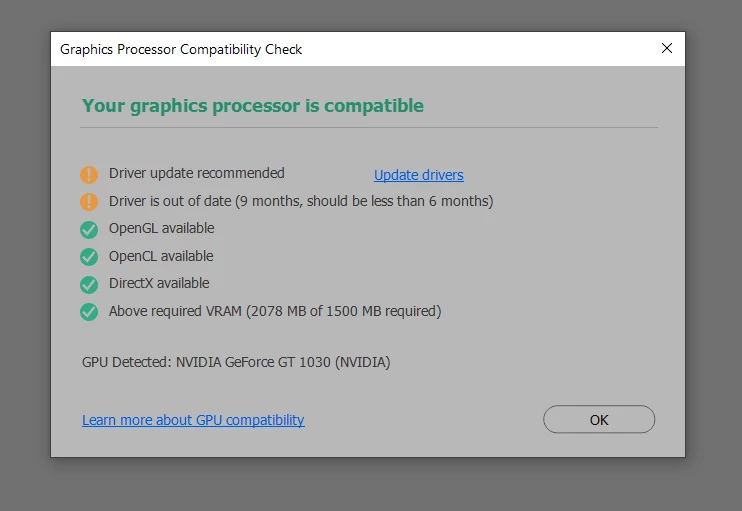
Yes, I'm trying to update the driver, but Nvidia doesn't want to make that easy.


I've checked the following on the Performance preference for photoshop....
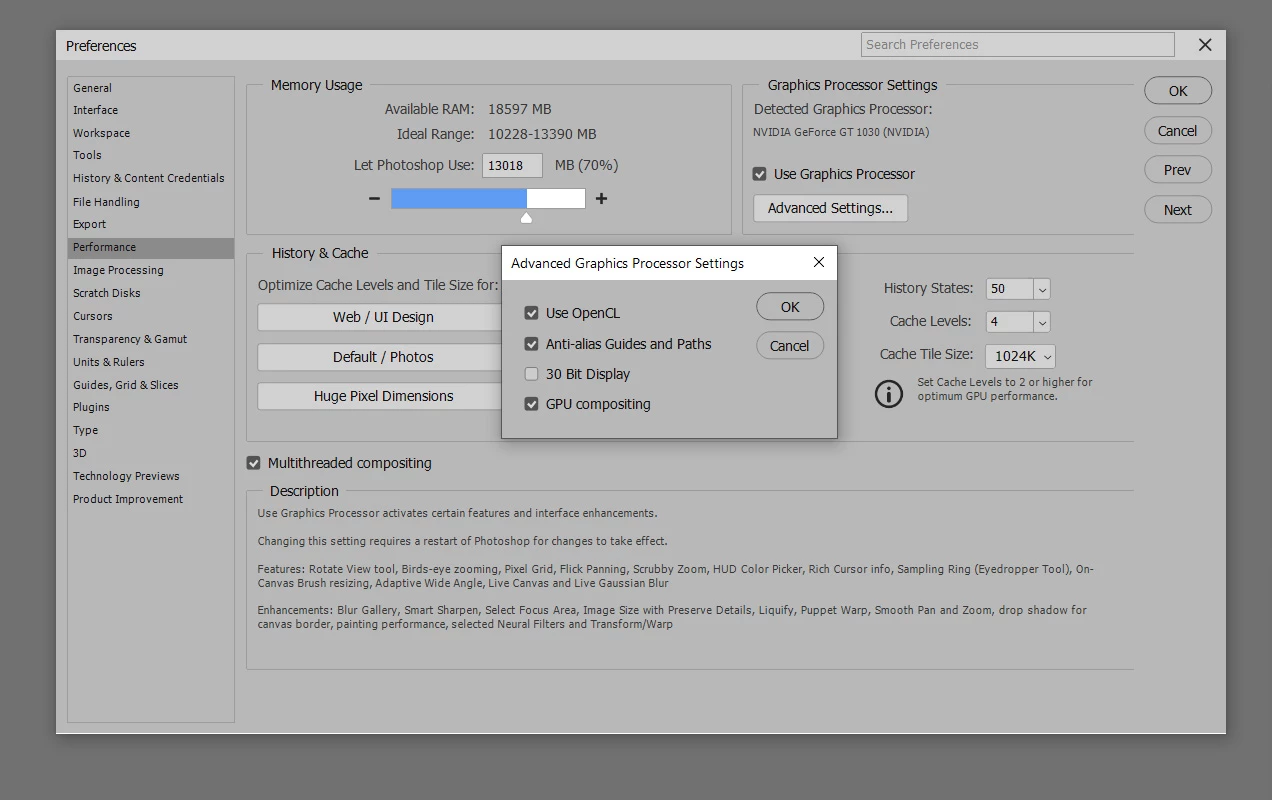
 

My system is a Dell XPS8700 with an i7 processor and 24gb of RAM.  The video card is a Nvidia GT 1030.  (Yeah, old.)  OS is Win 10 pro.


I love this new denoiser and would love to hear you tell what's wrong. 

Cheers,

Bruce

This topic has been closed for replies.
Correct answer Kevin Stohlmeyer

@bruceb76700895 the other option you can try is go to Photoshop Preferences/Technology Preview and check “Disable Native Canvas”. Then check “Use Older GPU Mode (2016)”. Quit and relaunch PS.

2 replies

Kevin Stohlmeyer
Community Expert
Kevin StohlmeyerCommunity ExpertCorrect answer
Community Expert
April 25, 2023

@bruceb76700895 the other option you can try is go to Photoshop Preferences/Technology Preview and check “Disable Native Canvas”. Then check “Use Older GPU Mode (2016)”. Quit and relaunch PS.

Inspiring
April 25, 2023

Thanks, Kevin, the preference changes re-engaged the AI denoise.  I apparently have the latest update for the Nvidia video card driver, but I'll check again in a month or so.

Thanks again !!

Bojan Živković11378569
Community Expert
Community Expert
April 26, 2023

GTX 1030 is old and weak GPU, try to update at least to GTX 1650 or 1050Ti. Those cards (used) can be purchased very cheap on markets like eBay where you can also sell your 1030.

Kevin Stohlmeyer
Community Expert
Community Expert
April 25, 2023

Hi @bruceb76700895 good news is your GPU isn't that old. It should still work.

I would start with the driver updates, there were some funky ones Q4 last year that recent updates resolved.

If the update does not work, go to Photoshop Help Menu/System Info and copy/paste details in a reply. Post only once as the system takes time to process the large amount of data.