

Answered
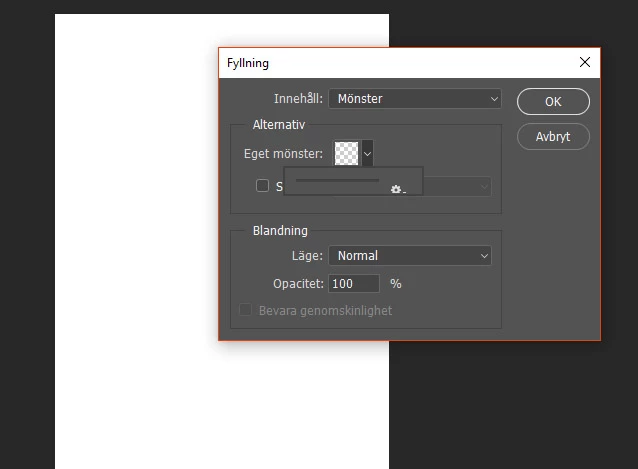
The pop up menu with patterns under Edit, Fill ... locks
HELP! I create patterns in Photoshop and I have had a problem. In the Fill ... panel (Shift + F5) under Edit, I can not see and choose between the different patterns I have. I can only choose the pattern that appears in the small box. The pop up menu locks. It happens the same if I want to fill patterns via Layers styles, Pattern Overlay. I have to deliver some orders on patterns and I can not work with those in this mode. There must be a bug that needs to be fixed as soon as possible. I can not continue working like this. It worked well at the beginning when I started creating my patterns but then the menu began to lock after I have created and defined a certain number of patterns. Is there anything I can do until it gets fixed?

 AdChoices