Inspiring
May 6, 2024
Answered

The problem of gauze skirt matting

  • May 6, 2024
  • 2 replies
  • 532 views

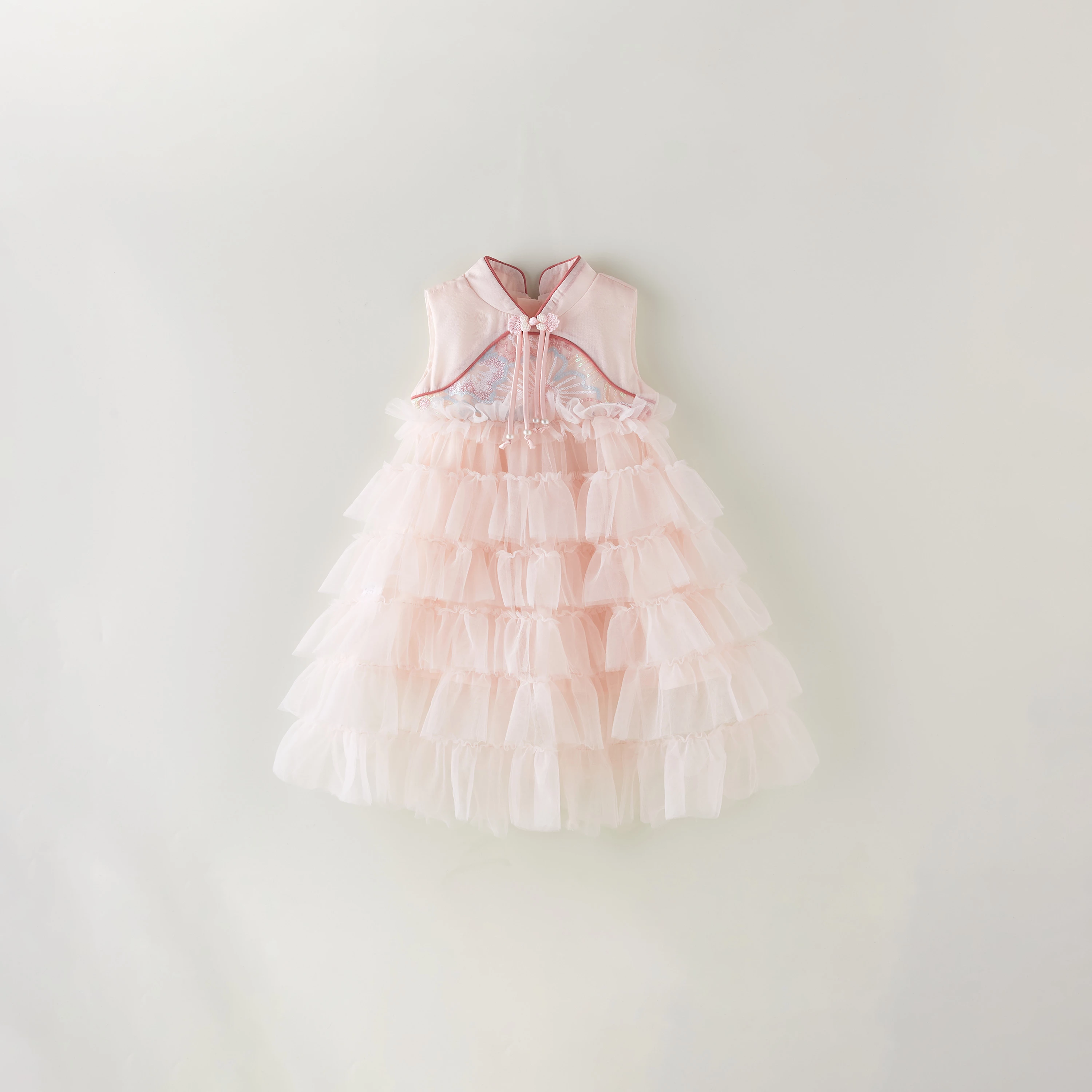
I need to dig out this picture and change it into the background color of# eeebe2. At the same time, I need to keep the shadow of the clothes and his transparent gauze skirt. Another clean background is the effect after I have handled it. However, the gauze skirt is too fake after I have handled it. How can I naturally change the background and keep the shadow?  
 

This topic has been closed for replies.
Correct answer davescm

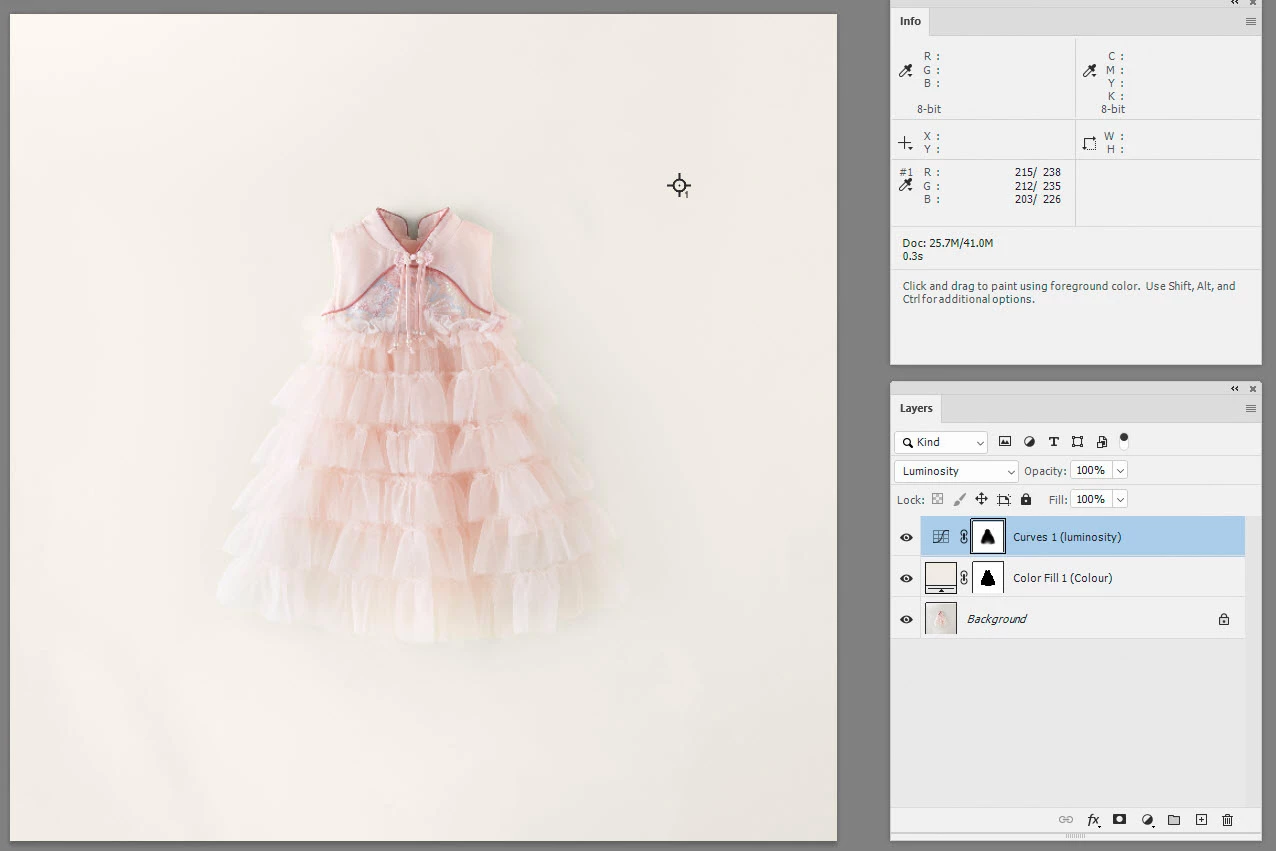
I would probably separate the colour from the luminosity. For the colour I would use a masked solid colour fill layer using #eeebe2 (which is sRGB 238,235,226), set to colour blend mode. For the luminosity I would try a curve set to luminosity blend mode and masked separately (using a softer mask) to achieve the desired background colour but soften the transition on the garment edges.


Adjust the masks to get the effect you desire


Dave

2 replies

davescm
Community Expert
davescmCommunity ExpertCorrect answer
Community Expert
May 6, 2024

I would probably separate the colour from the luminosity. For the colour I would use a masked solid colour fill layer using #eeebe2 (which is sRGB 238,235,226), set to colour blend mode. For the luminosity I would try a curve set to luminosity blend mode and masked separately (using a softer mask) to achieve the desired background colour but soften the transition on the garment edges.


Adjust the masks to get the effect you desire


Dave

Inspiring
May 6, 2024

First of all, thank the great god, but the shadow of this dress will be a little strange, as if the shadow is too heavy.

D Fosse
Community Expert
Community Expert
May 6, 2024

Here's a useful trick to fix uneven lighting. Set a tenporary steep curves layer on top. That lets you see what you're doing. Then you can use soft brushes at low opacity underneath:


Don't try to mask out the dress! That will only get you in trouble. Get it right overall, and it will fall into place. Dave's instructions are spot on.


And if I may add - yet another reminder how much time and work you save by getting it right the first time. The lighting is incredibly important! If it's well lit and carefully shot, the whole job is done in 1/20th total time spent.

D Fosse
Community Expert
Community Expert
May 6, 2024

You can't change it to a specific value until you fix the uneven lighting so that it actually has a single value. You have values all over the place here - hot spot top left, shadow bottom right, wrinkles bottom left.


Since this is a jpeg, you will most likely end up a couple of numbers off anyway. I'd just do this by eye. Jpeg compresses the color component much more aggressively than the luminance component and numbers rarely end up a match.


#eeebe2 is 238-235-226, a creamy yellow white. For reference:

Inspiring
May 6, 2024

There is something wrong with my expression, that is, I want to dig out the clothes, but this transparent gauze skirt does not know how to dig out the figure. 

Do you have any way to help me dig out this sarong for a change of background?