
Answered
The problem of opening a PSD file in Photoshop
Hi,
I was working on a PSD file
I saved, but suddenly Windows turned off
After opening the file, it does not open in Photoshop
And Error below:
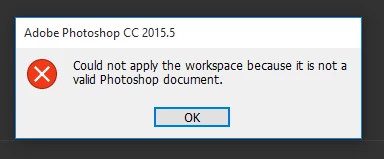
How to solve the problem?
Hi,
I was working on a PSD file
I saved, but suddenly Windows turned off
After opening the file, it does not open in Photoshop
And Error below:
How to solve the problem?
Hi alirezaseva,
You may try the background save and auto recovery for future references.
refer: Background save and autorecover
Regards,
Mohit
Already have an account? Login
Enter your E-mail address. We'll send you an e-mail with instructions to reset your password.
 AdChoices