
Participating Frequently
December 14, 2024
Question

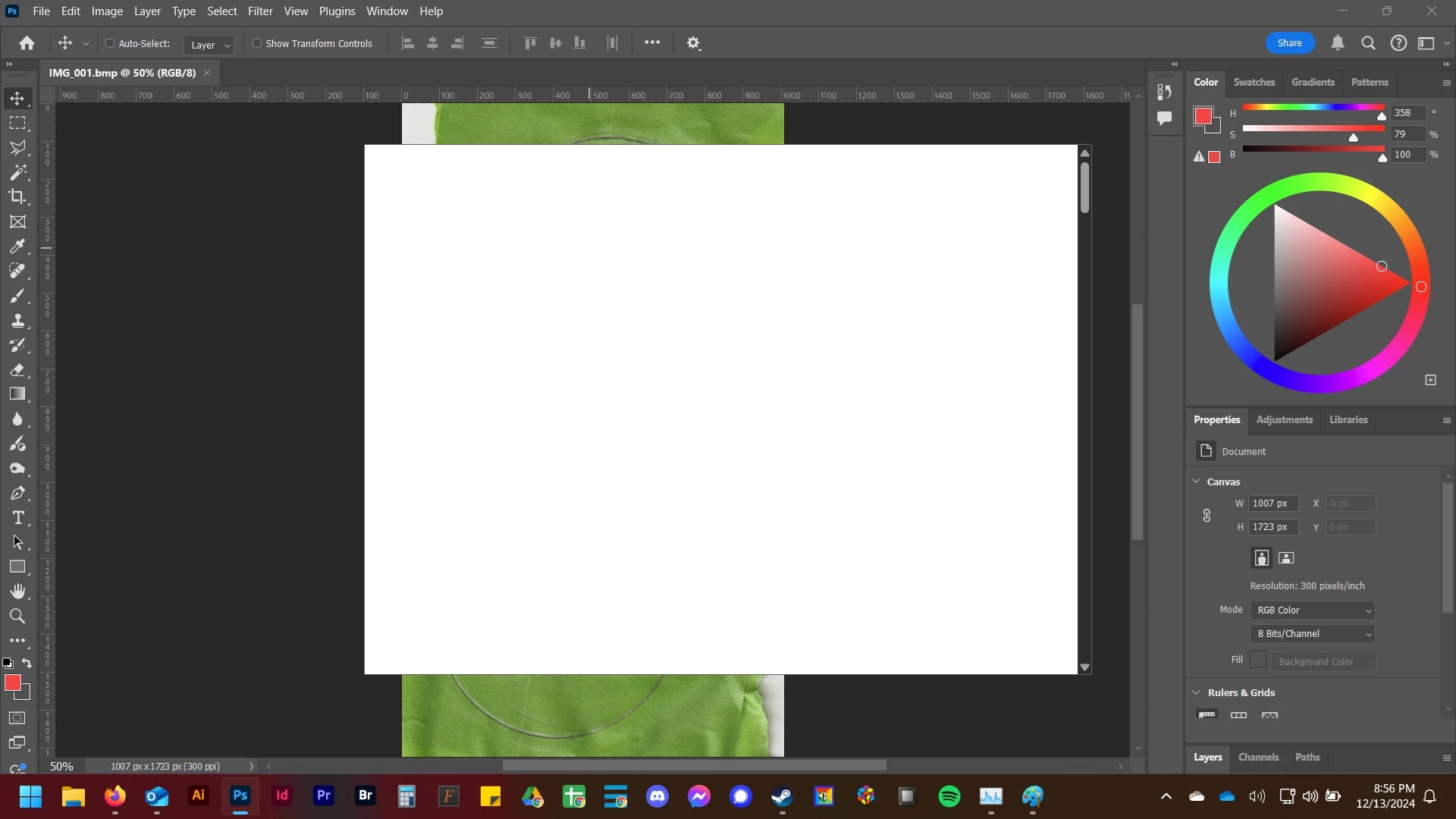
The "Your device is running an old.." Window has Hijacked My Computer

  • December 14, 2024
  • 1 reply
  • 145 views

Long story short.

The "please beta test our software for us" window is hijacking my entire Windows 11 computer.

If I interact with it, the happens (see image below). The stupid window then stays on top of EVERYTHING and can't be minimized. Any time I try to open any other software, Photoshop pops back in front. I have to kill the process.


1 reply

Community Expert
December 14, 2024

Try to reset the preferences of Photoshop using the steps described here:

https://helpx.adobe.com/photoshop/using/preferences.html#reset-preferences

It's recommended to backup your settings before resetting the preferences.

See here:  https://helpx.adobe.com/photoshop/using/preferences.html#backup-photoshop-preferences


What has been chenged on you system before this message appears? Do you have install Photoshop Beta?


Please provide also a copy of your 'System Info'. This can be get from the Photoshop menu item Help > System Info. There's a copy button in the System Info dialog. Press this button and paste the info into your next forum post.


My System: Intel i7-8700K - 64GB RAM - NVidia Geforce RTX 3060 - Windows 11 Pro 25H2 -- LR-Classic 15 - Photoshop 27 - Nik Collection 9 - PureRAW 6 - Topaz Photo AI