
Participant
October 22, 2020
Answered

Tiff files will not open in PS 2021

  • October 22, 2020
  • 1 reply
  • 5245 views

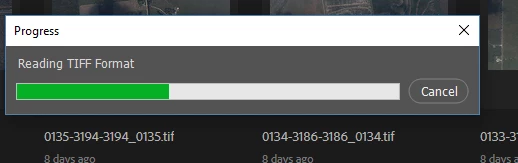
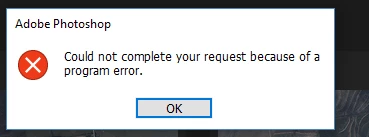
After downloading the new version (22.0).  I discovered that Tiff files will not open and it also crashes PS to the point it has to be closed in task manager.  I get the message "Could not complete your request because of a program error."  The Tiff seems to load normally, but will not open and crashes.   Fortunatly I saved the prior version of PS (21.2.4) during the installation process.  I opened version (21.2.4) and found that Tiff files still open without any issues.  Screenshots included from version 22 problem.


The Camera Raw program is also up to date (Version 13.0).


.


This topic has been closed for replies.
Correct answer phil5E23

I did find a work around.  Under the performance settings in prefrences I unchecked "Use Graphics Processor."  We are forced to use an older graphics driver (Nvidia) due to another piece of software.  I was guessing that is where the conflict is.  It worked fine after I changed that setting.  Switching it off did not seem to change the speed of loading files or cause any display abnormalities.


Unfortunately since then Adobe pushed an update that broke version 22 altogether.  It will not even start the program.  I have just reverted back to version 21.  It seems much more stable and runs fine, even with the "Use Graphics Processor" checked.

1 reply

Participant
May 31, 2021

Hi Phil5E23, I was just wondering if you solved this problem with the tiff files not opening?

I am having a similar problem with the tiffs. Except I get an error message saying that Photoshop does not recognise this type of file.

phil5E23AuthorCorrect answer
Participant
June 1, 2021

I did find a work around.  Under the performance settings in prefrences I unchecked "Use Graphics Processor."  We are forced to use an older graphics driver (Nvidia) due to another piece of software.  I was guessing that is where the conflict is.  It worked fine after I changed that setting.  Switching it off did not seem to change the speed of loading files or cause any display abnormalities.


Unfortunately since then Adobe pushed an update that broke version 22 altogether.  It will not even start the program.  I have just reverted back to version 21.  It seems much more stable and runs fine, even with the "Use Graphics Processor" checked.

Participant
June 2, 2021

Hi, Thanks so much for taking the time to reply!!! I appreciate it! I will try unchecking the Graphics Processor.


Sorry to hear that your version of 22 doesn't even start the program. Great idea to go back to 21 which is more stable. I ended up doing a similar thing. But in my case, I was using 22.4.1 and I reverted to 22.1.1 and its working well again.


I hope that this issue with tiff files gets fixed in future versions of PS, otherwise we can't update any more.