
Participating Frequently
December 5, 2022
Question

Tiff images with transparency saved are printing as ghosted image

  • December 5, 2022
  • 2 replies
  • 2191 views

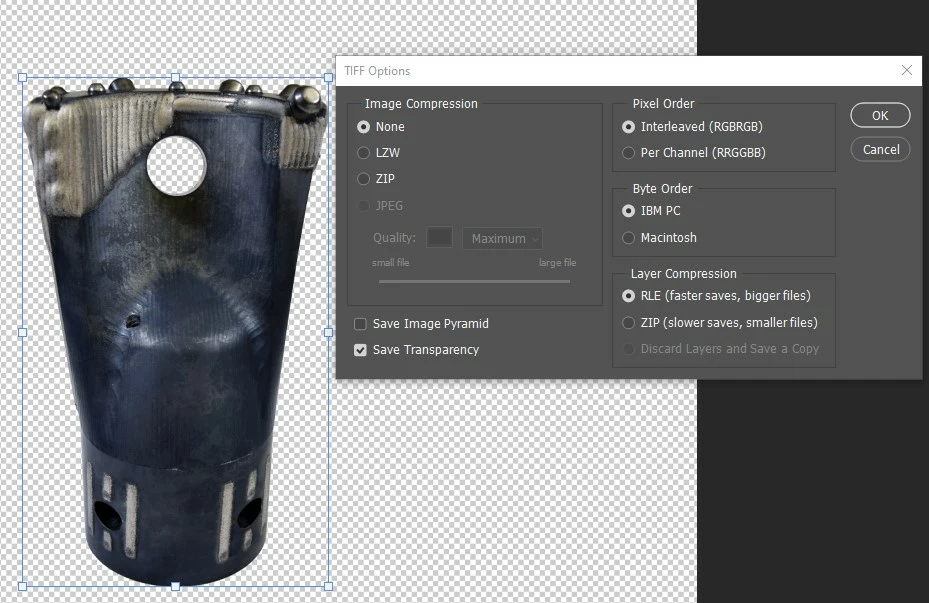
When featuring products in print ads (and other media), I often remove the background of the image using Photoshop. For print purposes, I then convert the image to CMYK (by choosing Image > Mode > CMYK Color and merging the layers), and save it as a TIFF with the transparency saved. This tiff file is then placed into InDesign when creating the ad graphic, which is then exported as a print PDF. 

Lately, this has resulted in a few instances of the product appearing "ghosted" in the published/printed ad. One publisher thought maybe it was due to a linked file not being CMYK, but that does not appear to be the case. 

Any suggestions on why this may be happening? Attached is a Photoshop screenshot and the final print outcome we're encountering. This is not normally a problem, but it's now happened with two different publications in the last month with two different ads/images. I'm guessing the issue lies in the background removal, but I don't understand what specifically would cause this. Thank you in advance for your help!

This topic has been closed for replies.

2 replies

Legend
December 6, 2022

Just to be completely clear: when you say "ghosting" do you mean that the image is completely missing, replaced by a pure white space, following the shape of the cutout?  (I would normal expect "ghosting" to show one or more pale copies of an image, possibly in the wrong place, but that's just how I'd use the term). 

Participating Frequently
December 6, 2022

Correct, the image is replaced by white space following the shape of the cutout. Wasn't sure what the technical term for that was. 

Kevin Stohlmeyer
Community Expert
Community Expert
December 6, 2022

In InDesign, do you have any overprint or knock out attributes applied?

Check your Attributes Panel. I'm also going to have this thread moved to InDesign as this is really an issue in that application, not coming from PS.

Kevin Stohlmeyer
Community Expert
Community Expert
December 5, 2022

What are your PDF export settings from InDesign?

Participating Frequently
December 5, 2022

In InDesign, I first outline the text, then do a File > Export and select Adobe PDF (Print) (*.pdf). I keep the preset selections for the rest of the settings (see screenshot). 

Kevin Stohlmeyer
Community Expert
Community Expert
December 5, 2022

What does your PDF show when you export?

Have you tried using PDFX-1A instead of High Quality print?