
Participant
May 18, 2024
Answered

Tool paint buck doesn't fill everything

  • May 18, 2024
  • 3 replies
  • 381 views

Hello everyone,


I have a small problem with my tool paint buck (I think this is how you say it in english), it doesn't fill everything when I first do lines with a brush.
See exemple:
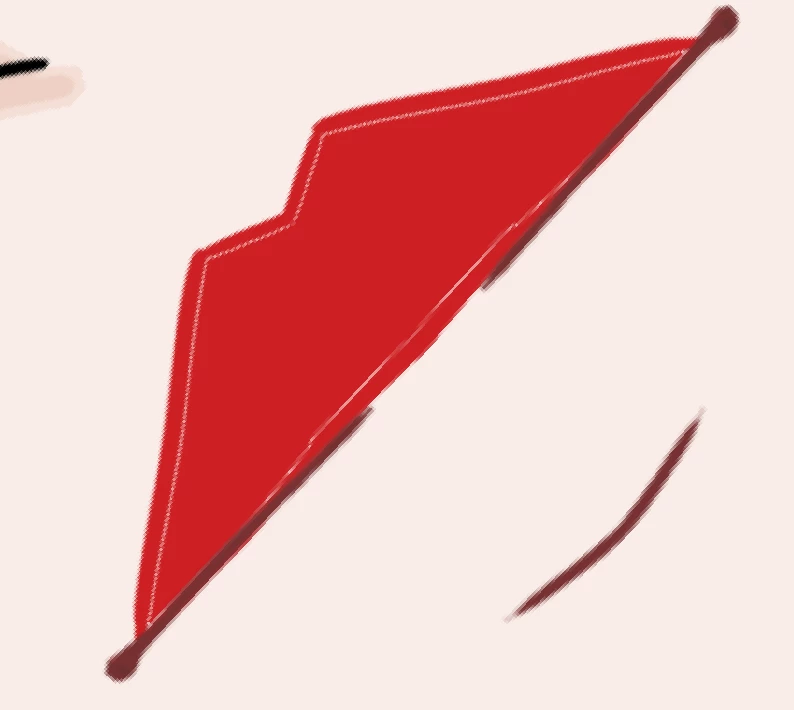

I tried multiple thing, inscreasing the tolerence, changing brushes, changing mode, but I can't get it to fill entierly the zone I want it to fill.
It's not something I can't go around, just doing the non-filled space by hand. But it's annoying nonetheless.

Does anyone have an idea ?

This topic has been closed for replies.
Correct answer c.pfaffenbichler

»Forget« the Paintbucket Tool, use the Magic Wand Tool, expand the Selection by a couple of pixels and Fill (and then use an Action for that except the Magic Wand Tool-click). 

3 replies

Earth Oliver
Legend
May 19, 2024

Yes, this has been an issue for more than 30 years. We've been begging Adobe to update the tool for that many decades and they absolutely refuse to do so. Sure, there are workarounds, but updating the tool to "fix" the problem should have been done long, long ago.

c.pfaffenbichler
Community Expert
Community Expert
May 19, 2024

An alternative might be using the Pencil Tool instead of the Brush Tool for painting; but as that lacks anti-aliasing it would more-or-less necessitate working at a higher resolution. 

c.pfaffenbichler
Community Expert
c.pfaffenbichlerCommunity ExpertCorrect answer
Community Expert
May 19, 2024

»Forget« the Paintbucket Tool, use the Magic Wand Tool, expand the Selection by a couple of pixels and Fill (and then use an Action for that except the Magic Wand Tool-click). 

RoseasceAuthor
Participant
May 19, 2024

Thank you for the answers ! I will do as you say, because it seems like this "fill in" tool doesn't work really well :'D

Thanks a lot for your time and I hope you have a wonderful day!