
Toolbar Flyouts Not Working Properly Since 24.2.0
I have a 3 monitor setup. My left monitor that I run Photoshop on is a Wacom Cintiq 24HD. It's been this way for awhile with no issues.
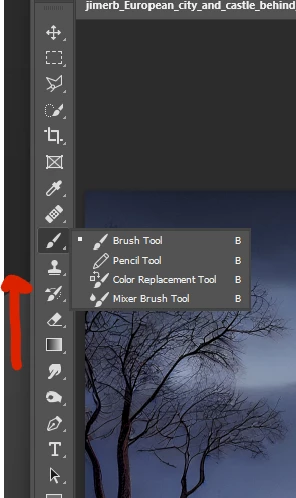
When 24.2.0 got installed a week or so ago, problems began with the tool bar flyout menus if the app is full screen. When I hold down a button on the left toolbar the flyout menu appears on my center monitor instead of the left (wacom cintiq.) It doesn't even have focus so I can't see it unless there is nothing obstructing it's view on the middle monitor.
If I take photoshop out of "maximize" mode (full screen) the flyouts behave properly. Also this does not happen if i move photoshop to my center or right display, only the left. I need to run photshop on the cintiq (left) for pen use.
I've tried to no affect:
- Turning off the graphics processor in the peformance settings
- In Technology previews deactivating native canvas
- Resetting my toolbars
What can I do?
Note: I cannot change the resolution on my monitors. I have a complicated workflow that I need Photoshop to behave in. I'm using the natitive resolution for the Wacom: 1920 x 1200
Other details: Windows 11
NVIDIA GeForce RTX 3080 Ti (latest drivers)
I need space on the left of photoshop for the flyouts to behave properly.
 AdChoices