

Torn edges filter error
Hi
I have a problem with torn edges filter
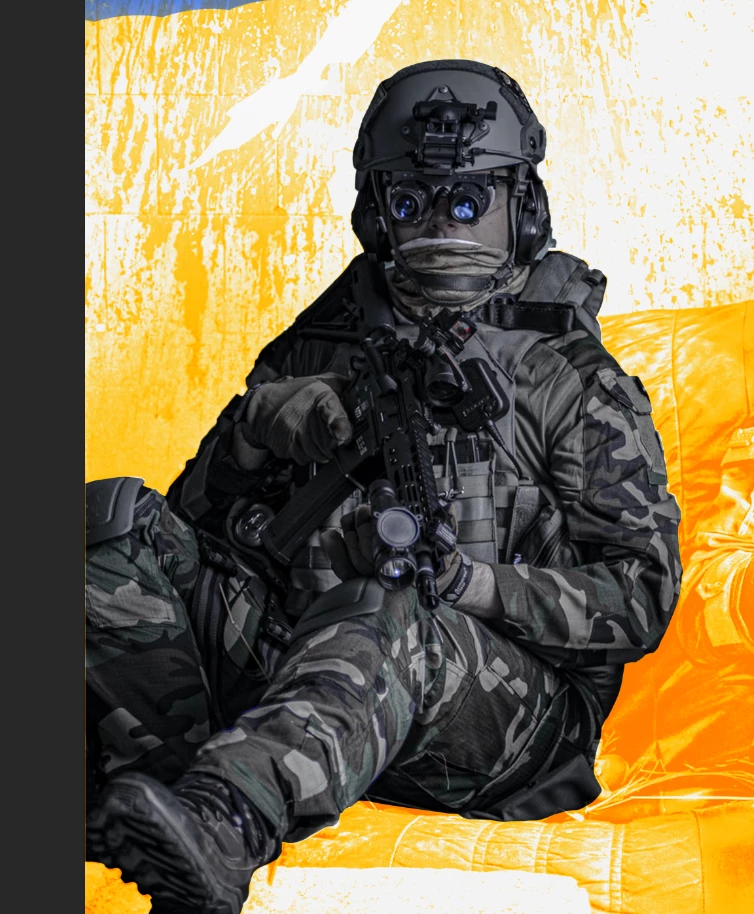
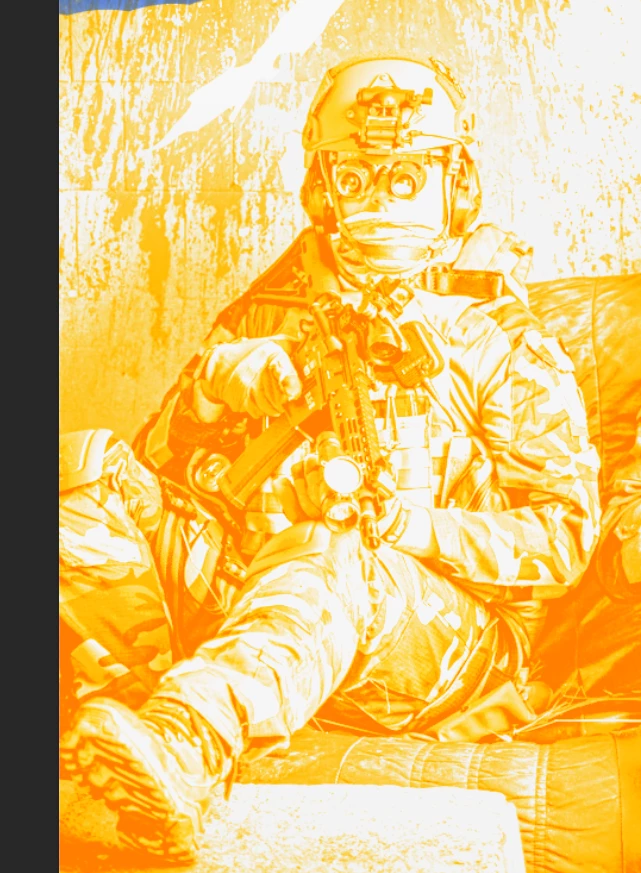
So on the left image, I applied filter > filter gallery > torn edges.
Right image is the effect applied version with some color edit with gradient feature; the darkest orange parts were added.
However after a couple minutes, when I tried the same filter,
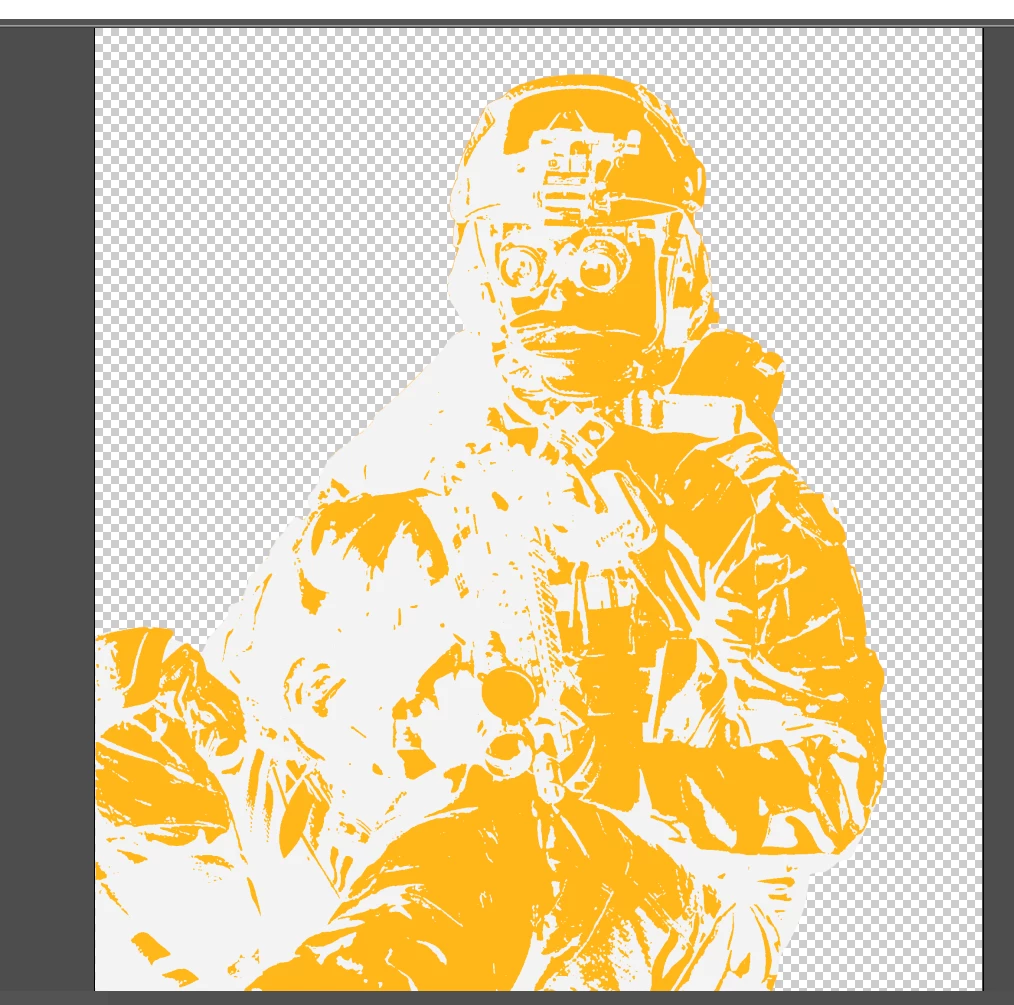
I can't achieve the same result as the filter only affects exactly the opposite side of where I initially filtered. So basically the white areas in the picture right above were the orange parts (area being affected) when I first tried the filter.
I tried opening a new document but I still had reversed filter
How can I get the filter to work like the first time?
Thank you community in advance and I apologize for my bad explanation, let me know if those of you who wish to help need me to elaborate on anything
 AdChoices