

Answered
Total ink 250% CMYK... visible on screen + how find darkest pixel (PS-CS-6)?
Hi,
I have document to print in CMYK with max ink of 250%.
-1a) I've set Adjusted CMYK in menu > Color setting ... max ink = 250%
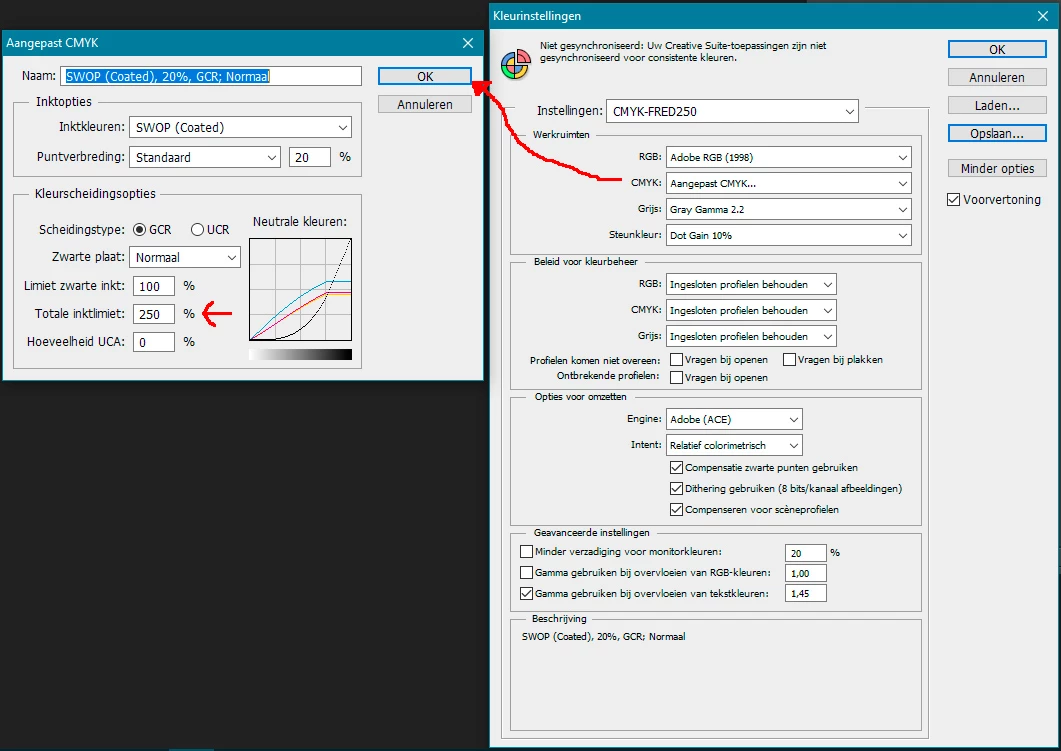
-2a) Select MENU > MODUS > CMYK
QUESTIONS:
1) easiest way to find darkest pixel in image?
2) above adjustment correct to get 250% ink-value in CMYK?
3) how to check ink-values after doing the 2 steps above (step 1a + 2a)? (with eyedropper?)
4) do I see on screen the adjusted ink values with eyedropper after adjustments or is the ink-value something "on background" in the pdf?
 AdChoices