Kian Lantis
Participant
January 23, 2020
Answered

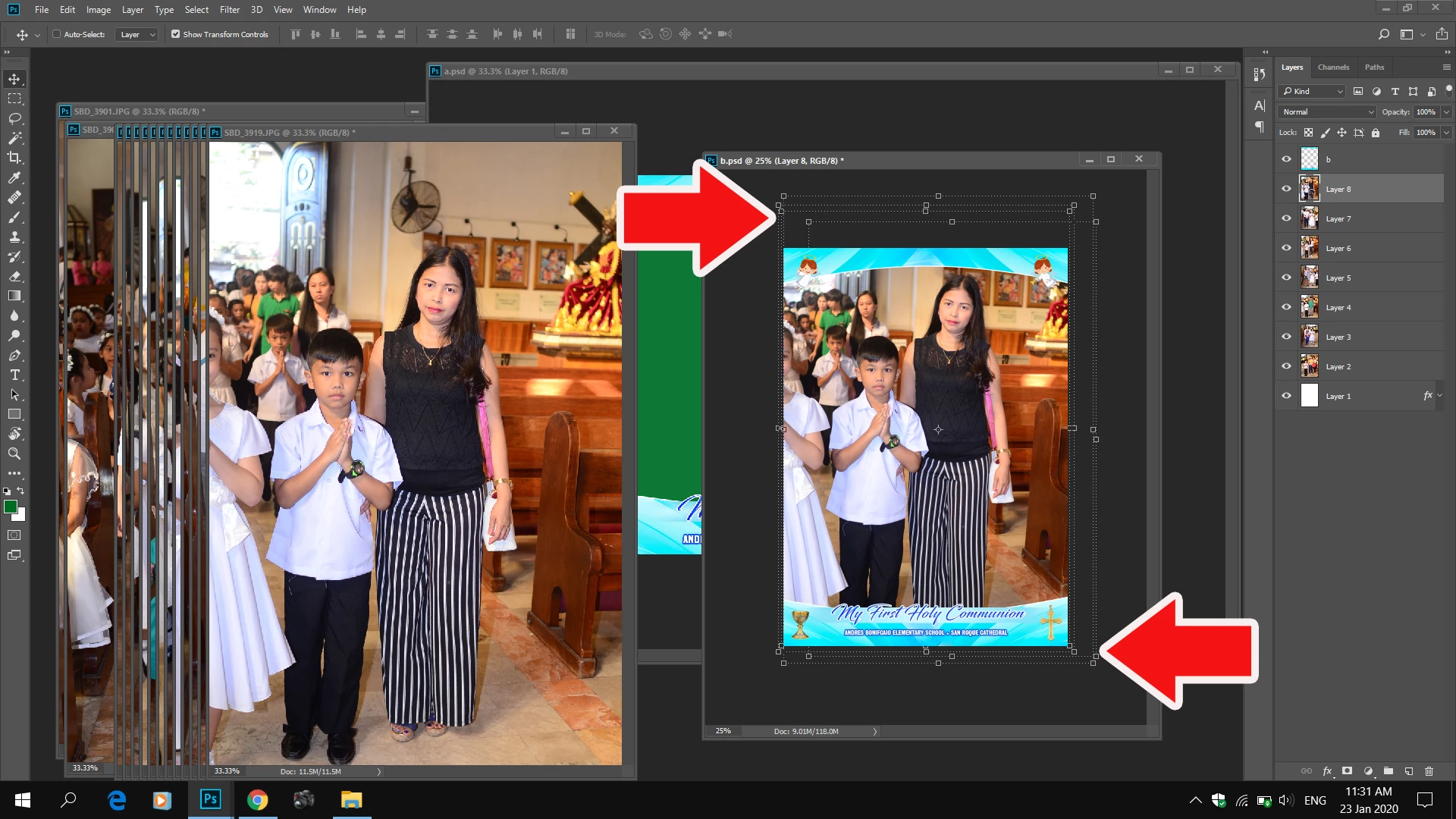
transform control extras Hide in Photoshop
  • January 23, 2020
  • 3 replies
  • 423 views

how do i get rid of those boxes? and what do you call it? it keeps filling up thanks

This topic has been closed for replies.
Correct answer Chuck Uebele

It looks like an issue with your graphics card not refreshing. Try updating your driver for your card and if that doesn't work, try changing the settings of your graphic card in the preferences: turn off or on. Maybe also try checking "Use Legacy Composition."

3 replies

Kian Lantis
Participant
January 24, 2020

thanks for the help guys. i remembered having a pop up error on the graphic card. when i look at the preferences it was turned off. it fixed the probem after i turned it on.

Chuck Uebele
Community Expert
Chuck UebeleCommunity ExpertCorrect answer
Community Expert
January 23, 2020

It looks like an issue with your graphics card not refreshing. Try updating your driver for your card and if that doesn't work, try changing the settings of your graphic card in the preferences: turn off or on. Maybe also try checking "Use Legacy Composition."

Akash Sharma
Legend
January 23, 2020

Hi there,


It seems you're looking at either the Crop Marquee guides or Extras in Photoshop. To show or hide all enabled Extras, choose View > Extras. (A check mark appears next to enabled Extras in the Show submenu.)


“H” hides the image area beyond (outside of) the Crop marquee.


Let us know if that helps.


Thanks,

Akash