Participant
February 24, 2022
Answered

Translation Please??
  • February 24, 2022
  • 3 replies
  • 408 views

App version:  23.2.1

Windows 64bit PC

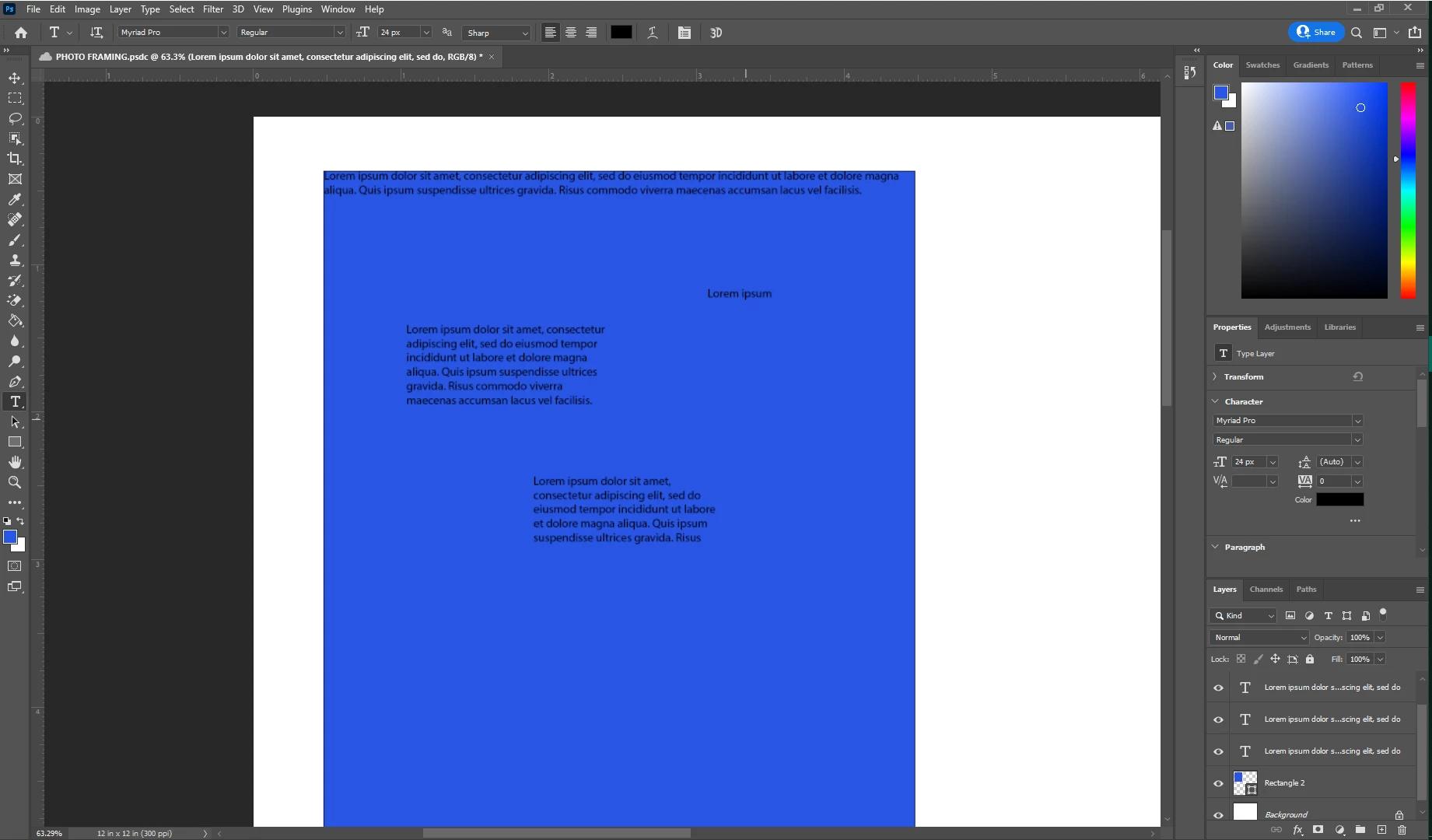
Hello, everyone.  I am trying to insert text onto this blue square.  I click on the Text icon, tap on the part of the square I want to place the text, draw the text box, BUT, this is what I  get, every time.  What does this mean??  It makes a new layer for each inserted text box, but this is comes up  every time, as shown in the screenshot.


I just want to insert a text box with MY text, not whatever this says.   Is this a bug or am I doing something wrong?

Thanks.
 

This topic has been closed for replies.
Correct answer J453

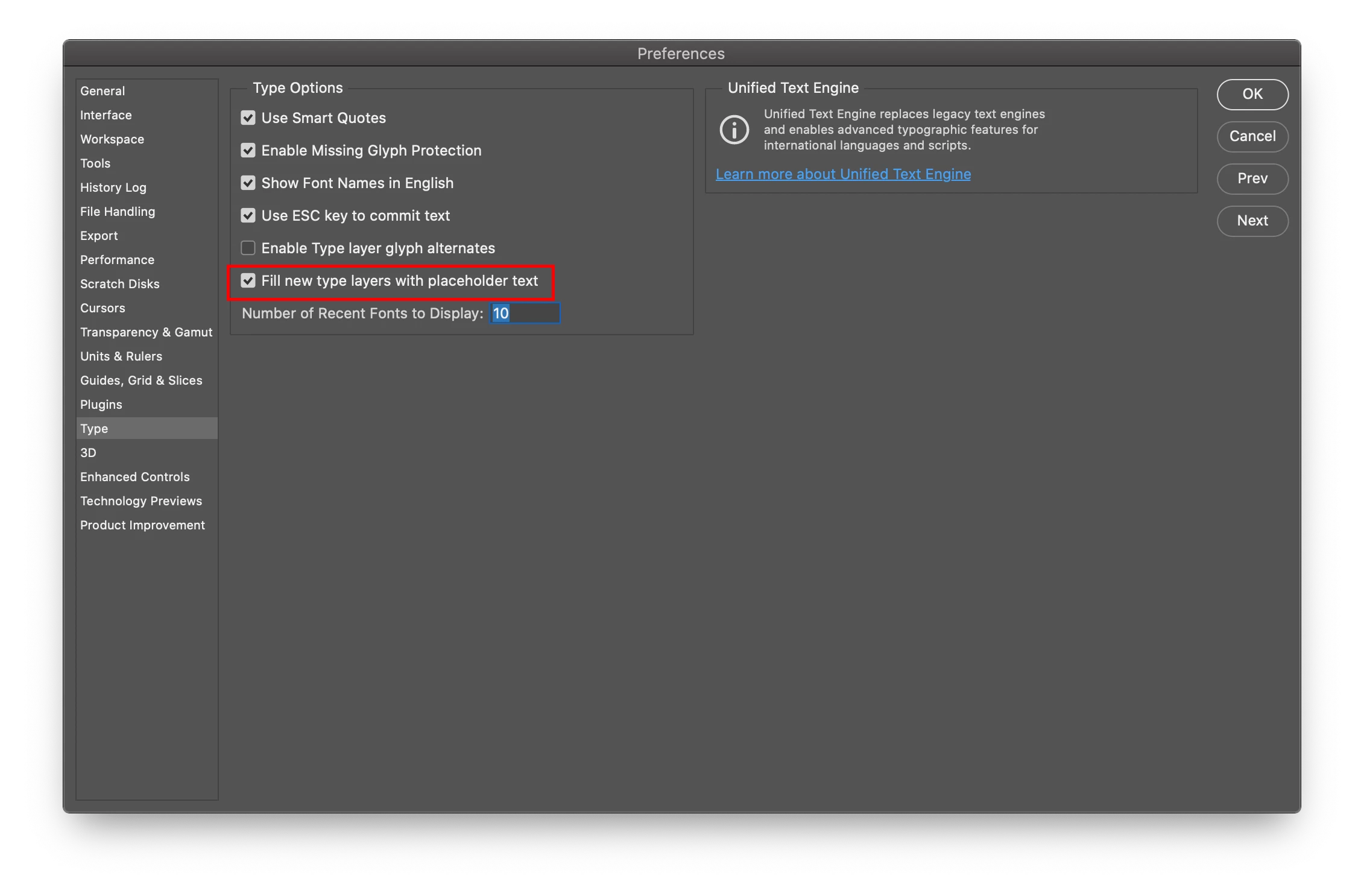
That is placeholder text. You can disable it by unchecking this setting:


Translation: https://en.wikipedia.org/wiki/Lorem_ipsum

3 replies

jane-e
Community Expert
Community Expert
February 24, 2022

In addition:


"Lorem Ipsum" comes from sections 1.10.32 and 1.10.33 of "de Finibus Bonorum et Malorum" (The Extremes of Good and Evil) by Cicero, written in 45 BC.  https://www.lse.ac.uk/Test/Susanna/Lorem-ipsum


If you don't want to disable it, you can just type on across it with your own text, as it is already selected. The advantage of using it is you can change the size and typeface before you start typing if necessary.


Jane

Participant
February 24, 2022

OK, got it.  Thank you.  But, why does it place this at the very top of the image initially, then I am unable to move it?  And is there a way to edit the text once it's committed?


I guess I need to read up on how to insert text in PS.  I didn't think it'd be this involved.  😉

jane-e
Community Expert
Community Expert
February 24, 2022

To move text, first commit the text. One way is to click the checkbox in the options bar. Then switch to the Move tool (shortcut: V).


https://helpx.adobe.com/photoshop/using/creating-type.html


https://helpx.adobe.com/photoshop/using/add-edit-text.html


Jane


J453Correct answer
Legend
February 24, 2022

That is placeholder text. You can disable it by unchecking this setting:


Translation: https://en.wikipedia.org/wiki/Lorem_ipsum