Participant
May 5, 2021
Answered

Transparent 3D Layer Rendering White

  • May 5, 2021
  • 2 replies
  • 3185 views

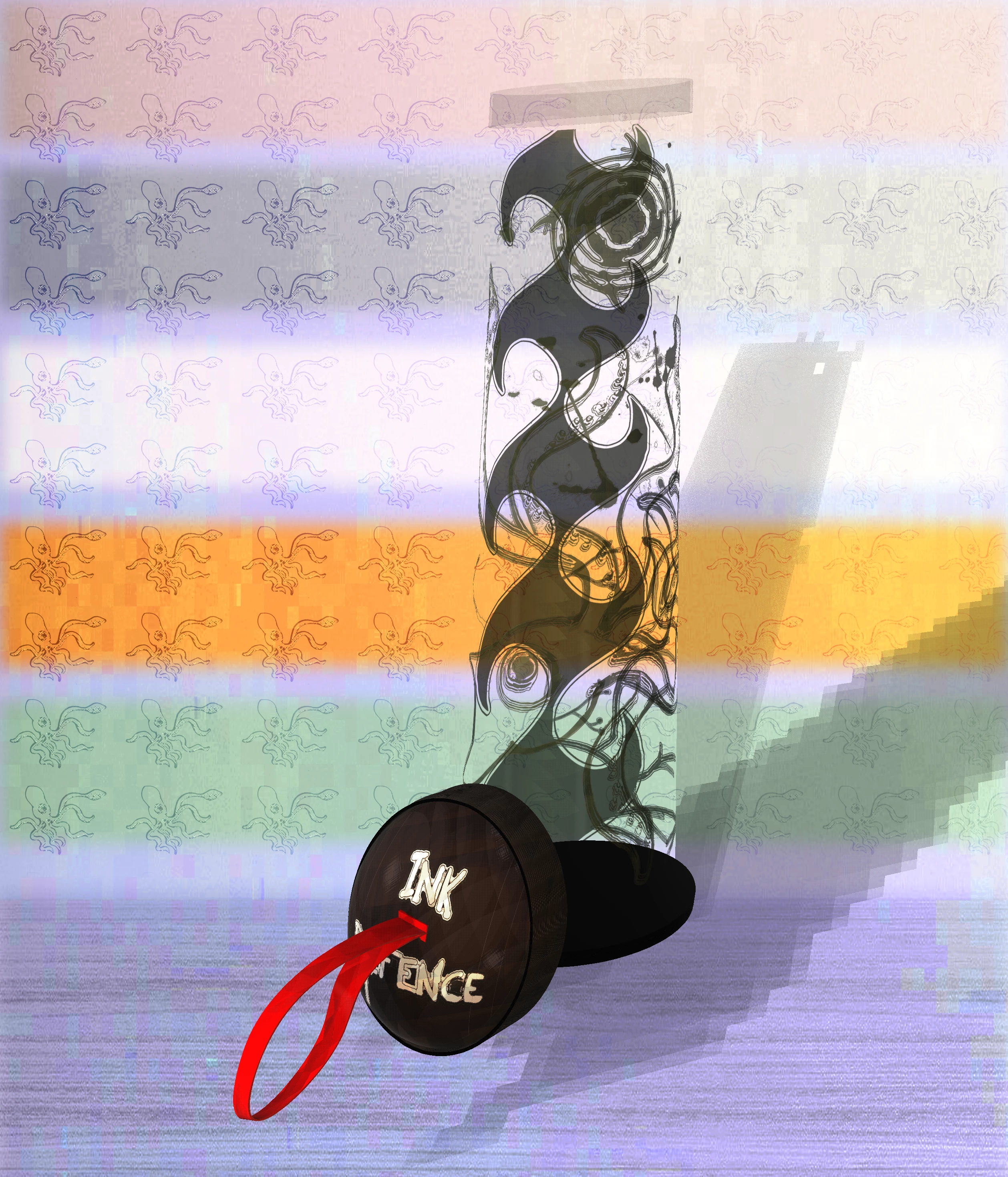
I'm rendering an older (1yr old approx) 3D file. The first (ugly) image is when I originally rendered it. 


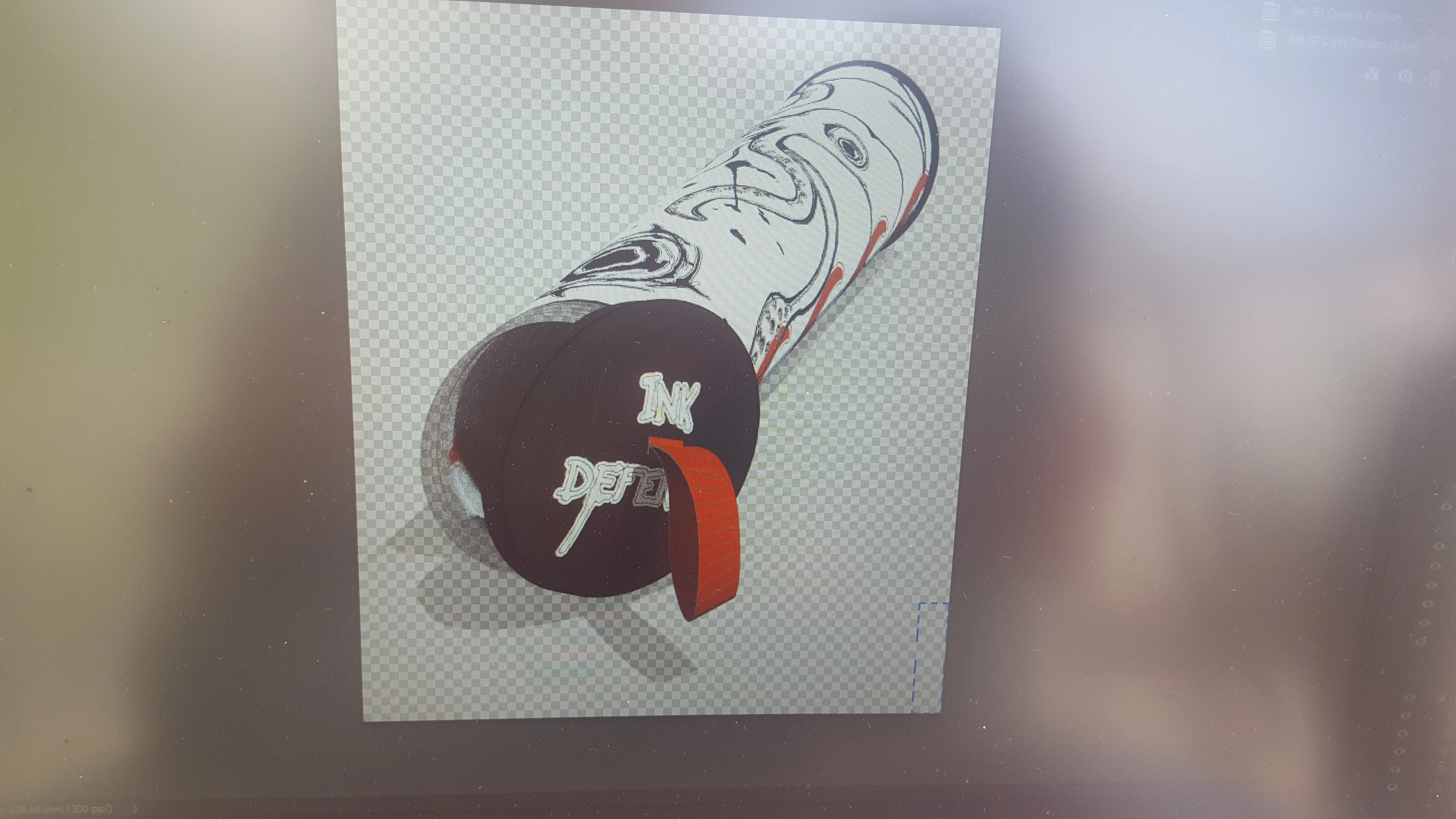
I recoloured part of the layer and re-rendered only to find the empty sections now filled with white.


Ive already done all the material fixes suggested by other threads, however if I'm missing something obvious, any suggestions (even seemingly obvious fixes) would be appreciated.


Before
After
 

On Windows 10, latest update of PS 22.3.1.

Thanks in advance

This topic has been closed for replies.
Correct answer davescm

Hi

You have no opacity map on the Cylinder_Material, so the entire cylinder material is being rendered as opaque (or transparent if you adjust the slider). It should just be a case of plugging in an opacity map to the texture folder - but when I tried that it was another lesson in why I no longer use Photoshop for 3D, with the base colour map also changing :-(.


In the end I transferred it to Blender just to show what was causing the issue with that material. You could rebuild the materials but personally I would transfer the entire model to Blender and rebuild the textures there. Rendering is much faster, as it uses the GPU, and it is far less buggy.


Dave

2 replies

davescm
Community Expert
Community Expert
May 5, 2021

3D in Photoshop is buggy, to the extent that I now rarely use it.  However in this case it is more likely to be a setting. It would be helpful if you can post a link to the file (Drop box or similar) and I'll take a look at it and see if I can see the cause. In particular I'd be looking at the opacity map for the section that was previously transparent and is now white.


Dave

Participant
May 5, 2021

Trust me, I would not use PS3D if I didn't have to haha it's only because this project took many, many hours and I wanted to put it in my folio. It was meant to be a simple re-colour then re-render 😞


Would you really do that? That's incredible if so and I would be so grateful! My brand new laptop barely handles PS3D so troubleshooting is difficult (takes 6+hrs per render). Take your time with it, but if too annoying or time consuming please forget it and I will use the imperfect renders for my folio.


Thanks so much for your time, you're a gentleman and a scholar.


https://we.tl/t-8vZM3yHXJb

Abambo
Community Expert
Community Expert
May 5, 2021

It looks like it works perfect:

Please post a screen copy of your layer area. Use the system build in screen copy feature like "Snipping Tool" or "Snip & Sketch" to post that area.


ABAMBO | Hard- and Software Engineer | Photographer
davescm
Community Expert
Community Expert
May 5, 2021

Without seeing the file and the settings, to see what you have changed or missed when you did 'all the material fixes', this question is impossible to answer.

Dave

Participant
May 5, 2021

I was hoping there was a known bug from recent updates dang. Here are a few pictures if you don't mind taking a look please? 


Also let me know if I should screenshot something else? Also these will not upload vertically, not sure why I apologise.


I feel as though I'm missing something obvious as it's been ~1yr since I've worked on this platform.


Thanks for your time