
Inspiring
January 15, 2019
Answered

Transparent background is not transparent

  • January 15, 2019
  • 2 replies
  • 8268 views

Hello

I have a normal colour JPG image and wish to place another image with a transparent background over it (or over part of it). My transparent image shows the chequered grey and white background when I open it up in Photoshop, but when I try to place it over the JPG image using the Move tool it shows it as having a white background which covers the JPG image underneath it.

The transparent image is a PNG file.When it is over the JPG image, I can use Transform | Scale it, but not able to remove the white background. What should I be doing, please?
    This topic has been closed for replies.
    Correct answer Trevor.Dennis

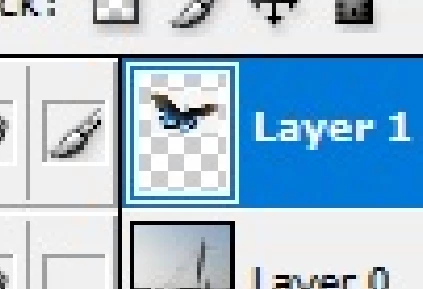
    Yep.  The butterfly background is not transparent.  You can see from the thumbnail that the rectangle covers the chequerboard.

    2 replies

    SteveH59Author
    Inspiring
    January 15, 2019

    Thanks to you all.

    With layers showing

    Trevor.Dennis
    Community Expert
    Trevor.DennisCommunity ExpertCorrect answer
    Community Expert
    January 15, 2019

    Yep.  The butterfly background is not transparent.  You can see from the thumbnail that the rectangle covers the chequerboard.

    SteveH59Author
    Inspiring
    January 15, 2019

    So I need to ensure it is transparent properly before doing anything? Which is the best way to do that - any recommendations? I used the Magic Wand

    macpawel
    Participating Frequently
    January 15, 2019

    Please show screenshot of it

    SteveH59Author
    Inspiring
    January 15, 2019

    Here we go. Lake is a JPG and butterfly a PNG. Thanks for your reply.

    Silkrooster
    Legend
    January 15, 2019

    Could you show your entire screen with the layers panel expanded. As of right now it looks like the butterfly is a screen capture of your original image.