
ArctisStudio
Known Participant
March 1, 2024
Answered

Transparent backgrounds not showing checkerboxes

  • March 1, 2024
  • 6 replies
  • 467 views

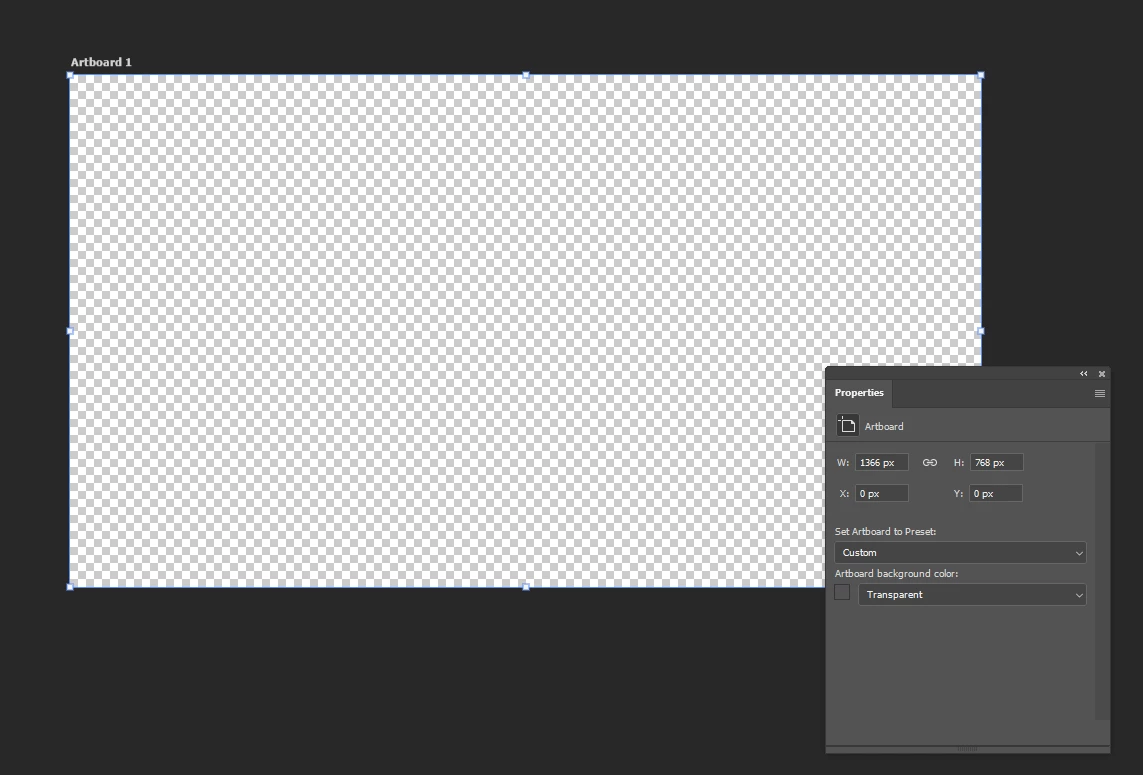
There is a bug where the checkerboxes indicating a transparent background on artboards suddenly is replaced by a gray background. Restarting Photoshop temporarily fixes this issue for me.


I noticed that the border of the Artboard also becomes gray instead of the normal blue.


Before the bug occurs
After the bug occurs. Absolutely identical file, no changes made to file or preferences.
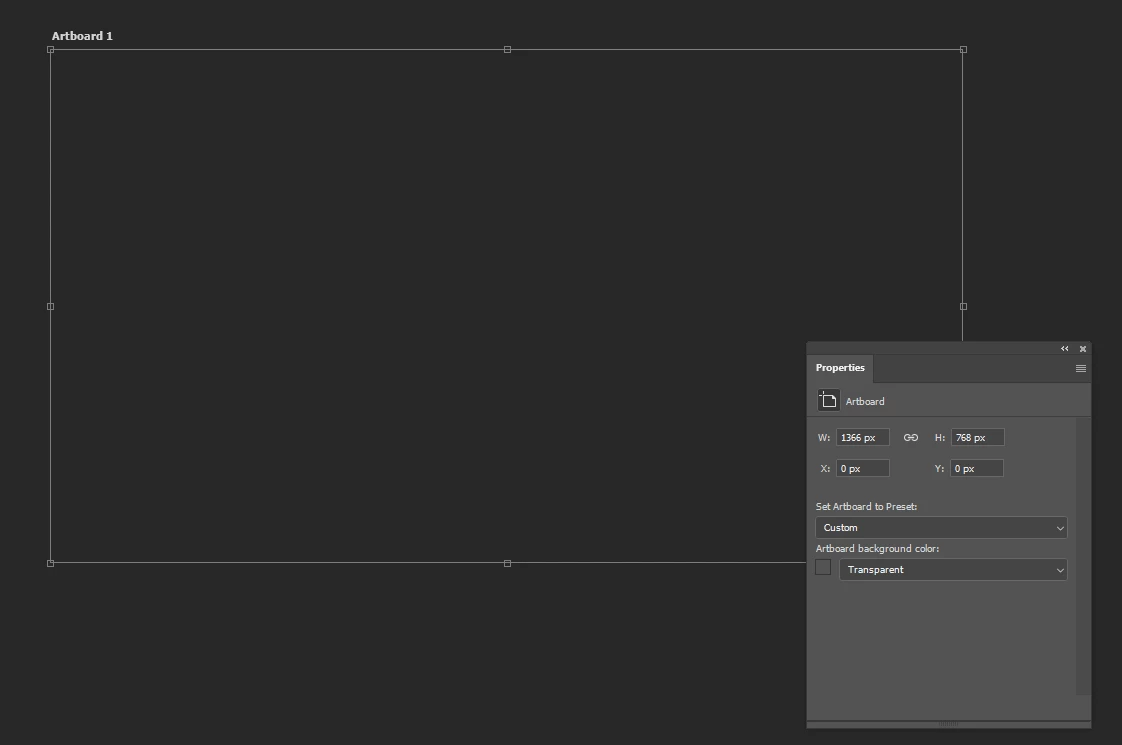
 

Is there a know cause for this issue that can be avoided?
Thanks a lot.


This topic has been closed for replies.
Correct answer Ged_Traynor

@ArctisStudio not noticing the issue here with Photoshop version 25.5 on Windows 10, what are exact steps you taking to reproduce the issue, have you tried manually resetting your Photoshop preferences
https://helpx.adobe.com/ie/photoshop/using/preferences.html#Manually
Remember to backup your settings before doing the preference reset
https://helpx.adobe.com/ie/photoshop/using/preset-migration.html

6 replies

Ged_Traynor
Community Expert
Community Expert
March 4, 2024

@ArctisStudio glad you got it sorted 👍

ArctisStudio
Known Participant
March 4, 2024

@Ged_TraynorResetting preferences seems to have worked. Haven't had an issue since then. Cheers

ArctisStudio
Known Participant
March 4, 2024

Before resetting Photoshop's preferences I tried that. Sadly it made no difference.

Stephen Marsh
Community Expert
Community Expert
March 3, 2024

If you have the issue again, I'd be curious if changing the artboard background from transparent to white and then back to transparent again fixed things. I wonder if this is GPU/Native Canvas related.

ArctisStudio
Known Participant
March 1, 2024

Hi @Ged_Traynor 
Thanks for your answer. Unfortnulately I was never able to pinpoint what triggered this to happen. It seemed very random.
I manually reset my Photoshop preferences as you suggested. So far it seems to have solved the issue. Time will tell. I'll mark your answer as correct if the bug doesn't resurface for a while.

Ged_Traynor
Community Expert
Ged_TraynorCommunity ExpertCorrect answer
Community Expert
March 1, 2024

@ArctisStudio not noticing the issue here with Photoshop version 25.5 on Windows 10, what are exact steps you taking to reproduce the issue, have you tried manually resetting your Photoshop preferences
https://helpx.adobe.com/ie/photoshop/using/preferences.html#Manually
Remember to backup your settings before doing the preference reset
https://helpx.adobe.com/ie/photoshop/using/preset-migration.html