
SafePin
Participant
November 30, 2018
Answered

Transparent glass fail HELP

  • November 30, 2018
  • 3 replies
  • 911 views

I've been struggling with this photo, i've been working around in gfx for a little now and a chandelier company approached me. Now i working on this class fixture and my having a really hard time getting the glass to go transparent. The picture i started with was not the best but i was told to do my best i was wondering if there is something i can do.
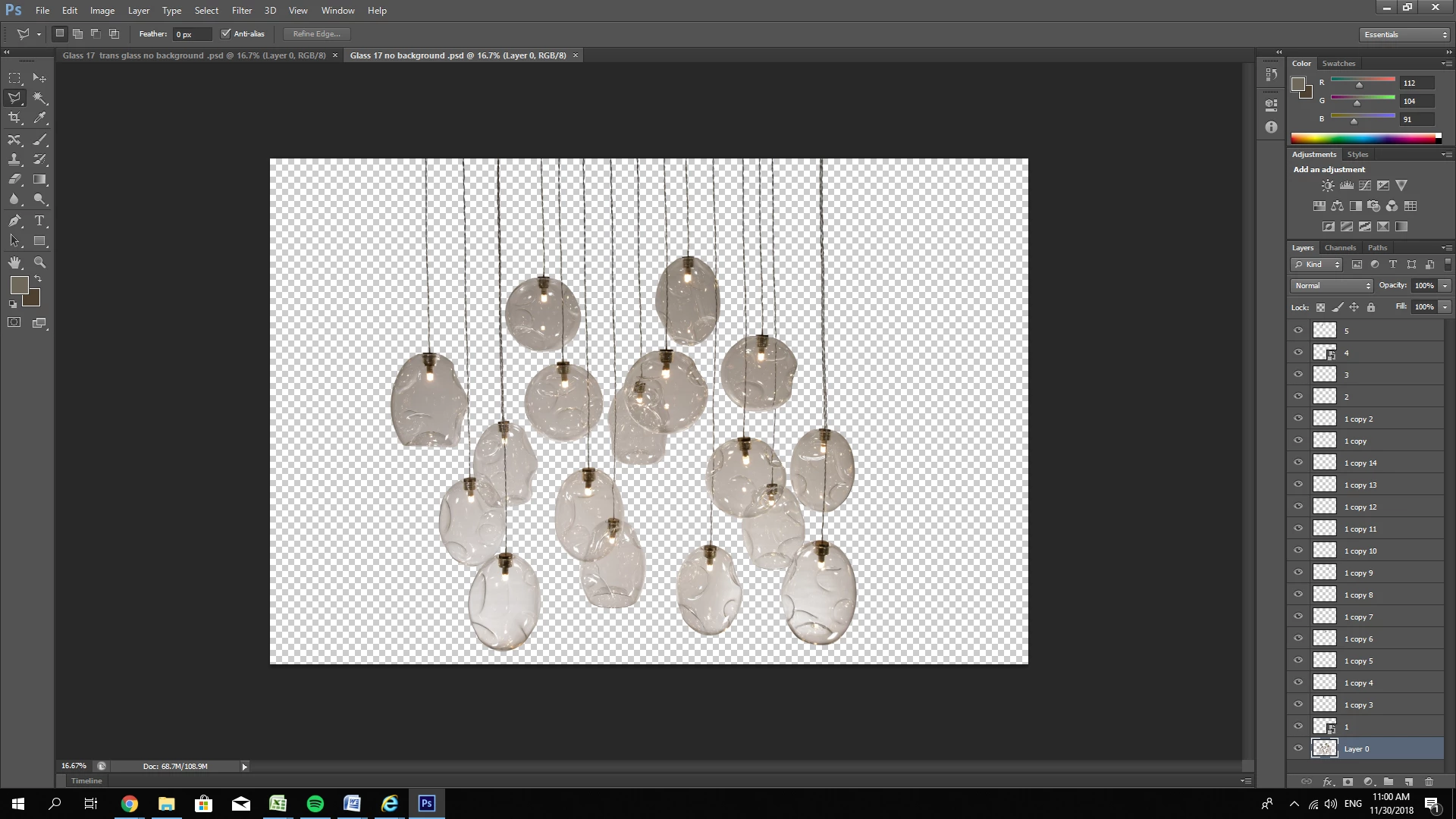
The layers are the extra wires that i havent made into a folder yet for the most part ( I dont think i need to add the original image so i just put up the cut one )
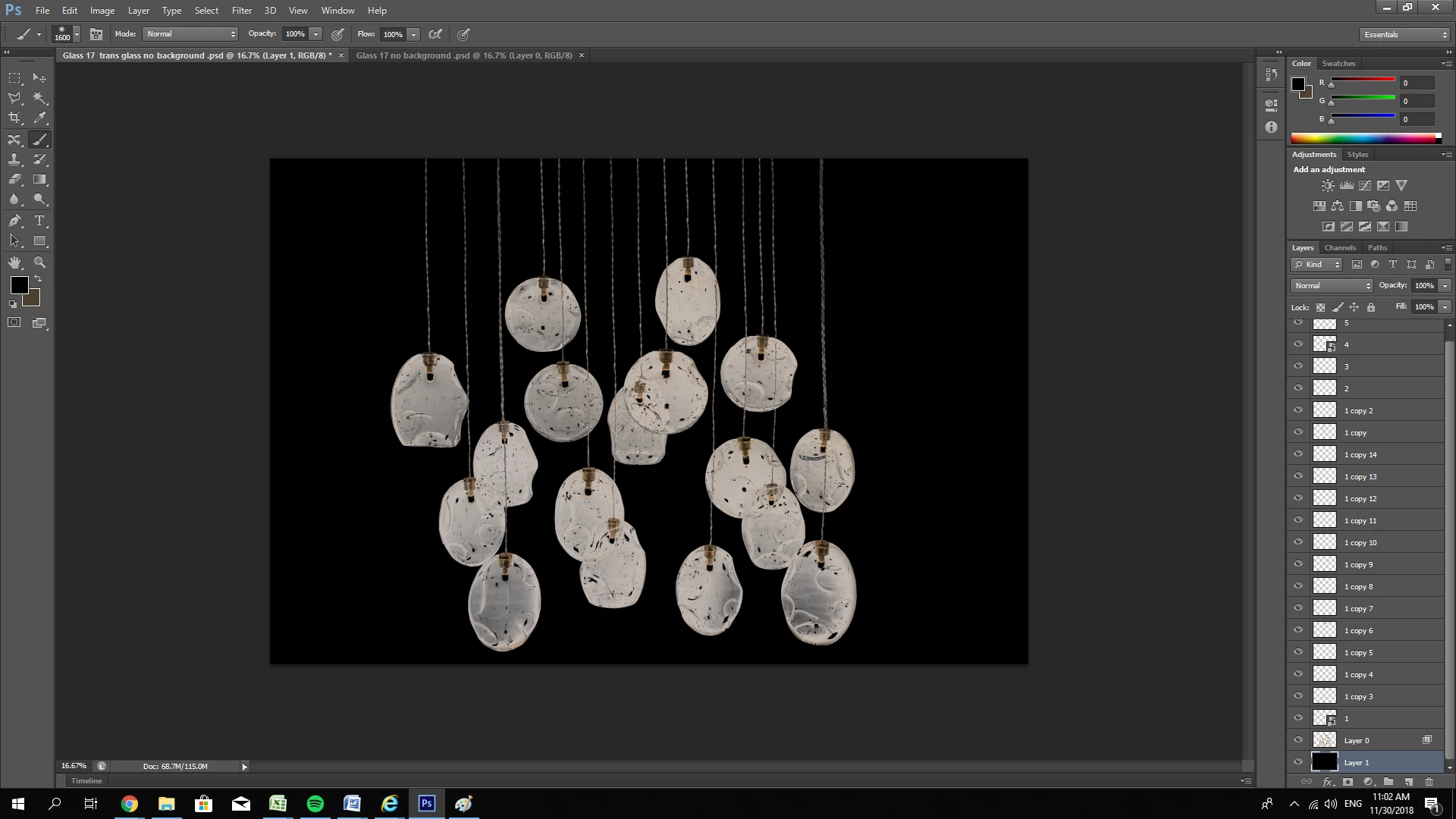
This is as close to transparent as i've been able to get while keeping the glass detail

Photo by:

https://www.premiereltg.com/

Thank you all in advance for reading and all the answers you may provide

    This topic has been closed for replies.
    Correct answer Ussnorway7605025

    I would turn them into Wavefront | Obj (in Photoshop) to get the correct basic shape then rendor them as glass (in Dimension) against a sky background... this gives you a psd that you can add finishing touches in Photoshop

    3 replies

    Ussnorway7605025
    Ussnorway7605025Correct answer
    Legend
    December 1, 2018

    I would turn them into Wavefront | Obj (in Photoshop) to get the correct basic shape then rendor them as glass (in Dimension) against a sky background... this gives you a psd that you can add finishing touches in Photoshop

    davescm
    Community Expert
    Community Expert
    November 30, 2018

    It would be helpful to post a section of the original - as a png with transparency

    Dave

    SafePin
    SafePinAuthor
    Participant
    November 30, 2018

    The original image is too big to post in here

    It was over a white back drop and the lighting wasnt too great

    Is there something else i can post to maybe give you a better idea of what needs to be done?

    i just need the glass to be transparent.. most of the wires were removed and replaced because they were REALLY not straight. Meaning, my original layer has primarily glass.

    davescm
    Community Expert
    Community Expert
    November 30, 2018

    Hi

    I was thinking you may be able to try something with blend if or curves and masks in a smilar way we would generate a chrome effect but it is hard to tell with the checkerboard and low resolution. Hence the request for a full resolution section.

    To be honest though - I am doubtful that you will get a realistic effect and I would be tempted to look for another image or model it in a 3D app

    Dave

    pixxxelschubser
    Community Expert
    Community Expert
    November 30, 2018

    This is not a scripting question.

    [ discussion moved from Photoshop Scripting to Photoshop ]

    SafePin
    SafePinAuthor
    Participant
    November 30, 2018

    I'm sorry for posting in the wrong section, thank you for moving it!