



philip_5345
Participant
May 14, 2026
Question

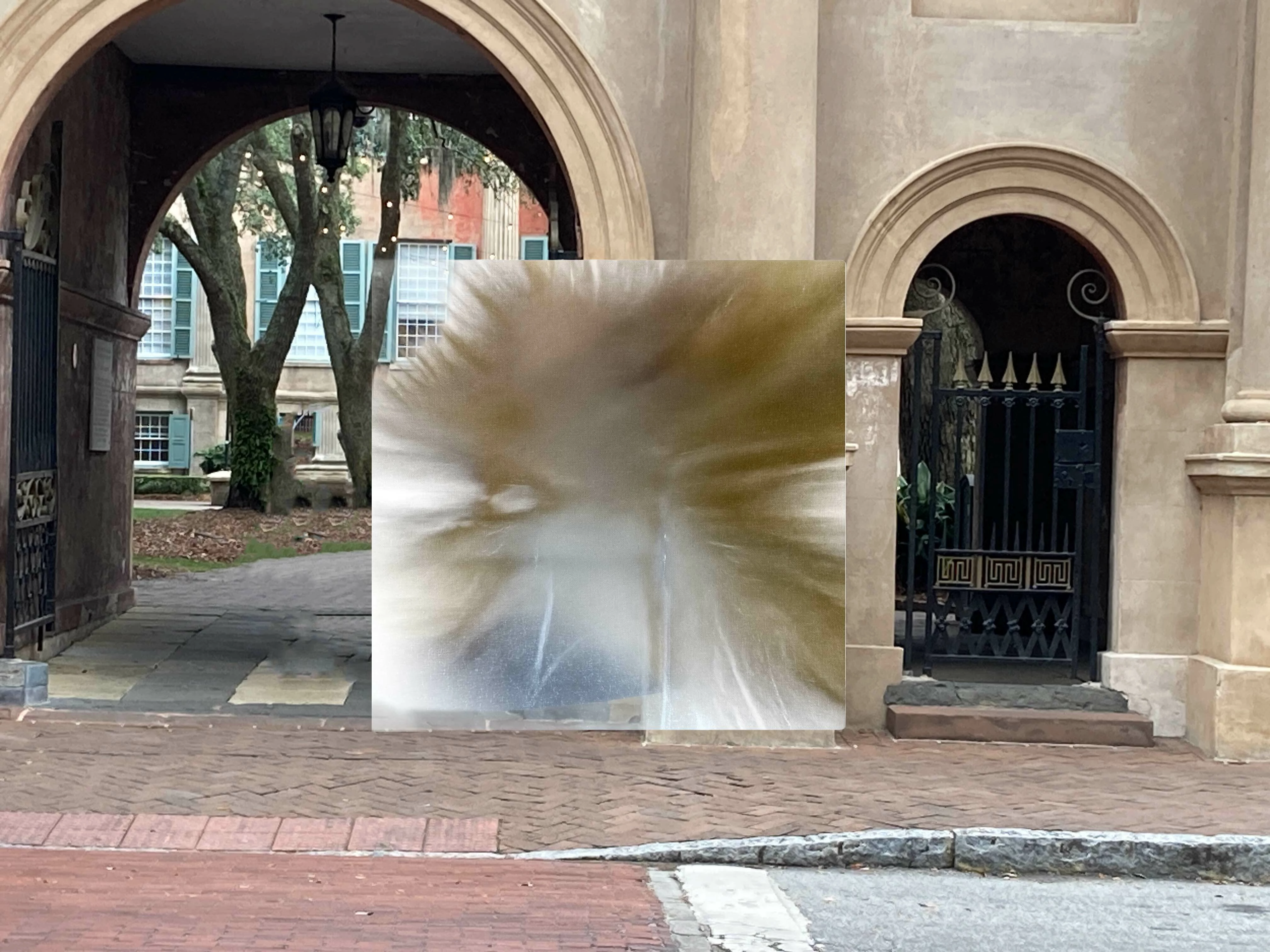
Trouble with “Rotate Object”: The object becomes a cubist abstraction as soon as it starts rendering. Upon accepting generation, it becomes a more solid cubist abstraction. Color is similar to the original object, but the object is unrecognizable.

  • May 14, 2026
  • 2 replies
  • 35 views

Trouble with “Rotate Object”: The object becomes a cubist abstraction as soon as it starts rendering. Upon accepting the generation, it simply becomes a more solid cubist abstraction. Color is similar to the original object, but the object is unrecognizable. (Attached image is/was a coffee cup.)

I have updated to the latest beta version of Photoshop (v 27.8). Then I restarted.

I ran the Windows Update for the machine: Everything is current. Then I restarted.

I have cleared my Photoshop preferences and restarted.

I have tried this with several objects (people, a stapler, a coffee cup). Similar results.

I remove the background of the object’s layer before hitting the “Rotate Object” button.

I save the layer as a smart object.

I select the layer before hitting the “Rotate Object” button.

Adobe Account: Adobe for Team

Over 4,000 credits left in my account

Working on a Lenovo ThinkPad

Windows 11 Pro, Version 25H2

Graphics Card: 128 MB Intel® Graphics 

Installed RAM: 32.0 GB

Processor: Intel(R) Core(TM) Ultra 7 155U (1.70 GHz)

System Type: 64-bit operating system, x64-based processor


    2 replies

    philip_5345
    Participant
    May 15, 2026
    Seems okay. Other ideas? (THANK YOU for you help, by the way.)


    J E L
    Community Expert
    Community Expert
    May 15, 2026

    Oh, you’re welcome. I wish I could be more help. Can you describe exactly what you are trying to do with your rotated object (the coffee cup)? Did you try rotating the object by itself before placing it into the other image?

    philip_5345
    Participant
    May 15, 2026

    That did it! I could rotate the cup and then place it on the background. Then I also did the same with a photo of my daughter -- worked great. Dropped the new poses on the background, and I was able to edit their rotation. Amazing. So … thank you!  I really appreciate your help. Now, please tell me you are not a bot.


    J E L
    Community Expert
    Community Expert
    May 14, 2026

    Hi ​@philip_5345, this probably has to do with your graphics card. 128 MB of VRAM is not optimal for current versions of Photoshop. Typically you want a minimum of 512 MB. Try going to Preferences > Technology Previews and check "Older GPU mode (pre 2016)" and restart Photoshop. Let us know if it makes any difference.

    philip_5345
    Participant
    May 14, 2026
    Thanks, but no luck. Here is that coffee cup again, after the Preferences change.