Participant
August 7, 2020
Question

Trouble With Video Timeline Photoshop

  • August 7, 2020
  • 1 reply
  • 193 views

Hey everyone, 


I'm trying to make a GIF and I usually use Frame Animations, but this time I decided to use the video timeline so I could have each layer fade into another. I haven't played with the video timeline much, but I can't figure out why I can't see the layers on the canvas! When I preview the video, I can see the last layer (Layer 0) but all the other layers show up like this. 
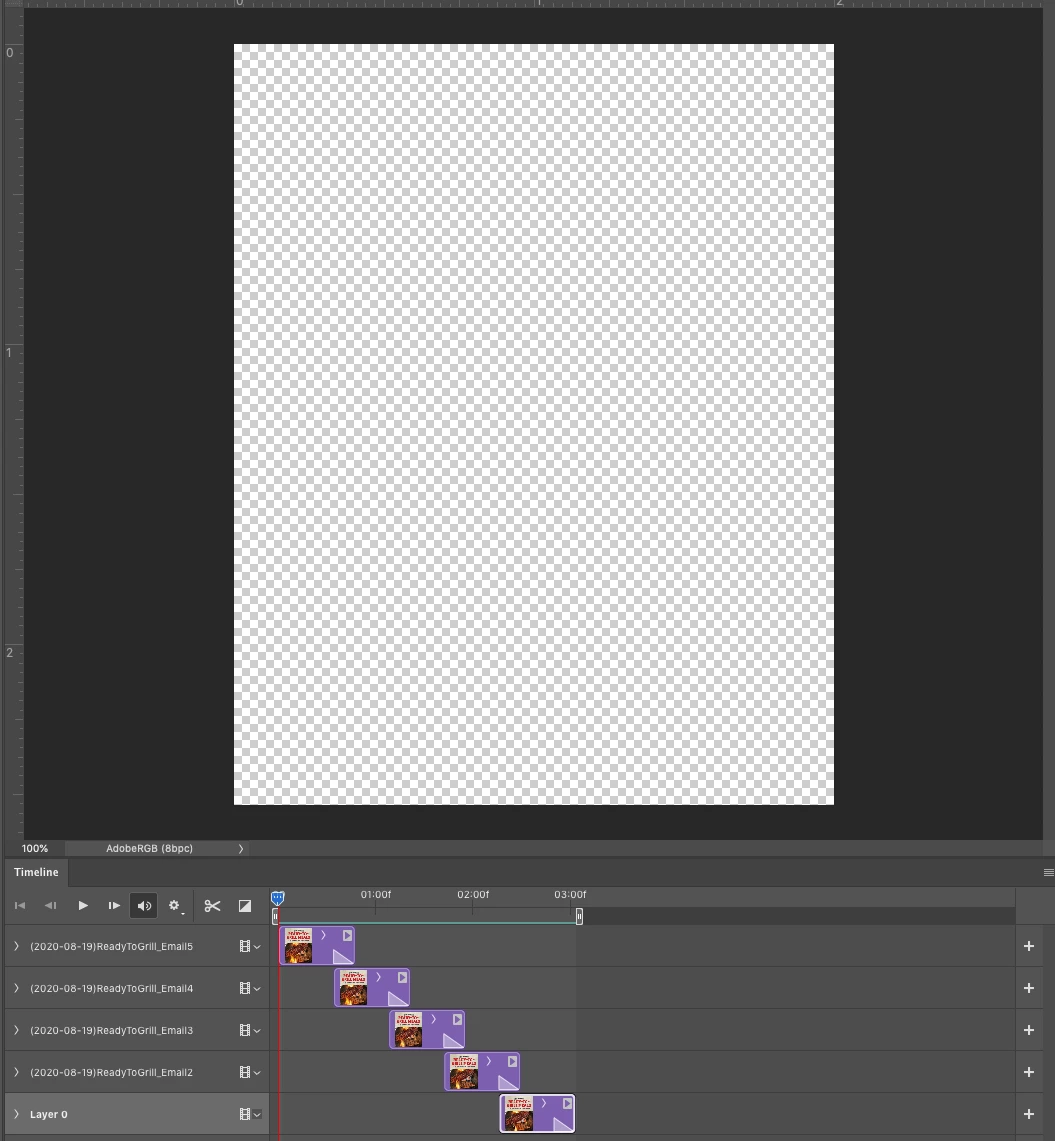
 

Any help is much appreciated!!! 

This topic has been closed for replies.

1 reply

Sahil.Chawla
Adobe Employee
Adobe Employee
August 7, 2020

Hi there,

That looks strange. Which version of Photoshop are you working on? Could you please share a screenshot of the layers panel?

Please have a look here and let us know if it helps: https://graphicdesign.stackexchange.com/questions/125363/photoshop-cc-2019-not-generating-all-frames-in-video-timeline-animation

Regards,
Sahil