
Troubleshooting Photoshop Filters
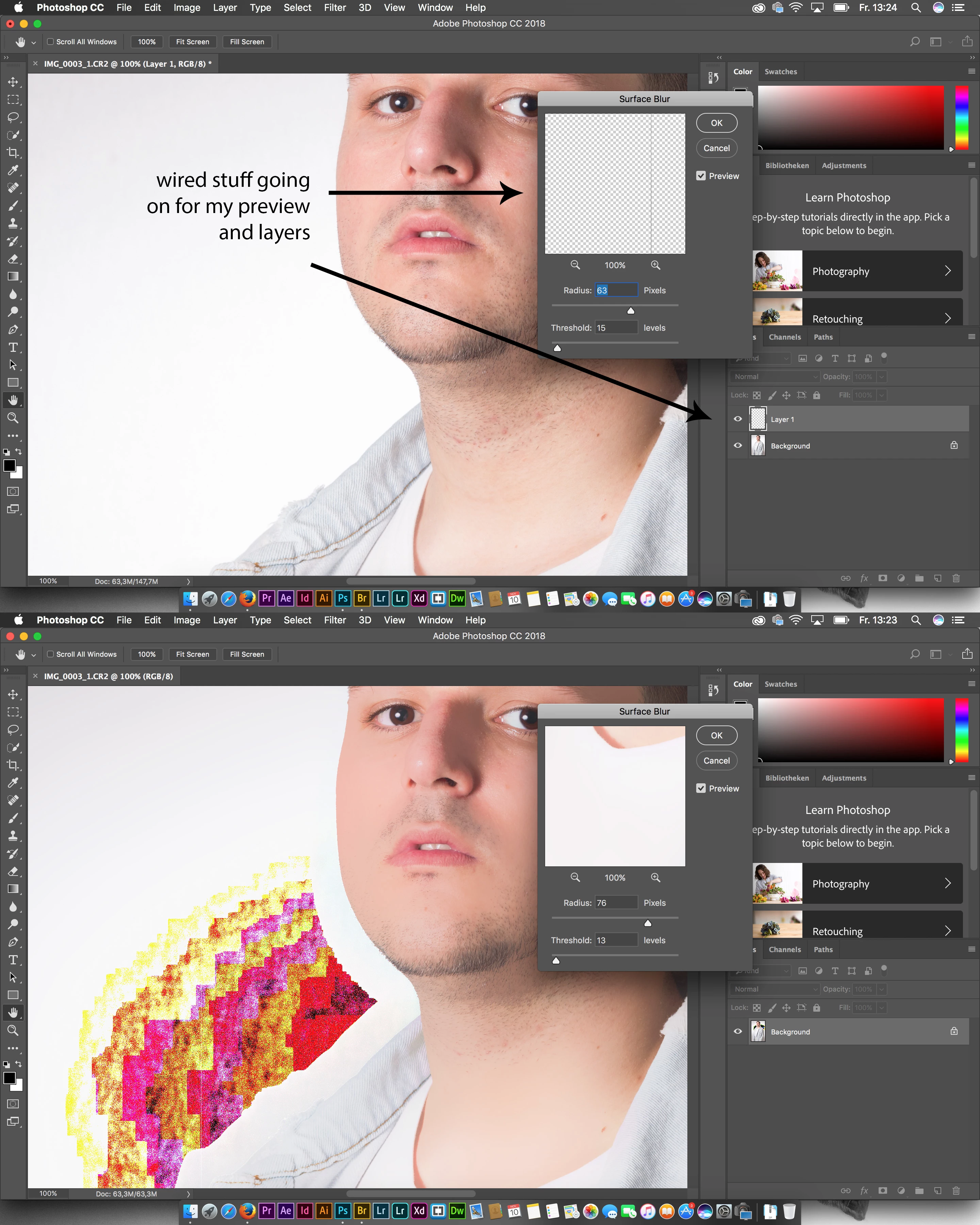
Hello, i am new to the Adobe forms and i got a wired bug (the first one that i ever had that was so annoying to me). At the moment i am retouching some portraits and i wanted to get rid of the dirt at the background so i tried to do this on my main workflow. I copied the background layer (as backup) and wanted to use the
Filter > Surface blur.
But i instantly saw there is something wrong. The preview window and the layers showed me an empty layer instantly when i started the surface blur. So i tried to blure the Background layer it-self. There was no glitch available. As well i had some problems with the Camera Raw Editor/Filter and Highpass Filter.
The system i use is...
Software:
Adobe Photoshop CC 2018
Hardware:
Macbook Pro 15" Retina (Mid 2014)
CPU:
Intel Core i7 2,5 GHz
GPU:
NVIDIA GeForce GT 750M 2048 MB
Intel Iris Pro 1536 MB
RAM:
16GB DDR3 1600MHz Ram
I already tried to figure out what i did wrong or is the problem on my Hardware/Software.
I thought there is a Installation problem so i tried following
- Reinstallation of Photoshop (didnt helped)
- reset of photoshop standards (didnt helped)
Google showed me some troubleshooting posts of the adobe forms that i tried:
- deactivating the gpu in the photoshop preferences (didnt helped or changed anything)
- changing to the better gpu in the MAC system preferences - maybe its a problem with the Intel Iris Pro (didnt helped or changed anything)
Maybe a reinstallation didnt helped because of some hidden files or a virus
- i reinstalled the whole Mac OS X system - formated the harddrive (didnt helped)
Cuda driver or Updates to the Mac OS X
- i updated to the newest version of the Mac OS Sierra (didnt helped)
- Cuda Driver update (didnt helped)
I hope anyone can help me to solve this problem or tell me if anyone had the same problem and experiences with that.
Would be awesome
best regards Montreyyy
 AdChoices