Participant
August 2, 2017
Question

Trying to add stylized text into photo

  • August 2, 2017
  • 2 replies
  • 266 views

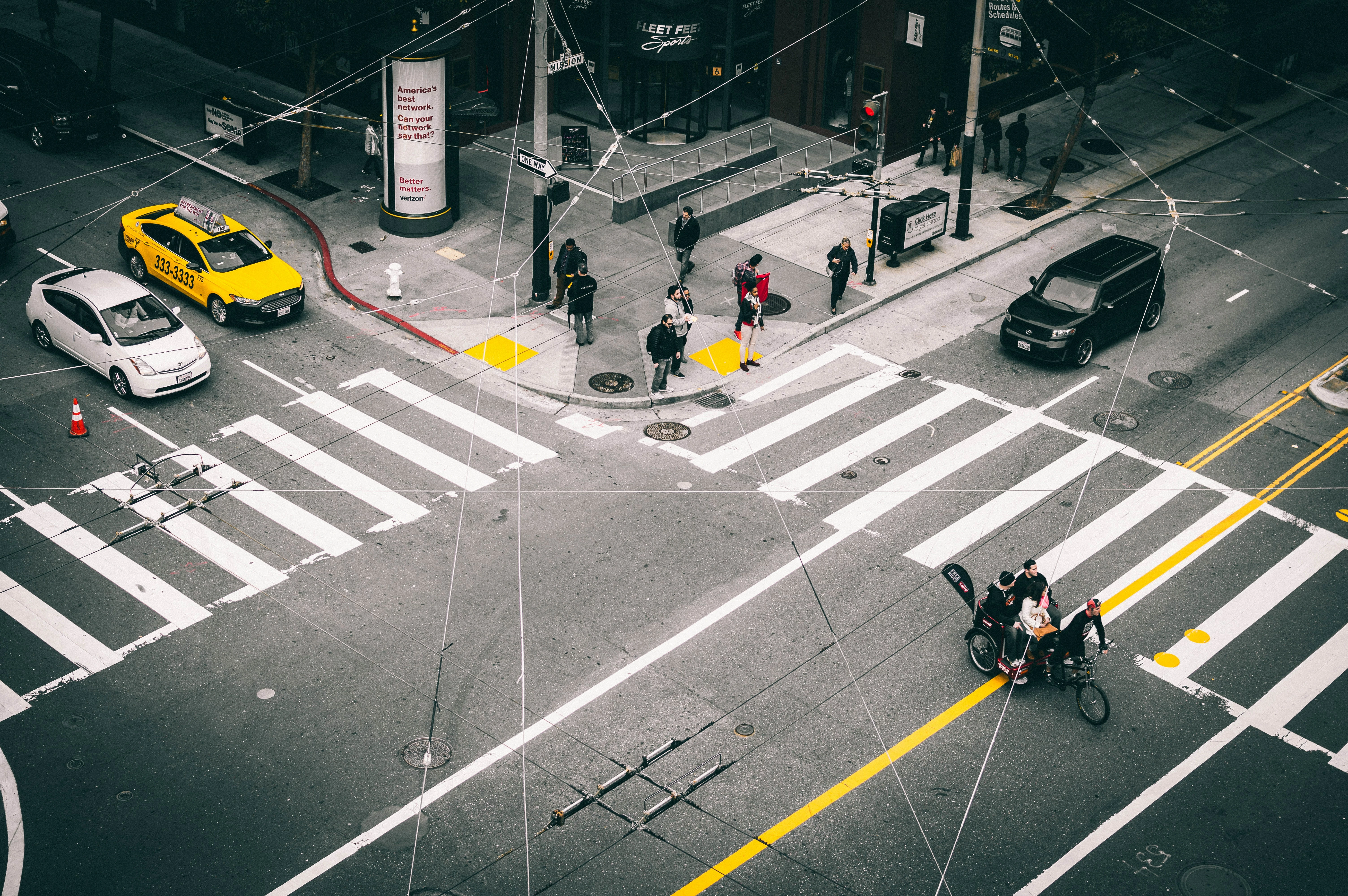
Im trying to add text within this photo while maintaining the grain and character of the background - I want the text to replace the white pedestrian lines on the ground without interrupting the wires above the ground

I have tried getting rid of the lines with the patch tool, but it comes out with a light white sheen. I have also done the Horizontal Type Tool while sampling from the photo itself, and the effect is still not what I want - anyone have a suggestion?
This topic has been closed for replies.

2 replies

davescm
Community Expert
Community Expert
August 2, 2017

Hi

You can minimise the cloning by offsetting a duplicate of the layer and adding a layer mask hiding all. Then painting in some of the road from that offset layer over the white lines. In the example below I did this twice.

There was still some cloning required.

Place the text in a smart object then warp and distort it. Add a mask filled with noise and paint some of the text edges on the mask with black to make it look a little street worn

A gradient fill clipped to the text layer  helps match the lighting

Finally another duplicate of the background  - this time with no offset but with a mask revealing any missing wire sections

I hope that helps to get you started

Dave

davescm
Community Expert
Community Expert
August 2, 2017

Alternatively you could do all of the above to get rid of the white lines , but put the text in as a 3D extrusion

Dave

Legend
August 2, 2017

This will be a multi-step process. You will need to

Tightly select all of the wires that you want to remain, and move them to a new layer.

Do some careful work with cloning, patching and content-aware fills to remove the existing pedestrian lines.

Create your text and use the various distort tools to match the angle you want, and fill with sampled color.

Use a bit of grain and blur (and possibly a small amount of transparency) to make the text blend with the underlying photo.

Can you show what you have tried so far?