
Question
Trying to color balance a composite
Hi,
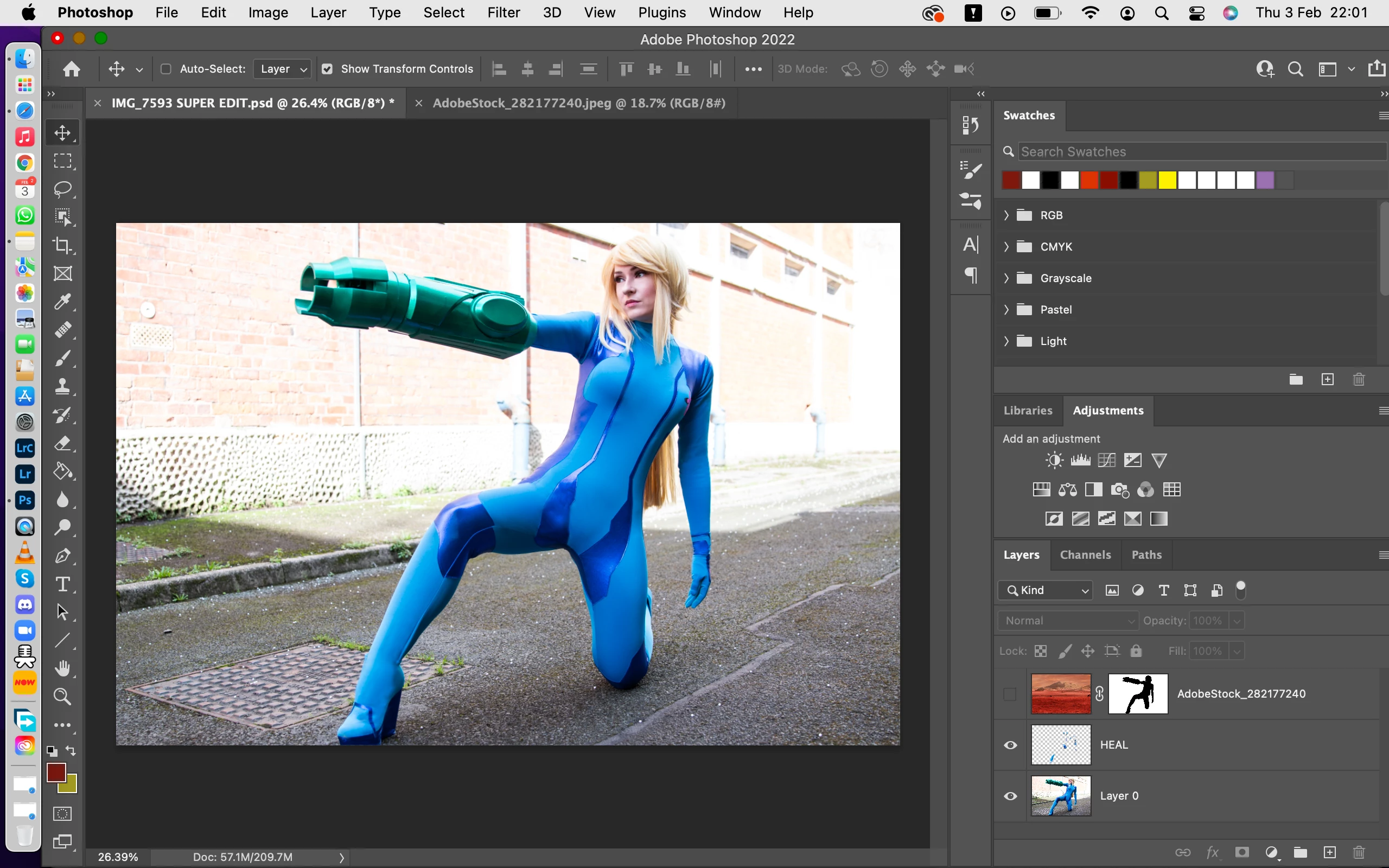
I'm a bit new to Photoshop 2022 and trying to do a composite edit of a cosplay.
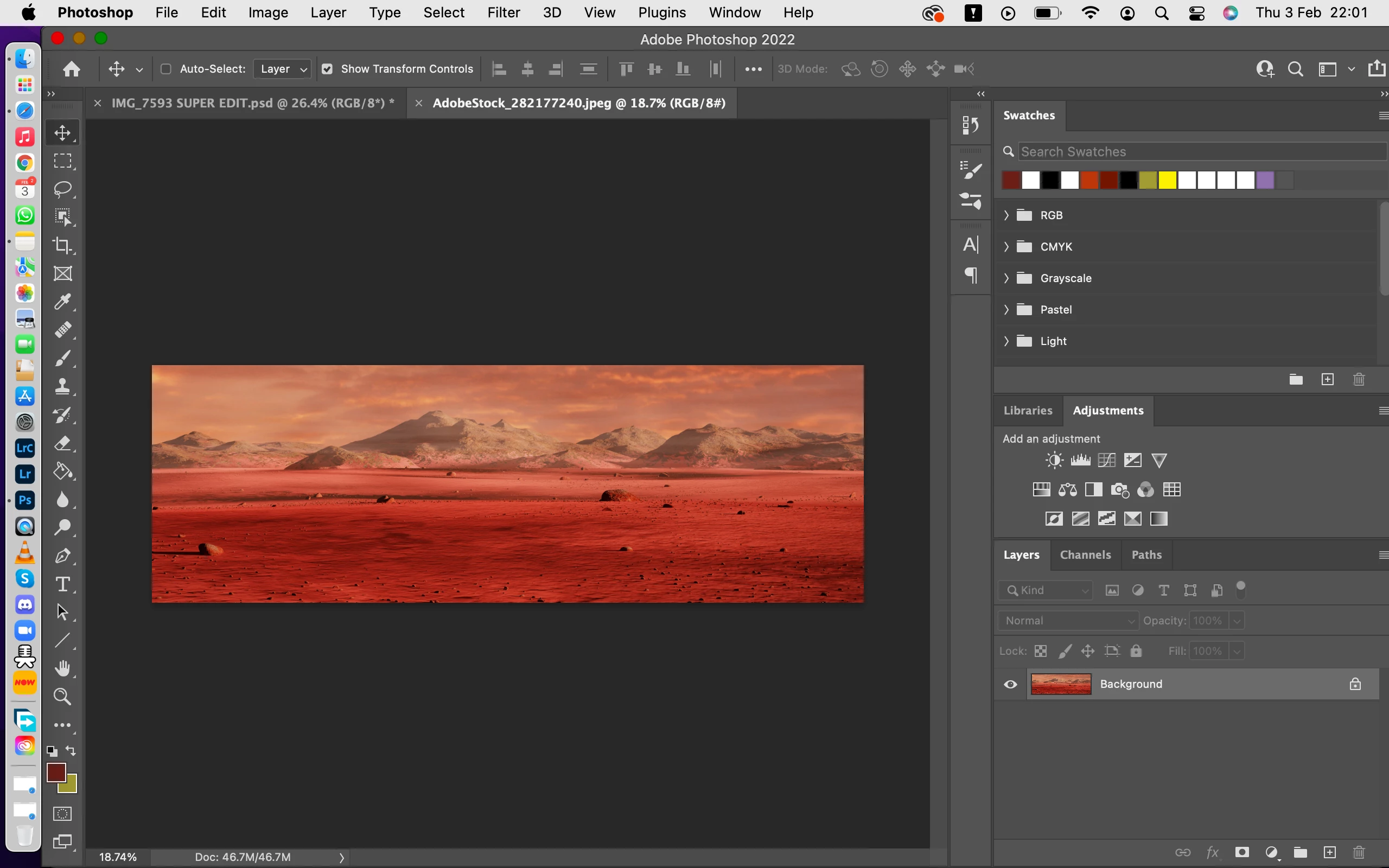
I uploaded the photograph first then heal brush away imperfections on another layer. I then uploaded the background and free hand layer mask around the subject.
I am now trying to do a curve clip to make the subject match the color balance of the background but it keeps on going wrong.
I wonder if I have done something wrong or have to restart another way?
Any guidance would be much appreciated,
Josh (AsperJosh Photography)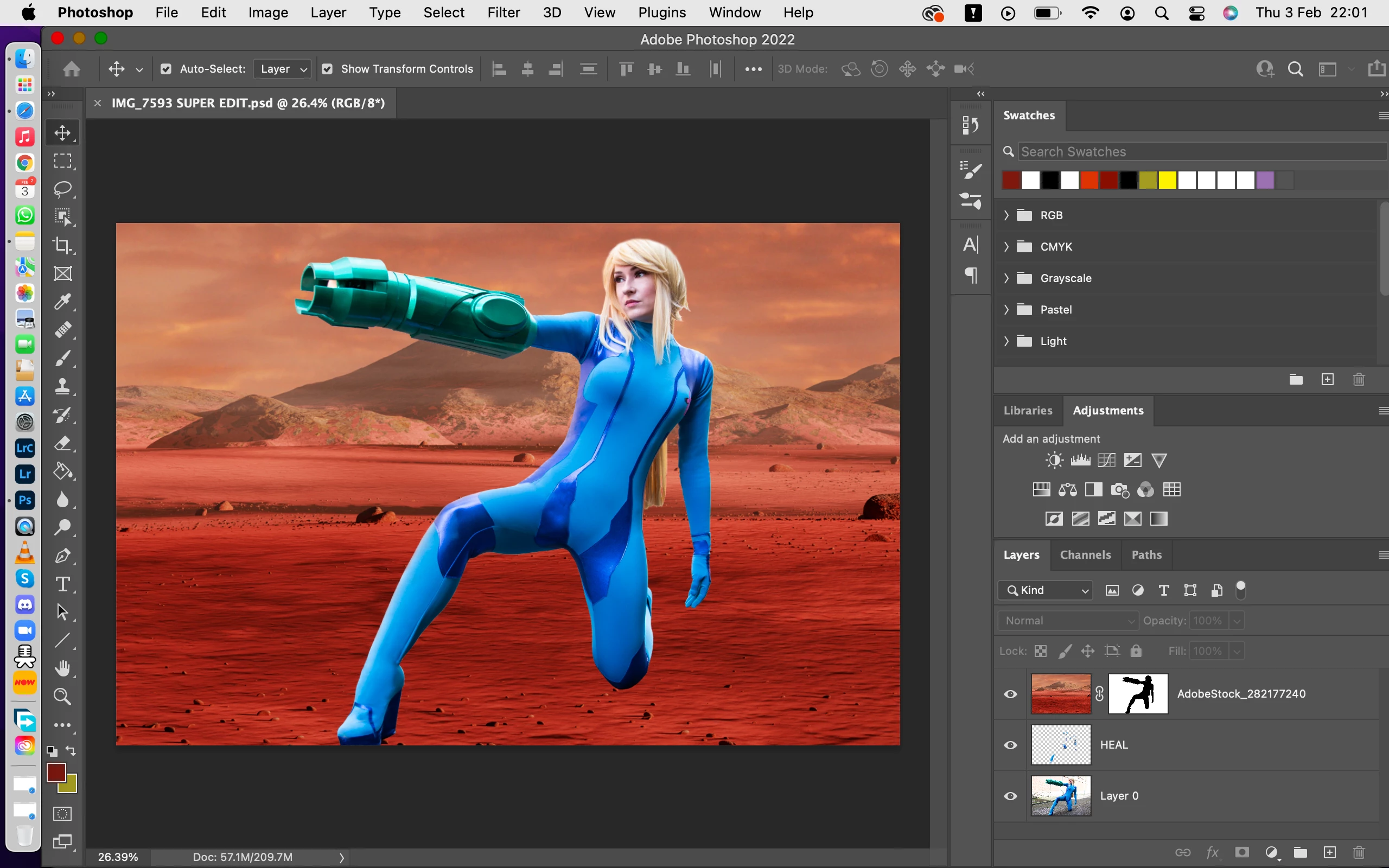
 AdChoices