Question
Trying to figure how to get engrave lines in photo layers on tutorial
This is the tutorial I'm trying to figure out, https://we.graphics/blog/turn-a-photo-into-an-engraved-illustration-using-photoshop/. I have gone through creating the weighted lines in Illustrator and pasted them into Photoshop, and setup copies of the face image into 6 different threshold layers with shadow masks linked to them, but can't figure out how to get the lines (which are 6 seperate layers) into the image. The threshold mask are linked to copies of face image. Somehow there is something I'm missing in the tutorial. Any help would be greatly appreciated. Thanks! 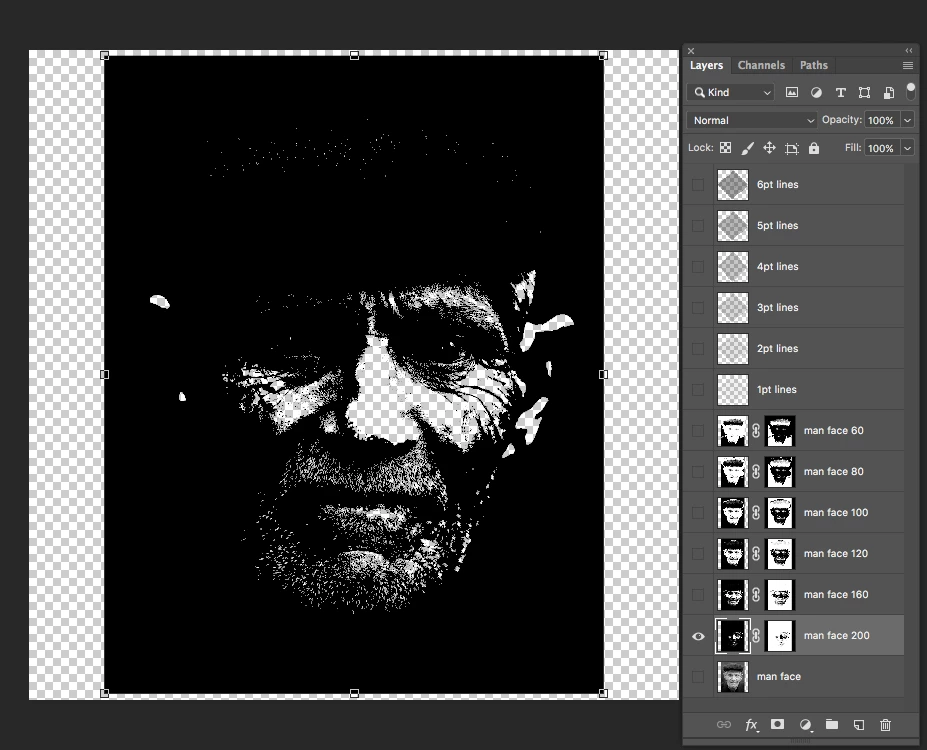
 AdChoices