
Mwarren
Inspiring
March 3, 2017
Answered

Trying to 'punch out' a graphic to play video behind

  • March 3, 2017
  • 3 replies
  • 835 views

Greetings,

I'm fairly new to PS and have a question about masking. Here's what I'm trying to achieve.

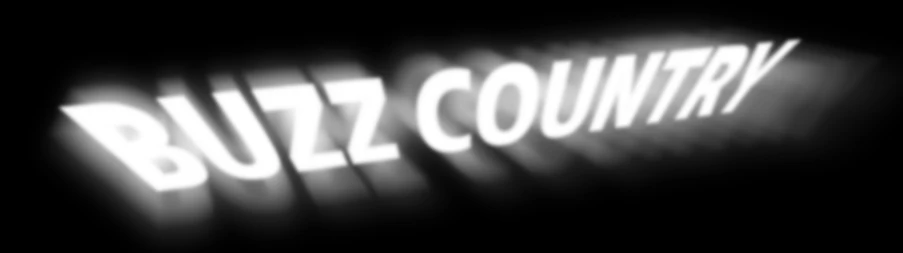
I have an oversize image of a sky. I created a smart object which is a nesting doll of different - and additive - blur effects that create rays and a haze around my title words.

I would like to make this smart object become the mask for the oversize image - with the intent of playing a video behind it which would 'peek' through the white text along with the opacity of those blur effects (selective opacity mask).

I'm having a hard time figuring this one out. I haven't stumbled on the right sequence of words. And it probably doesn't help that it's way past bedtime.

Thanks in advance for your help.
    This topic has been closed for replies.
    Correct answer c.pfaffenbichler

    Thanks very much - to both of you - for your responses.

    And thank you for voicing your concern, Nancy. Fortunately, for this project, the video that's behind my punched out graphic, the video doesn't have to be positioned in any difficult way because the viewing area (through the alpha'd text) is small (see example below) and the video is of a natural scene of some kind - just peeking through.

    And thanks for that link c.Plaf. I am trying to understand how these effects hook together to create what I want, but it's slow going. Methinks another Lynda course is in my future. I feel like I'm close. Am I correct in that I have to work out the relationship between alpha and clipping?

    I have been trying to create a clipping mask between that smart object (Buzz Country) text and the foreground image. However, when I attempt to create a clipping mask, the option is greyed out.


    To split a Blend if-handle alt-click/drag it.

    3 replies

    Mwarren
    MwarrenAuthor
    Inspiring
    March 3, 2017

    To clarify: I am not trying to do any animation with my image. I'm trying to punch out the foreground of my main image with the shape of the smart object.

    C.Pfafffen: I do not understand that first bullet point.

    Trevor: I am not trying to place video in text. This image is going to be used on a Muse page - in front of a full screen video.

    Btw, I am quite happy to follow along a tutorial or read documentation, but still have not stumbled into the right permutation of search terms.

    c.pfaffenbichler
    Community Expert
    Community Expert
    March 4, 2017

    C.Pfafffen: I do not understand that first bullet point.

    See

    Layer opacity and blending modes in Adobe Photoshop

    Trevor.Dennis
    Community Expert
    Community Expert
    March 3, 2017

    It's an incredibly basic thing to do with Photoshop, and rather than reinvent the wheel, you should go google how to place video in text, and video matte painting. 

    c.pfaffenbichler
    Community Expert
    Community Expert
    March 3, 2017

    • You can give the animated SO Blend if-settings (with split handles)

    • put it in a Group and

    • Clipping Mask the image Laye rot the Group.