
Trying to reduce 8GB file size on photoshop / says scratch disk is full.
Hi there,
I am having a complete nightmare with this file so if anyone could help it would be greatly appreciated.
I had the flowers hand painted flowers in the image below scanned into my computer and then vectorised in illustrator now they have been placed in photoshop.
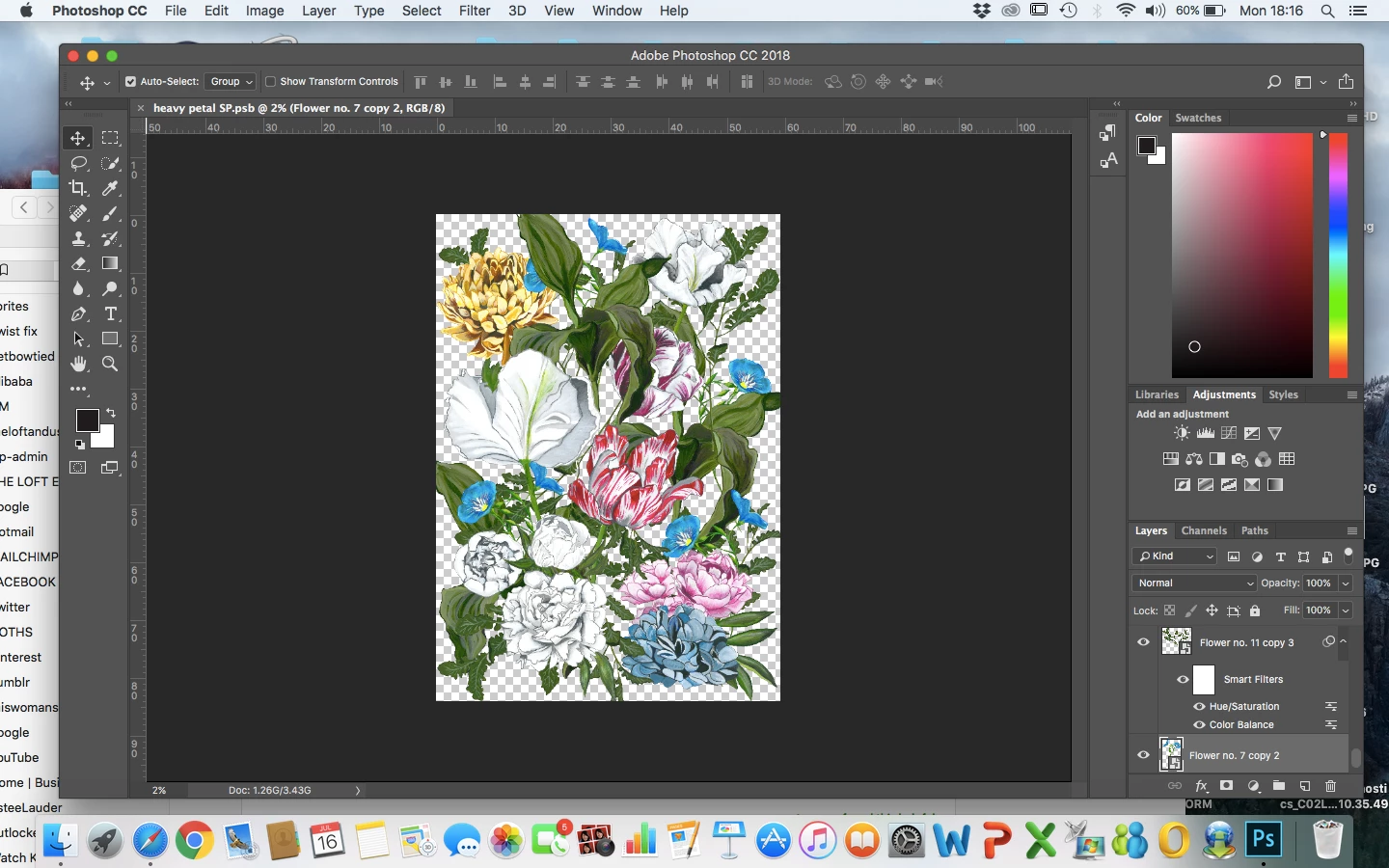
I have about 10 layers open each layer with an image size of below.
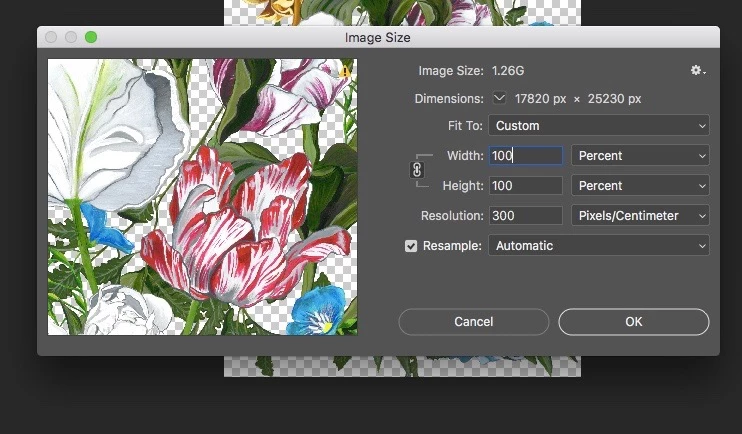
The whole file comes to 8GB so I'm assuming this is because the flowers were scanned on an extremely high resolution?
I am trying to save the file as a TIFF file which is what they requested for them to be able to create the repeat pattern but with photoshop only allowing TIFF files of up to 4GB to be saved it won't let me do it.
So now I tried to go into each individual layer to minimize the layers that way and hopefully reduce the size.
I went into image size and tried to reduce the percentage from 100% to 20% in hopes this would lower the GB but it wouldn't let me do it and a message pops up saying scratch disk full unable to change the image size.
I have cleared my hard drive and there is honestly nothing else I can delete and it is still saying scratch disk full, but I can see I still have space on my hard drive.
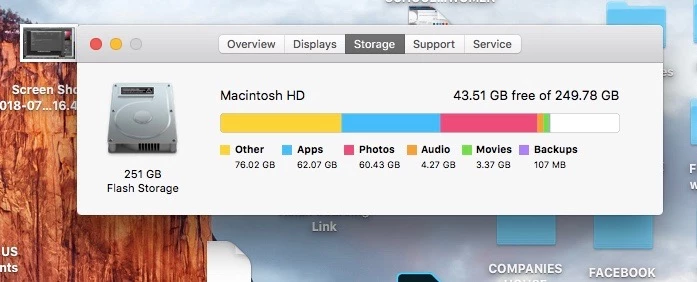
When I go to preferences > general > scratch disk there is only one hard drive available for my scratch disk files to go so I can't select another one either?

Can anyone help me with how I would be able to reduce this entire file so I can send it to a colleague. I am wanting the file size to be under 2GB so I don't know why it is so large?
I am also wanting to know how to resolve the scratch disk is full issue when I just cleared a lot of space on my MAC as this is preventing me reducing the entire image size, or if anyone knows of a better way to reduce this file I would very much appreciate the help as no-one has been able to figure this out for me.
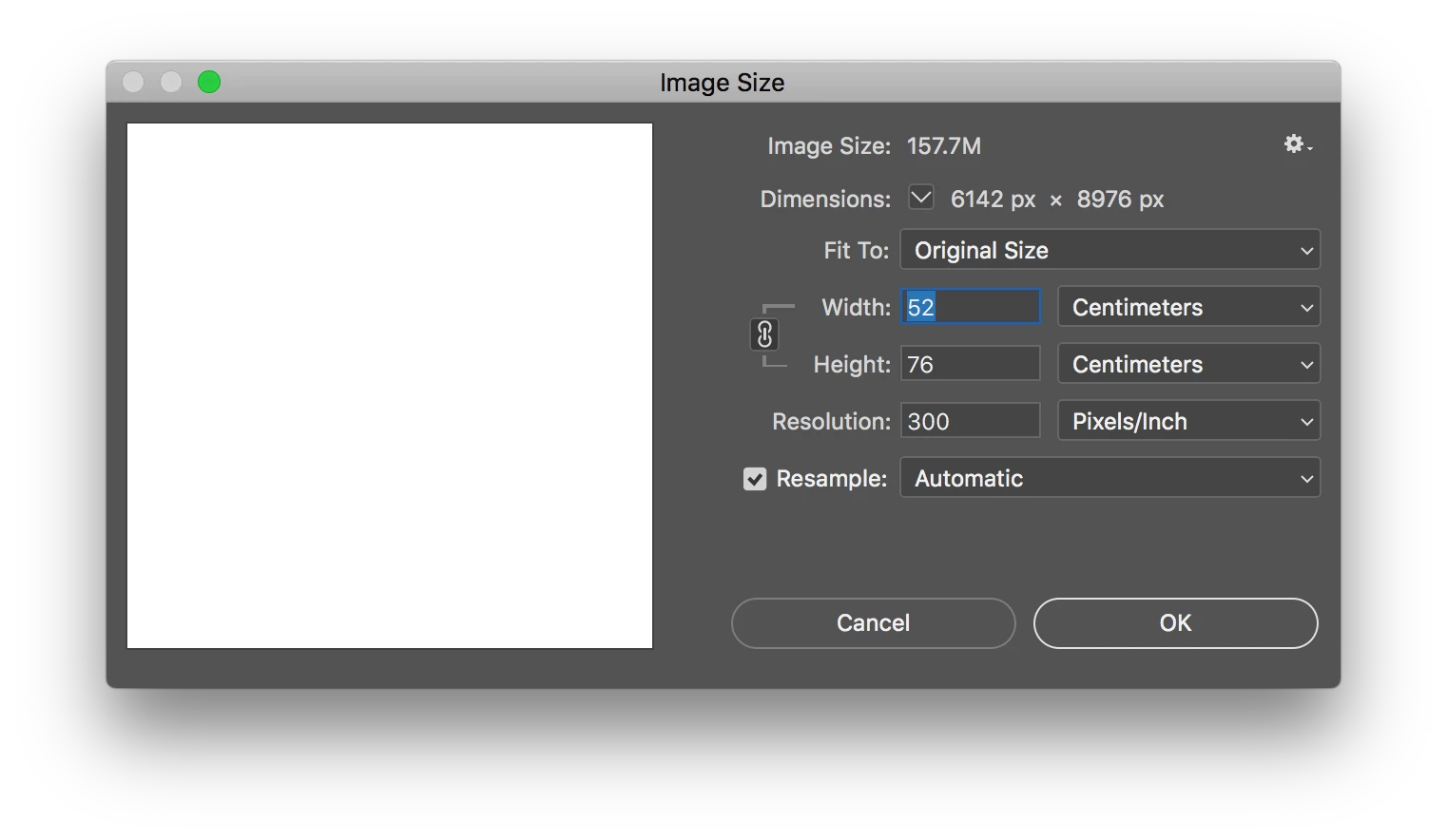
This floral design is for a repeat wallpaper pattern with the dimensions of the wallpaper being 52cm across by 76cm lenght repeat pattern.
Many thanks,
Rebecca
 AdChoices