Question
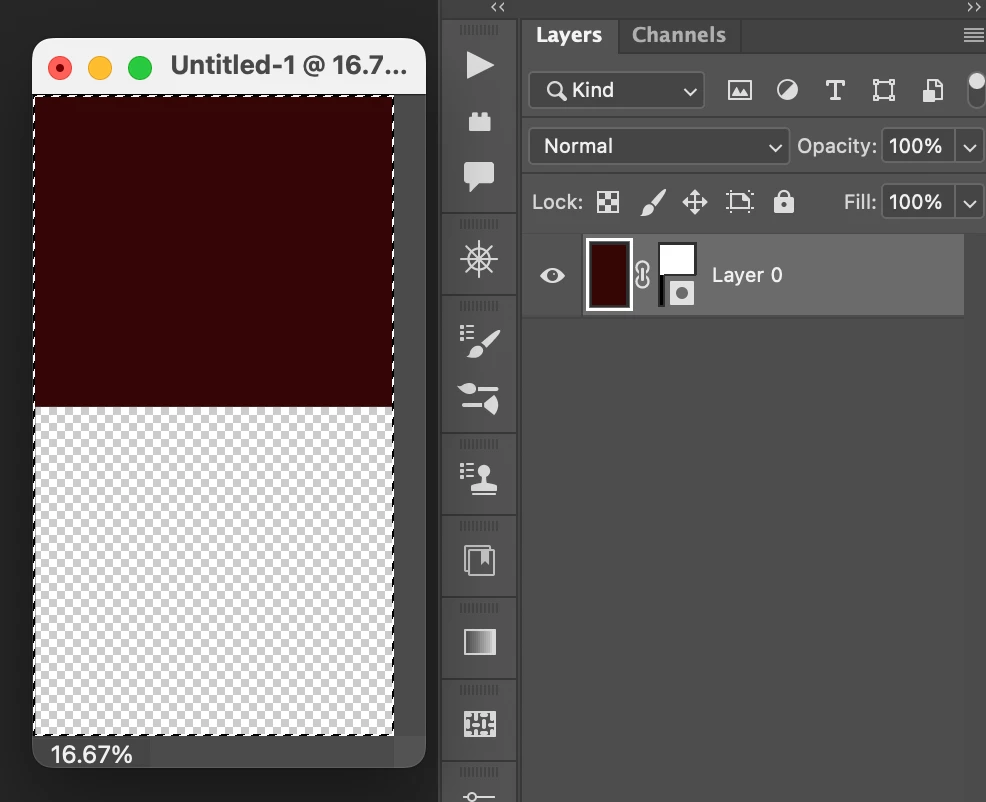
Turn off layer mask thumbnail icon
I just updated Photoshop and noticed that there was an icon added to the layer mask thumbnails. This icon obscures the lower-right, and sometimes the complete bottom half of the thumbnail. (see attached). Is there a way to turn this icon off? I work with many outsourced images with multiple layers and it really helps to view the thumbnails in their entireity during editing. Making the thumbnail larger can help, but that would limit the number of layers I could view at any time.
If anyone knows a way to also turn off the vector mask thumbnail icon I would like that too.
 AdChoices